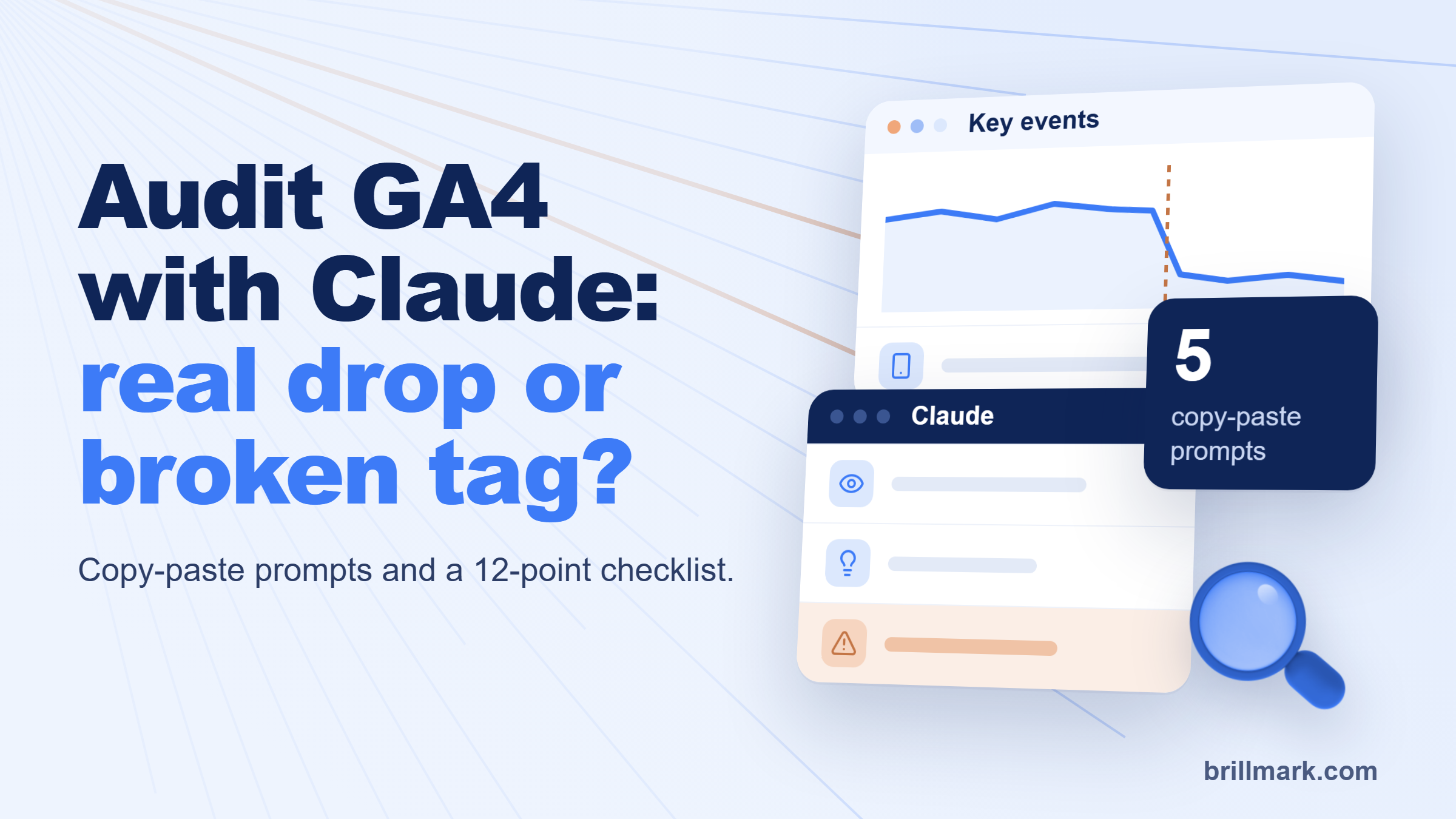
Key events fell in GA4 on Monday. Shopify orders didn’t. Before anyone asks why conversions dropped, someone has to ask whether they did.
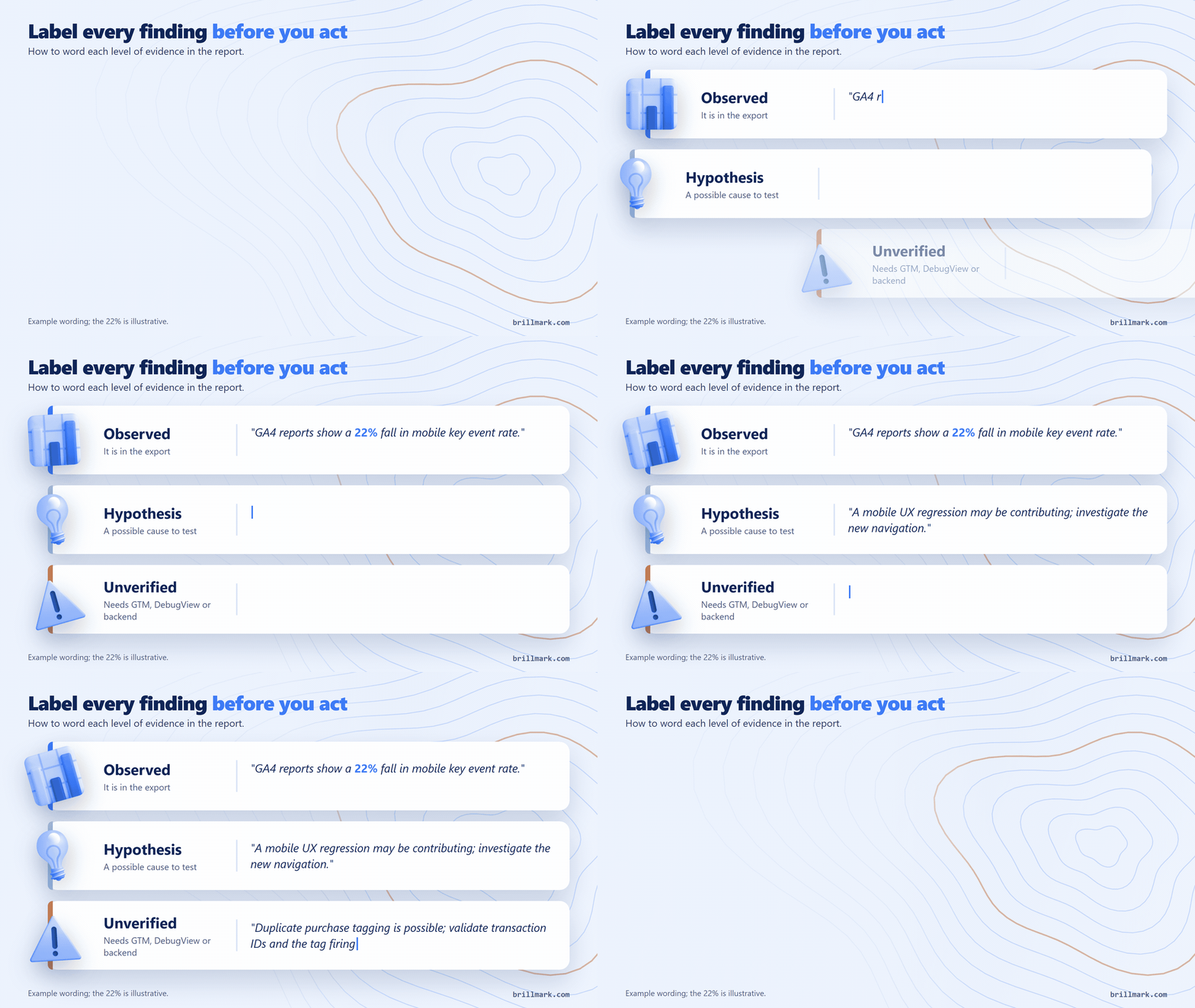
Claude is good at the first question and, left alone, bad at the second. Give it a GA4 export and it will explain a drop that never happened, with confidence. The prompts below fix that by making it label every finding as observed, a hypothesis, or an unverified tracking issue.
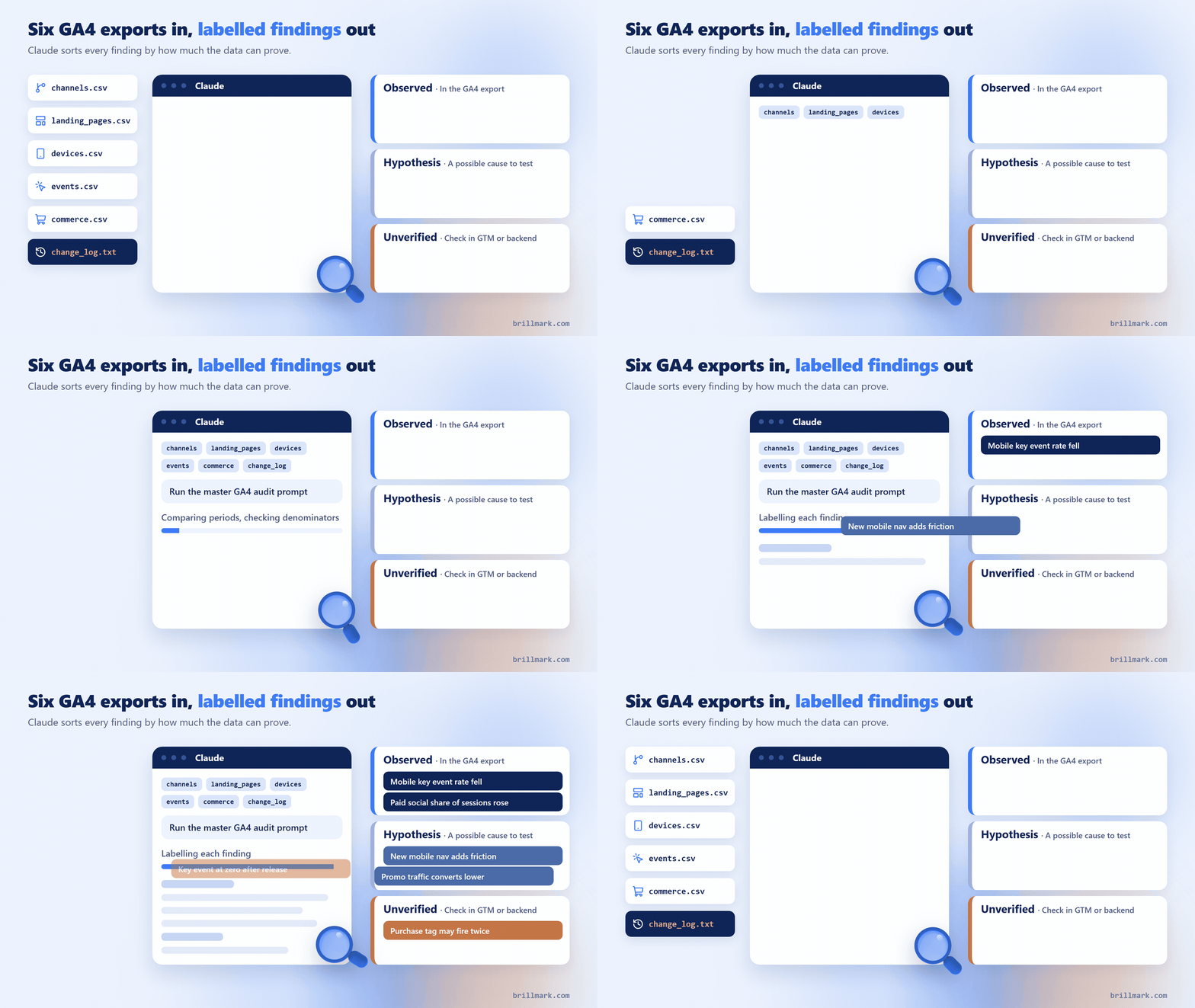
What is a Claude GA4 audit?
A Claude GA4 audit is a conversion review where you export GA4 reports as CSV files, upload them to Claude, and run a structured prompt that compares two periods, flags anomalies and ranks what to check next. It needs only Viewer access to GA4. It can’t see your tags, consent banner or backend, so its output is a list of hypotheses until you verify them.
Treat everything Claude says about a cause as a hypothesis until a second source agrees.
What to export from GA4
Six files cover most audits. Pick one outcome first, purchases and revenue or qualified leads, and use the same definition in every file.
- In GA4, set the last 28 complete days and compare with the 28 days before. Note promotions, holidays and site releases.
- Open each report below from the Reports menu, not the library (customize mode blocks downloads).
- Click Share this report → Download File → Download CSV. Each CSV holds up to 100,000 rows (Google Analytics Help).
- Upload the files to Claude, say which date range each covers, then paste the master prompt.

The change log is the file people skip and the one that explains most drops. A cookie banner update or a checkout release on the 14th is a better lead than any chart.
Comparable exports matter more than more exports: same length, complete days, same outcome definition.
The master Claude audit prompt
Copy this into Claude after the upload and fill in the brackets.
You are a senior GA4 analyst, measurement QA specialist and CRO strategist. Audit the uploaded GA4 exports for [WEBSITE] across [CURRENT DATES] vs [COMPARISON DATES]. The primary outcome is [PURCHASE + REVENUE / LEAD EVENT + QUALIFIED LEADS]. Currency and timezone: [DETAILS].
Start with an inventory of the files: report name, date range, dimensions, metrics, filters and missing context. Ask for crucial missing inputs before making a definitive claim.
TASKS
1. Summarize changes in users, sessions, engagement, key events, conversion rates, purchases and revenue. Give absolute and % differences with numerator and denominator defined.
2. Find material shifts by channel, landing page and device. Separate traffic-mix effects from within-segment rate changes where the data allows.
3. Flag sudden changes, missing or duplicated events, mismatched periods and possible measurement breaks. Mark anything that needs GTM, DebugView, consent or backend checks as UNVERIFIED.
4. Analyze view_item > add_to_cart > begin_checkout > purchase (or the lead stages) ONLY if the export is a proper funnel. Never infer an ordered funnel from raw event counts.
5. Suggest UX/CRO hypotheses. Separate observed evidence from unobserved causes.
6. Recommend validation steps and A/B tests. Do not change tracking, bidding, tags or settings.OUTPUT
A. Executive summary, 120 words max
B. Scorecard: metric | previous | current | difference | % change | caveat
C. Top findings: issue | evidence and file | business impact | confidence | severity | next validation
D. Measurement QA: anomaly | why suspected | how to verify | access needed
E. Top 5 CRO hypotheses: hypothesis | evidence | experiment | primary metric | guardrail
F. Seven-day action plan: day | owner | task | output
G. Missing data and limitationsGUARDRAILS
Never invent numbers or causes. Don’t confuse event counts with users, or transactions with purchases. Check denominators, date boundaries, sampling, attribution and currency. If the data is insufficient, say so. Reconcile with the ecommerce admin or CRM before calling a tracking fix successful.
The guardrails do the most work. Without them, Claude will read a fall in purchase events as a fall in buyers, and those are different numbers.
Is it a tracking problem or a real conversion drop?
Check your backend first. If Shopify orders or CRM leads fell along with GA4, the drop is real and the audit’s segment findings are worth chasing. If only GA4 fell, suspect measurement: a release, a consent change or a tag that stopped firing.
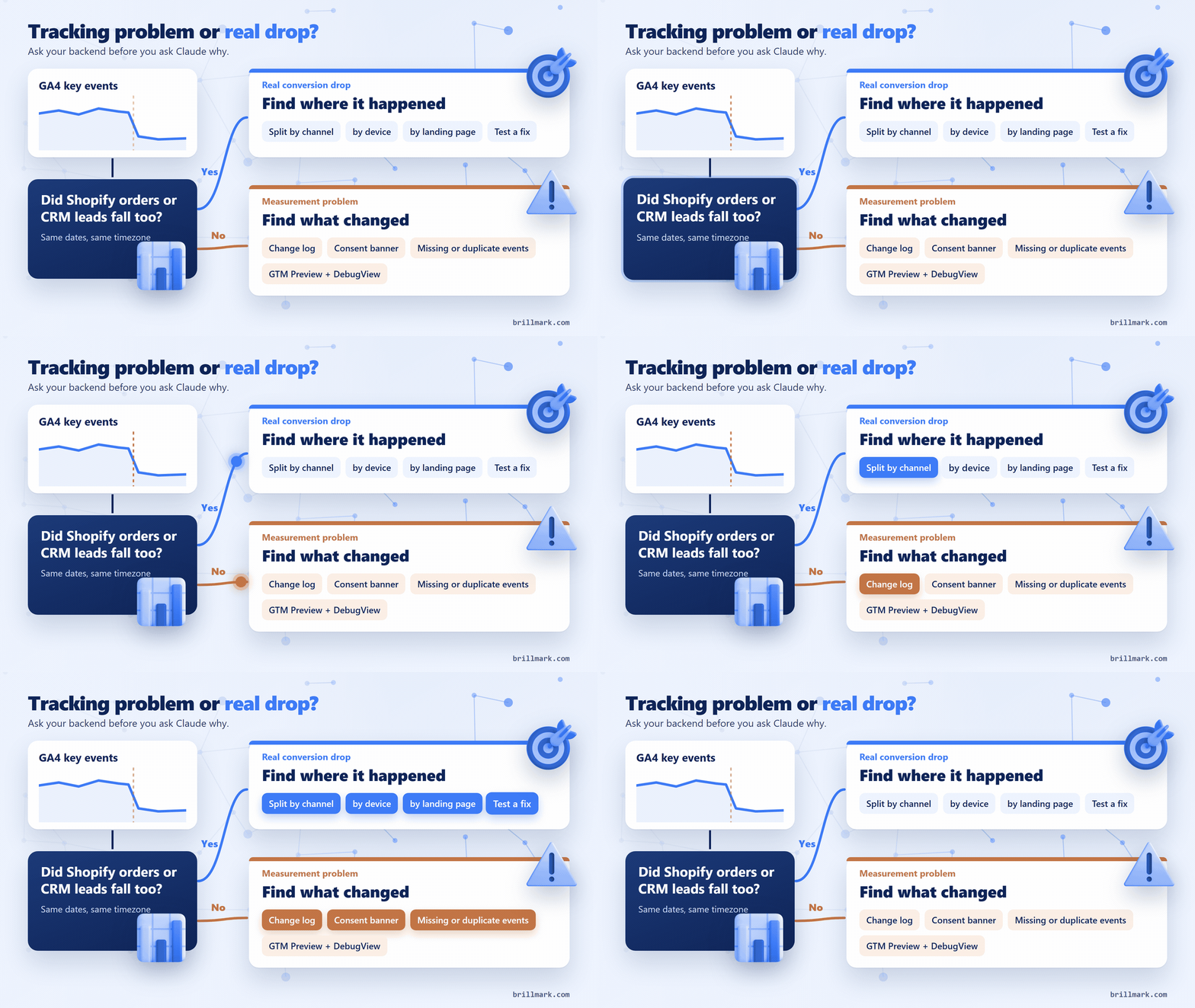
GTM Preview and GA4 DebugView are the two places you watch tags fire in real time. Claude can’t open either. That’s why the prompt makes it say UNVERIFIED instead of guessing.
If GA4 drops and your backend doesn’t, you have a tracking problem, and no redesign will fix it.
Four prompts for the questions you’ll get asked
Paste these after the master audit, in the same chat.
A. Why did conversions drop? Decompose the change into traffic volume, channel/device/landing-page mix and conversion-rate movement where the data permits. Rank the biggest contributors. Say which explanations are supported and which need validation. Give 3 immediate checks and 3 CRO hypotheses.
B. Where is our funnel leaking? Use the Funnel exploration export. Describe the funnel definition, step eligibility and denominators before computing drop-off. If only event totals exist, explain why they can’t show user-level abandonment and how to build the Exploration.
C. Is GA4 tracking broken? Review event patterns before and after [RELEASE DATE]. Flag discontinuities, zero-count key events and purchase-to-revenue mismatches. Produce a hypothesis table with confidence, evidence and how to verify each one. Don’t claim to have inspected tags.
D. What should we A/B test next? Propose five prioritized tests: page and audience, observed data, hypothesis, variant, primary metric, guardrail, risk and complexity. Don’t invent significance, uplift or test duration.
Prompt B matters most for ecommerce. In a GA4 funnel exploration, users count only in steps completed in sequence, and anyone who misses a step drops out of every later step (Google Analytics Help). Event totals from the Events report don’t follow that rule, so they can’t show where people leave.
GA4 conversion audit checklist
Run these 12 checks alongside Claude’s report. Several need access Claude doesn’t have.
| Check | What to verify |
|---|---|
| Dates | Same length, complete days, timezone, seasonality |
| Outcome | Correct key event; purchases and leads not mixed |
| Traffic sources | Channel and source/medium shifts |
| Landing pages | Top entry pages: sessions vs outcomes |
| Devices | Mobile and desktop rates, not only totals |
| Event hygiene | Missing or duplicate spikes, naming, key event settings |
| Ecommerce | purchase has transaction_id, value, currency; refunds |
| Lead quality | generate_lead vs qualified leads in the CRM |
| Funnel method | Ordered funnel, consistent step definitions |
| Consent and tags | Banner behaviour, GTM Preview, DebugView (manual) |
| Platform totals | GA4 vs Shopify admin or CRM |
| Change log | Releases, campaigns, banner and redirect changes |
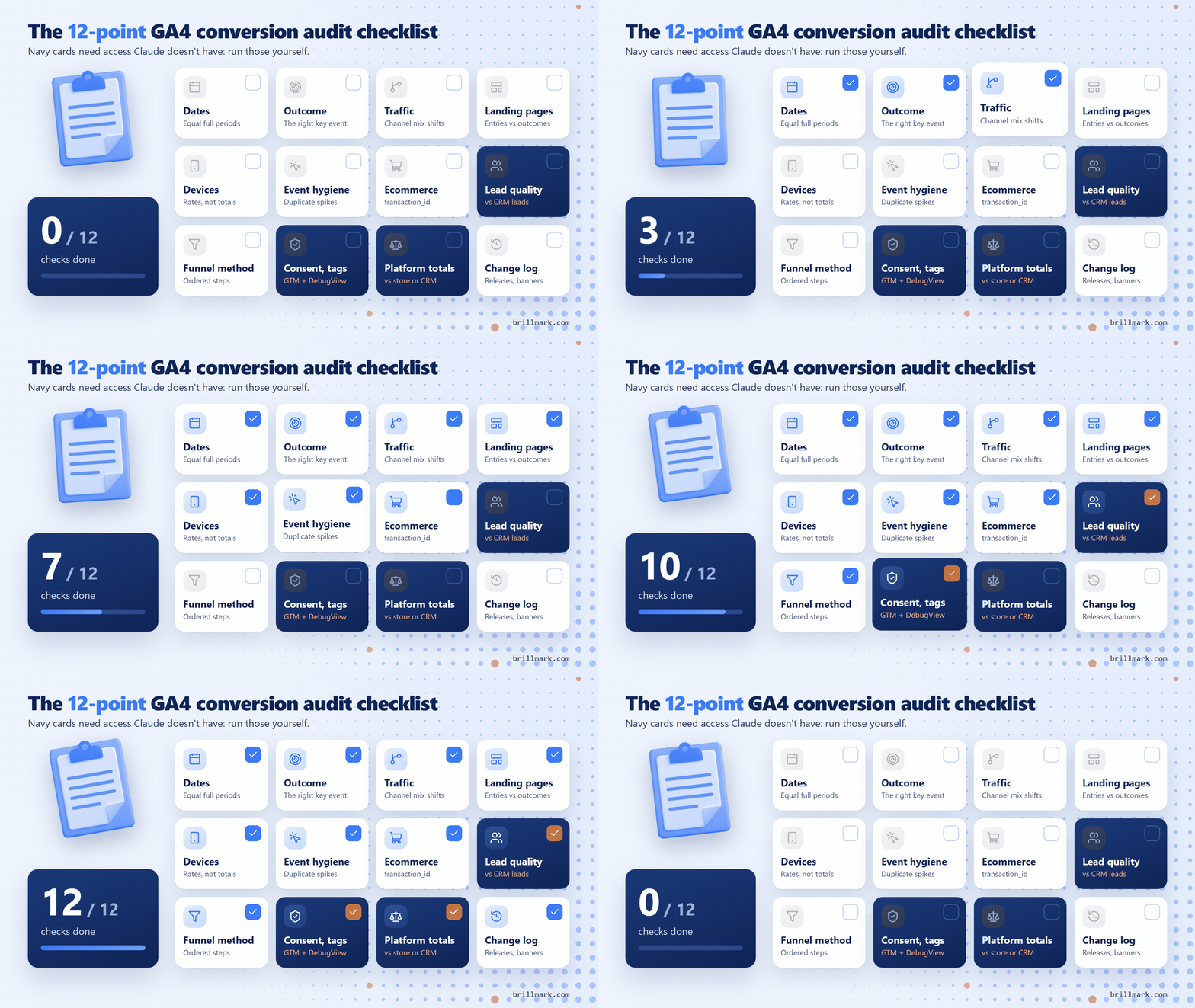
The checks Claude can’t run, consent, tags and platform totals, are the ones that decide whether its findings are true.
From findings to A/B tests in seven days
| Day | Do | Output |
|---|---|---|
| 1 | Export comparable reports, write the change log | Clean dataset |
| 2 | Run the master prompt, check its arithmetic | Findings log |
| 3 | Investigate event anomalies in GA4 and GTM | Measurement notes |
| 4 | Reconcile with the store admin or CRM | Reconciliation |
| 5 | Review priority pages on real devices | CRO hypotheses |
| 6 | Rank by impact, confidence and effort | Test backlog |
| 7 | Share the validated report with owners | Action plan |
Days 3 and 4 are where most audits stall, because they need someone who can read a GTM container. In the GA4 audits we run, that step decides the rest: a fix to a duplicated purchase tag changes every number Claude reported.
FAQ
Can Claude connect to GA4 directly?
Yes, through third-party connectors (MCP servers) that read a property live. You don’t need one for this audit: CSV exports work with Viewer access and give Claude no way to change anything.
Is it safe to upload GA4 data to Claude?
Upload only data you’re allowed to share. Remove customer identifiers, personal data and URLs with sensitive query strings first.
Does a Claude audit replace a GA4 audit?
No. It finds where to look. Verifying tags, consent and backend totals still needs a person with access.
Not sure your GA4 conversions can be trusted? BrillMark audits GA4 properties and GTM containers, validates every event and reconciles it with your store or CRM. See our GA4 audit and tracking services, with a standard audit in 2–3 business days after access.
Make your website ready for the AI era.
AI is changing how people discover, evaluate, and interact with websites. We help you identify optimization opportunities across content, UX, technical performance, SEO, and conversion paths.