
Introduction
Why Most A/B Tests Fail Before They Even Start
Did you know 77% of companies struggle with A/B testing accuracy? The culprit isn’t poor strategy; it’s inadequate quality assurance.
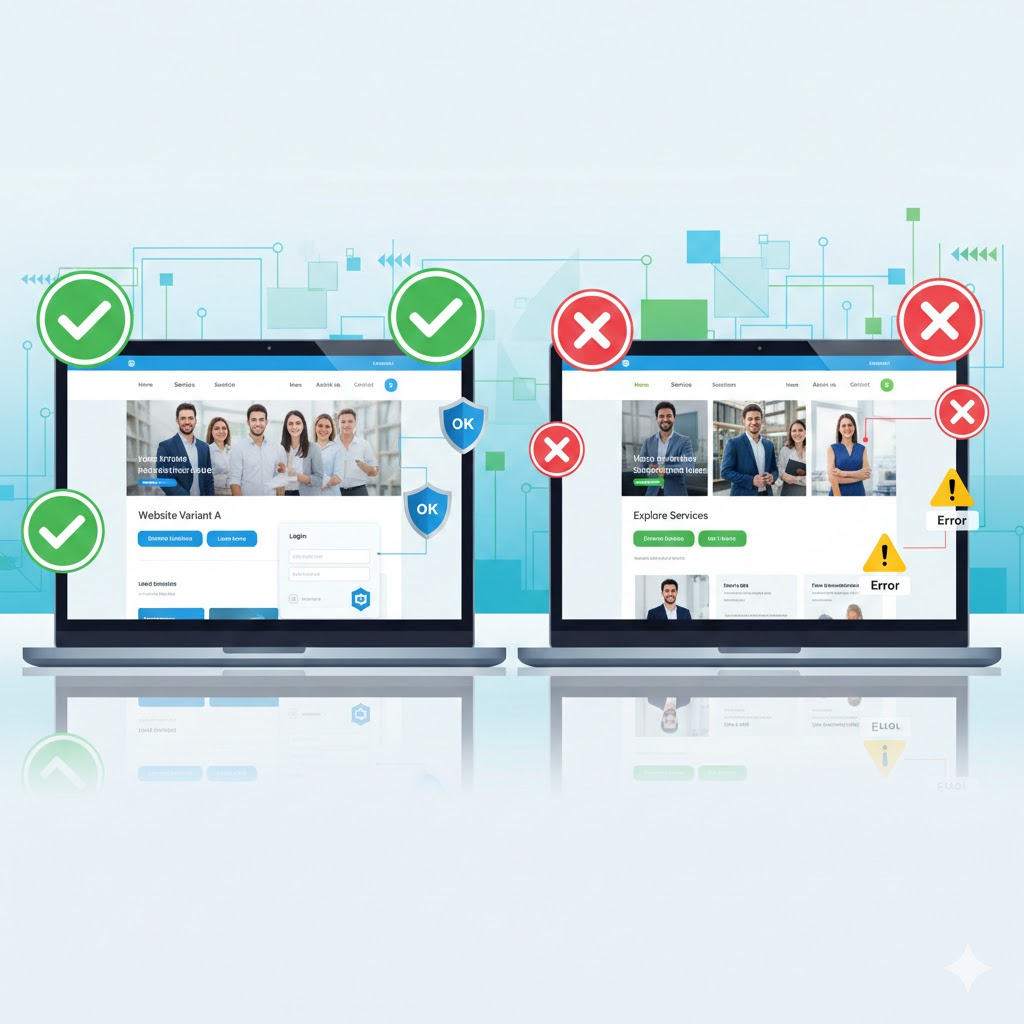
A/B testing quality assurance process visualization with variant comparison
A/B testing drives data-driven decisions for millions of businesses. Without proper QA, you’re making decisions based on flawed data.
What you’ll learn:
- Why QA is non-negotiable for valid A/B test results
- The complete QA process for A/B testing
- Step-by-step checklist for error-free tests
- Common pitfalls and how to avoid them
The Hidden Cost of Skipping QA in A/B Testing
What Happens When QA Fails?
Poor QA leads to unreliable results. Your business makes decisions based on incorrect data.
Common consequences include:
- Incorrect variant implementation
- Tracking errors that skew results
- Sample ratio mismatch (SRM) issues
- Lost revenue from flawed decisions
- Wasted engineering resources
Real-world impact: Companies lose an average of $100K annually from bad A/B test data.
What Is A/B Testing Quality Assurance?
Defining QA in Experimentation
QA ensures your A/B test measures what it’s supposed to measure. It validates technical implementation before launch.
Key QA components:
- Correct variant rendering across devices
- Accurate event tracking and attribution
- Proper randomization and traffic allocation
- No JavaScript errors or broken functionality
- Consistent user experience delivery
The goal: Launch tests that produce trustworthy, actionable insights.
The Complete A/B Testing QA Process
Phase 1: Pre-Implementation Planning
Define clear success metrics before coding begins. Ambiguous metrics lead to implementation errors.
Planning checklist:
- Document hypothesis clearly
- Specify primary and secondary metrics
- Define audience targeting criteria
- Establish statistical significance thresholds
- Set expected test duration
Why this matters: 60% of QA issues stem from unclear requirements.
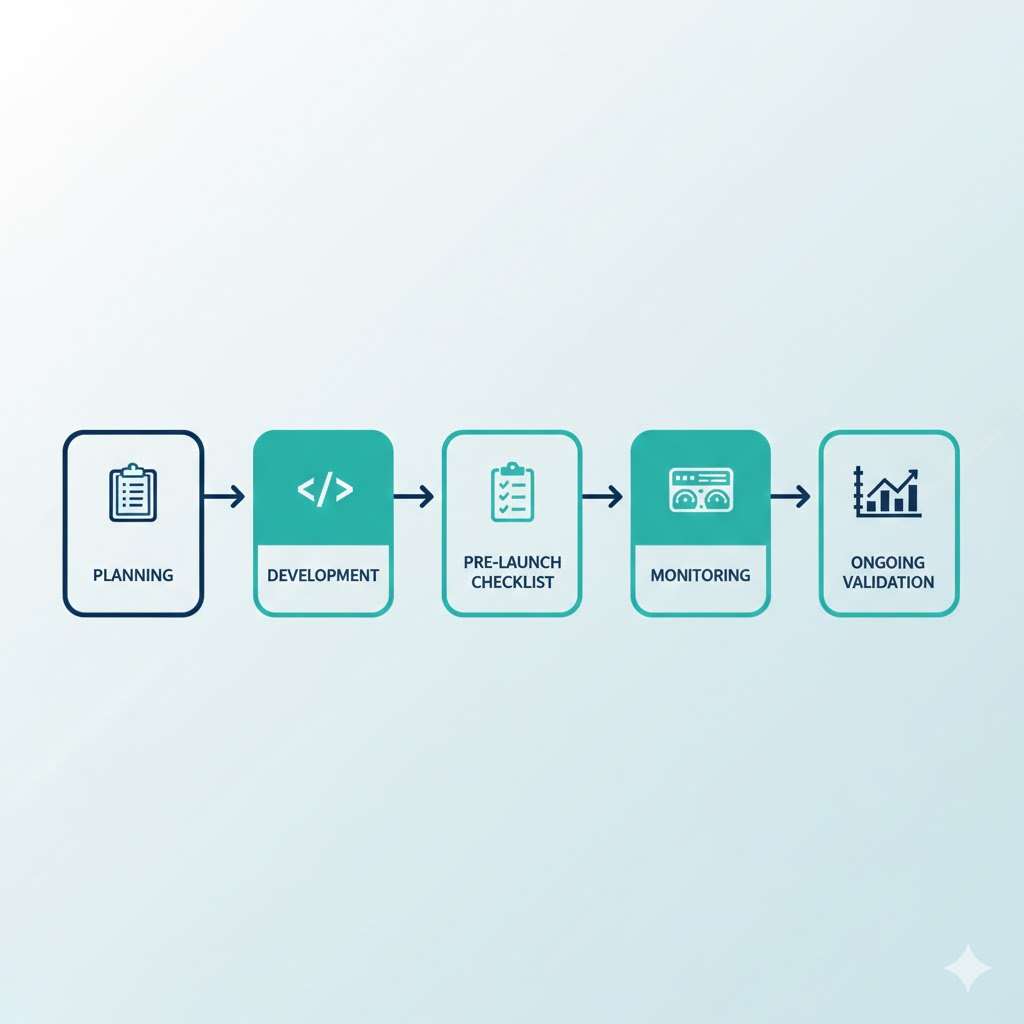
Alt text: Five-phase A/B testing quality assurance workflow diagram
Phase 2: Development QA
Validate code quality before deployment. Catch errors in controlled environments first.
Development steps:
- Review variant code for accuracy
- Test on staging/development servers
- Check responsive design across breakpoints
- Validate tracking implementation
- Run browser compatibility tests
Pro tip: Use feature flags to test variants in production safely.
Phase 3: Pre-Launch Testing
This is your final validation checkpoint. Every element must work perfectly.
Critical pre-launch checks:
- Verify correct traffic allocation percentages
- Confirm tracking fires on all interactions
- Test edge cases and error states
- Validate cross-browser functionality
- Check mobile app behavior
Tools to use: Browser DevTools, analytics debuggers, network monitoring.
Phase 4: Launch Monitoring
The first 24 hours reveal critical issues. Monitor actively during this window.
What to monitor:
- Sample ratio mismatch (SRM) indicators
- Unexpected metric movements
- Error rates and console logs
- Traffic distribution accuracy
- Conversion funnel completion rates
Red flags: Traffic splits deviating >2% from expected ratios.
Phase 5: Ongoing Validation
Continuous monitoring prevents data corruption. Don’t assume tests run correctly indefinitely.
Weekly validation tasks:
- Review SRM indicators
- Check for tracking degradation
- Monitor external factor impacts
- Verify no code conflicts emerged
- Assess data quality scores
Best practice: Set up automated alerts for anomalies.
Essential A/B Testing QA Checklist
Pre-Launch Checklist
Use this before every test launch:
Technical Validation
- Variants render correctly in all browsers
- Mobile responsive design works properly
- No JavaScript console errors present
- Page load times remain acceptable
- All CTAs function as intended
Tracking Validation
- Analytics events fire correctly
- Conversion goals track properly
- User attributes captured accurately
- Revenue tracking works (if applicable)
- Attribution model functions correctly
Configuration Validation
- Traffic allocation percentages correct
- Audience targeting rules accurate
- Exclusion criteria implemented properly
- Test duration set appropriately
- Statistical parameters configured correctly
Post-Launch Monitoring Checklist
Daily checks for the first week:
- Sample ratio mismatch within acceptable range
- No unexpected metric anomalies
- Error rates normal across variants
- Traffic distribution stable
- No external events impacting results
Weekly checks:
- Data quality remains high
- No tracking degradation occurred
- Statistical validity still achievable
- External factors documented
Common A/B Testing QA Pitfalls
Mistake #1: Insufficient Cross-Browser Testing
73% of QA failures involve browser compatibility issues. Different browsers render code differently.
Solution: Test on Chrome, Firefox, Safari, Edge, and mobile browsers.
Mistake #2: Ignoring Sample Ratio Mismatch
SRM indicates serious data quality problems. It means traffic isn’t splitting correctly.
How to detect: Expected 50/50 split showing 52/48? Investigate immediately.
Solution: Use SRM calculators and halt tests showing mismatch.
Mistake #3: Poor Mobile Testing
Mobile accounts for 60% of web traffic. Desktop-only QA misses critical issues.
Solution: Test on actual devices, not just emulators.
Mistake #4: Inadequate Tracking Validation
If tracking fails, your entire test is worthless. Garbage in, garbage out.
Solution: Manually trigger every tracked event during QA.
Mistake #5: Skipping Edge Case Testing
Real users behave unpredictably. Edge cases reveal breaking points.
Examples to test:
- Ad blockers enabled
- Slow network connections
- Disabled JavaScript
- Extreme screen sizes
- Unusual user journeys
Tools for Effective A/B Testing QA
Essential QA Tools
Browser DevTools: Built-in debugging for all major browsers.
Google Tag Assistant: Validates Google Analytics and Tag Manager implementation.
Charles Proxy: Monitors network traffic and API calls.
BrowserStack: Tests across multiple browsers and devices simultaneously.
Optimizely/VWO Debuggers: Platform-specific testing tools.
BrillMark Could Be Your Free QA Checklist
Get the Complete A/B Testing QA Toolkit
Streamline your QA process with our comprehensive resources:
- Complete pre-launch checklist (printable PDF)
- Post-launch monitoring schedule
- SRM calculator spreadsheet
- Common error troubleshooting guide
- Browser compatibility matrix
Conclusion
Quality Assurance: Your Competitive Advantage
Rigorous QA transforms A/B testing from guesswork to science. Without it, you’re flying blind.
Key takeaways:
- QA catches 90% of issues before they impact decisions
- Systematic processes beat ad-hoc checking
- Pre-launch validation saves time and money
- Continuous monitoring prevents data corruption
The bigger picture: Companies with strong QA processes achieve 3x higher test velocity and 50% better decision accuracy.
Your next step: Use the QA checklist and implement it in your next A/B test. Track the difference in data quality.
Questions about implementing QA for your tests? Drop a comment below or subscribe for weekly experimentation insights.
Make your website ready for the AI era.
AI is changing how people discover, evaluate, and interact with websites. We help you identify optimization opportunities across content, UX, technical performance, SEO, and conversion paths.