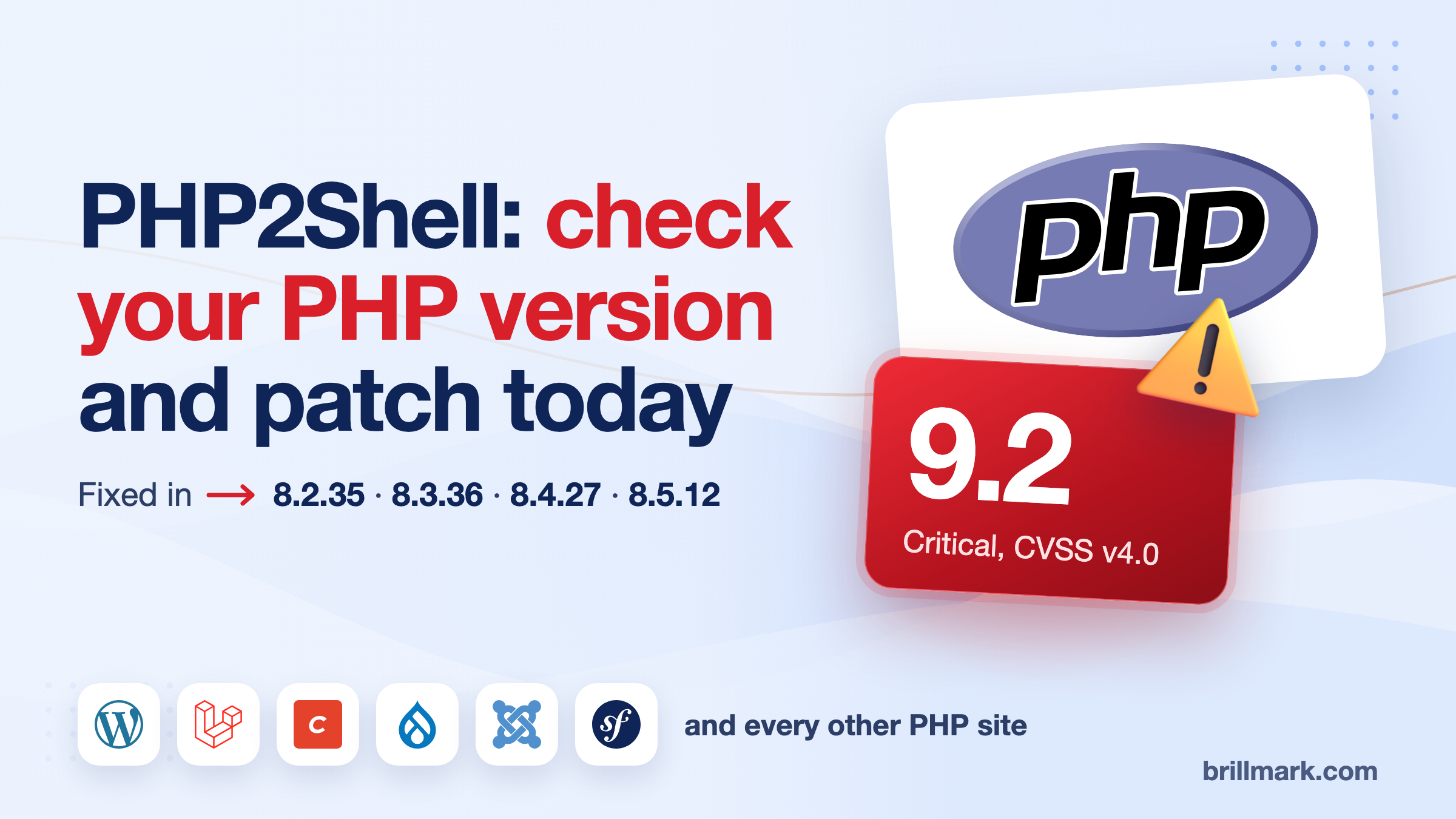
On October 21, 2026, PHP shipped emergency releases 8.5.12, 8.4.27, 8.3.36 and 8.2.35. They fix two flaws in PHP itself, CVE-2026-109618 and CVE-2026-109619, that the PHP project says can allow unauthenticated remote code execution: someone with no login running their own code on your server. Both are rated Critical, 9.2 on CVSS v4.0.
The short answer: find the PHP version that actually serves your website. If it is older than the fixed release in the table below, update it today.
Information current as of October 21, 2026, 14:30 UTC. Vendor status is changing by the hour; check the linked sources.
Which PHP versions are affected by PHP2Shell?
Every PHP branch in use is affected. Wiz Research, which found and reported the bugs, says every PHP version back to 5.4 has at least one of them.
| Your PHP branch | Fixed release |
|---|---|
| PHP 8.5 | 8.5.12 |
| PHP 8.4 | 8.4.27 |
| PHP 8.3 | 8.3.36 |
| PHP 8.2 | 8.2.35 |
| PHP 8.1 and older | No upstream release. Use a vendor backport, or move to 8.2 or later |
The PHP project no longer ships releases for 8.1 and older. Its security team did publish minimal source backports for 7.4, 8.0 and 8.1 for people who build PHP themselves, and some Linux distributions and long-term-support vendors ship patched packages. Ask your vendor, and check that the package changelog names both CVEs.
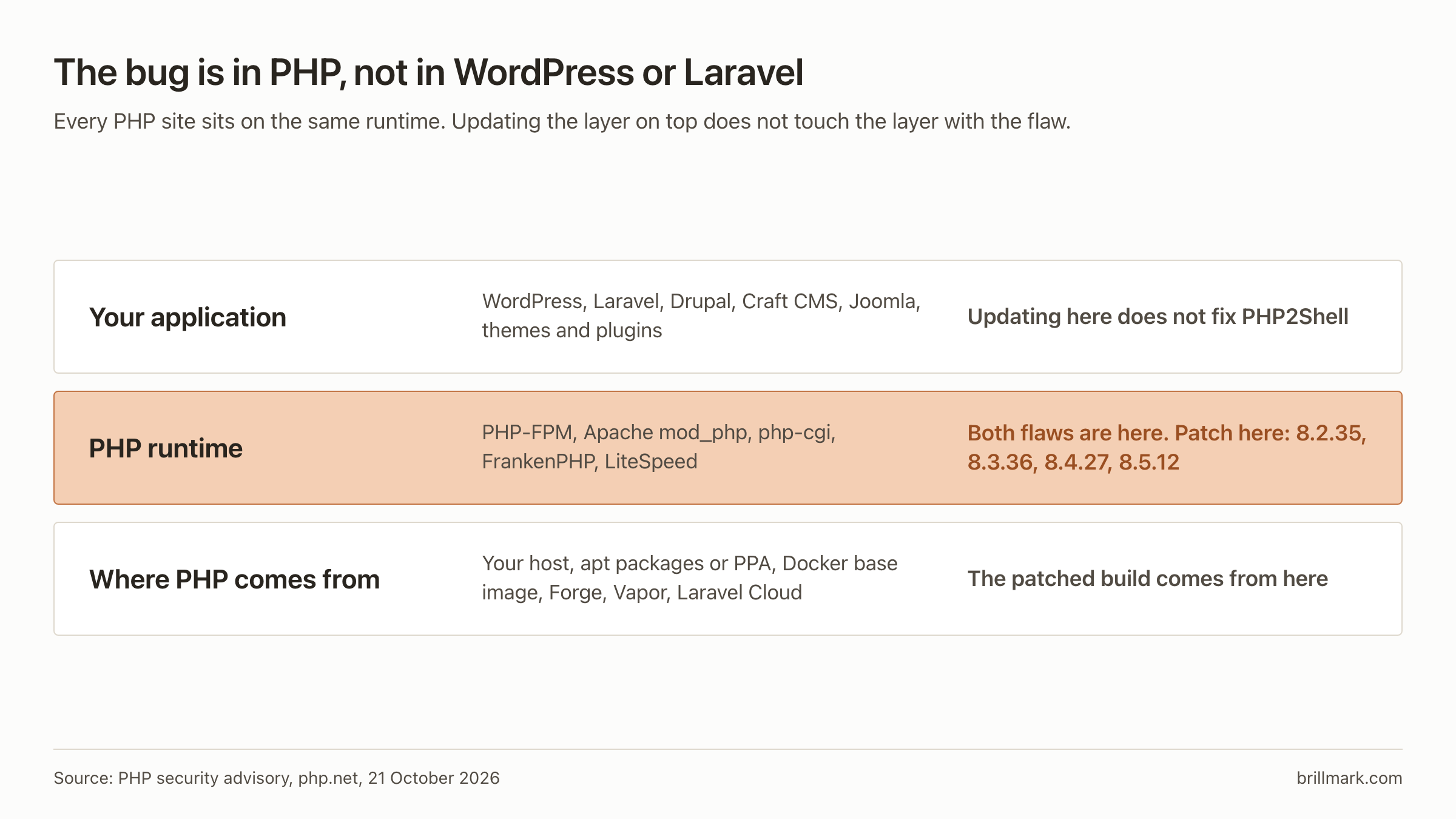
Updating WordPress, Laravel, Drupal, Craft CMS or any plugin does not fix this. The bug is in the PHP interpreter underneath them.
If your site runs on WordPress
WordPress runs on PHP, so every WordPress site is exposed until the PHP under it is patched. Updating WordPress core, your theme or your plugins is good hygiene, but it changes nothing here. What you need to do:
- Find your PHP version. In WordPress admin, go to Tools → Site Health → Info → Server. Note the PHP version.
- Compare it with the table above. No “outdated PHP” warning in your dashboard doesn’t mean you have this week’s fix. Go by the version number.
- On shared or managed WordPress hosting, your host patches PHP, not you. Check their status page, or ask support: “Is the PHP build serving my site patched for CVE-2026-109618 and CVE-2026-109619?”
- If you’re on PHP 8.1 or older, switch to 8.2 or later in your hosting panel (cPanel calls it MultiPHP Manager). Test on a staging copy first if you can, since old plugins sometimes break on newer PHP. Switching only helps if the host’s build of the new branch is itself patched.
- If you run your own server (a VPS, Forge, a Docker container), follow Steps 1 to 5 below.
What PHP2Shell is
Two memory-safety bugs in PHP core, according to the PHP security advisory:
- CVE-2026-109618: when PHP runs out of memory partway through a request, cleanup can treat half-built request data as valid.
- CVE-2026-109619: internal state from one request can outlive the memory behind it, and a later request on the same PHP worker may use it.
PHP says every installation that serves web requests is at risk: PHP-FPM, Apache with mod_php, php-cgi, FrankenPHP and LiteSpeed. It rates mod_php highest, because there the attack can start before any application code runs. Wiz says it demonstrated remote code execution against the current WordPress, Drupal and Joomla container images.
What happened on October 20 and 21
- October 20. Details leaked ahead of coordinated disclosure, per Patchstack’s timeline. PHP posted advance notice of a critical release.
- October 21, early UTC. Cloudflare says it observed attack traffic and had WAF rules protecting customers from 3:02 UTC.
- October 21, morning. Patchstack says hosting partners reported multiple active exploitation incidents. At 13:57 UTC its own telemetry showed probing only, with no hard evidence of breaches.
- October 21, afternoon UTC. PHP released the four fixed versions.
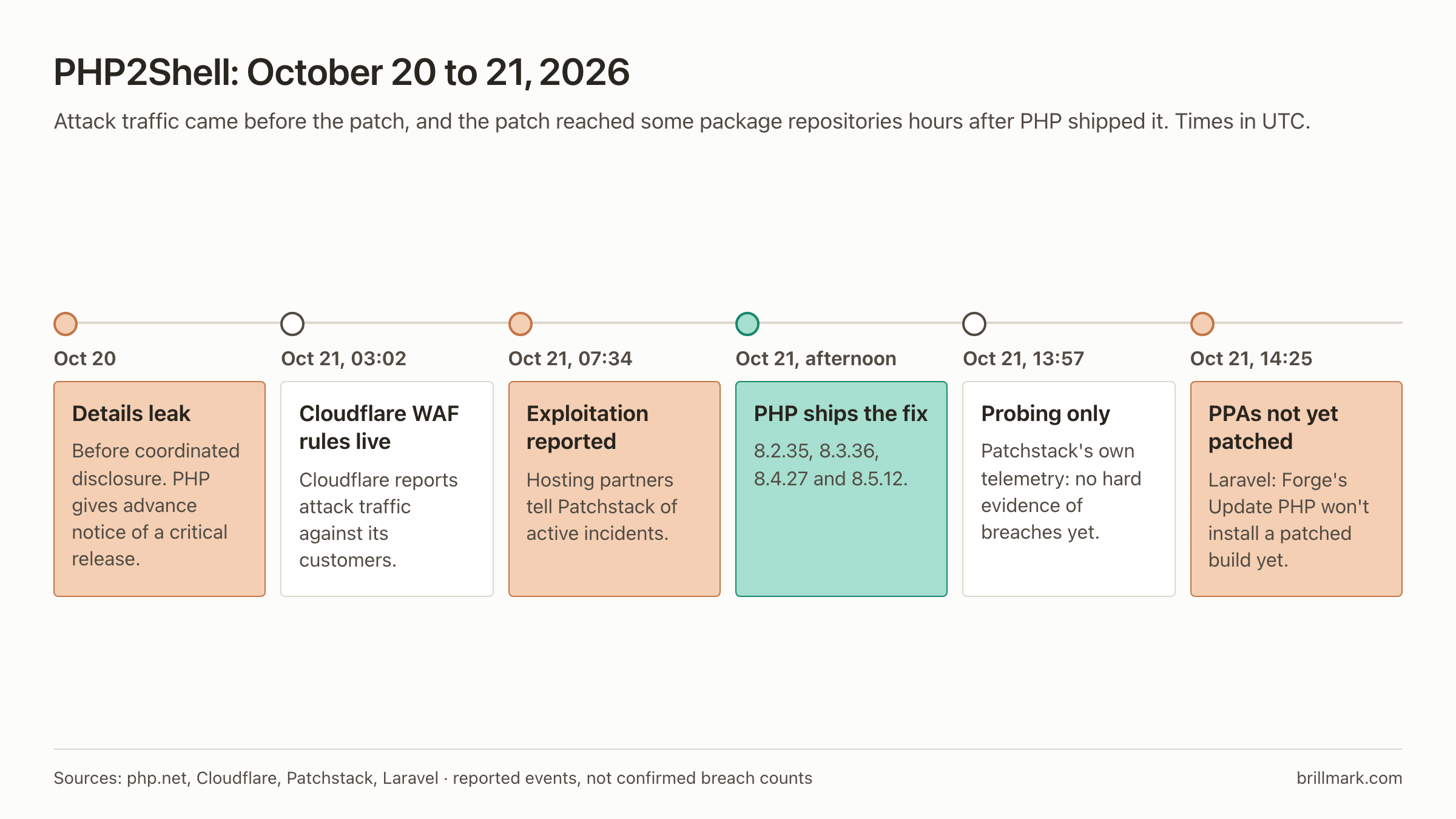
Several services went offline as a precaution, including Dutch government portals DigiD and MijnOverheid, according to Dutch broadcaster NOS as cited by Patchstack. Taking a site offline is a precaution. It is not evidence the site was hacked.
No reliable count of successfully compromised websites had been published as of October 21. Exposed sites, attempted attacks and confirmed compromises are three different numbers, and only the first is large today.
How to patch PHP2Shell, in five steps
On your own server it takes five steps. Most people skip the second one, and then an update installs nothing new.
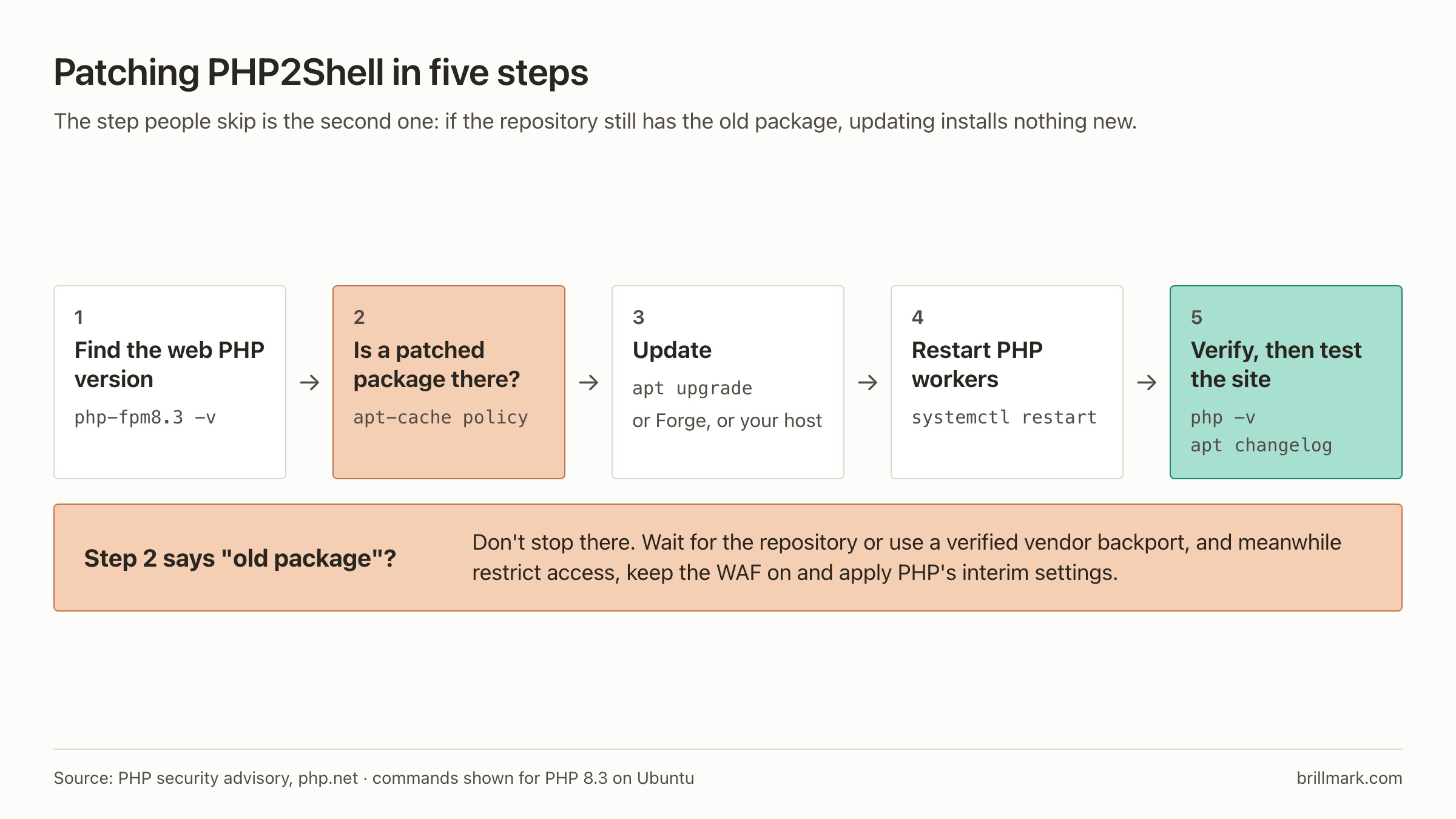
Step 1: Find the PHP version your website runs
php -vThis shows the command-line PHP. The PHP that serves web pages can be a different version on the same server.
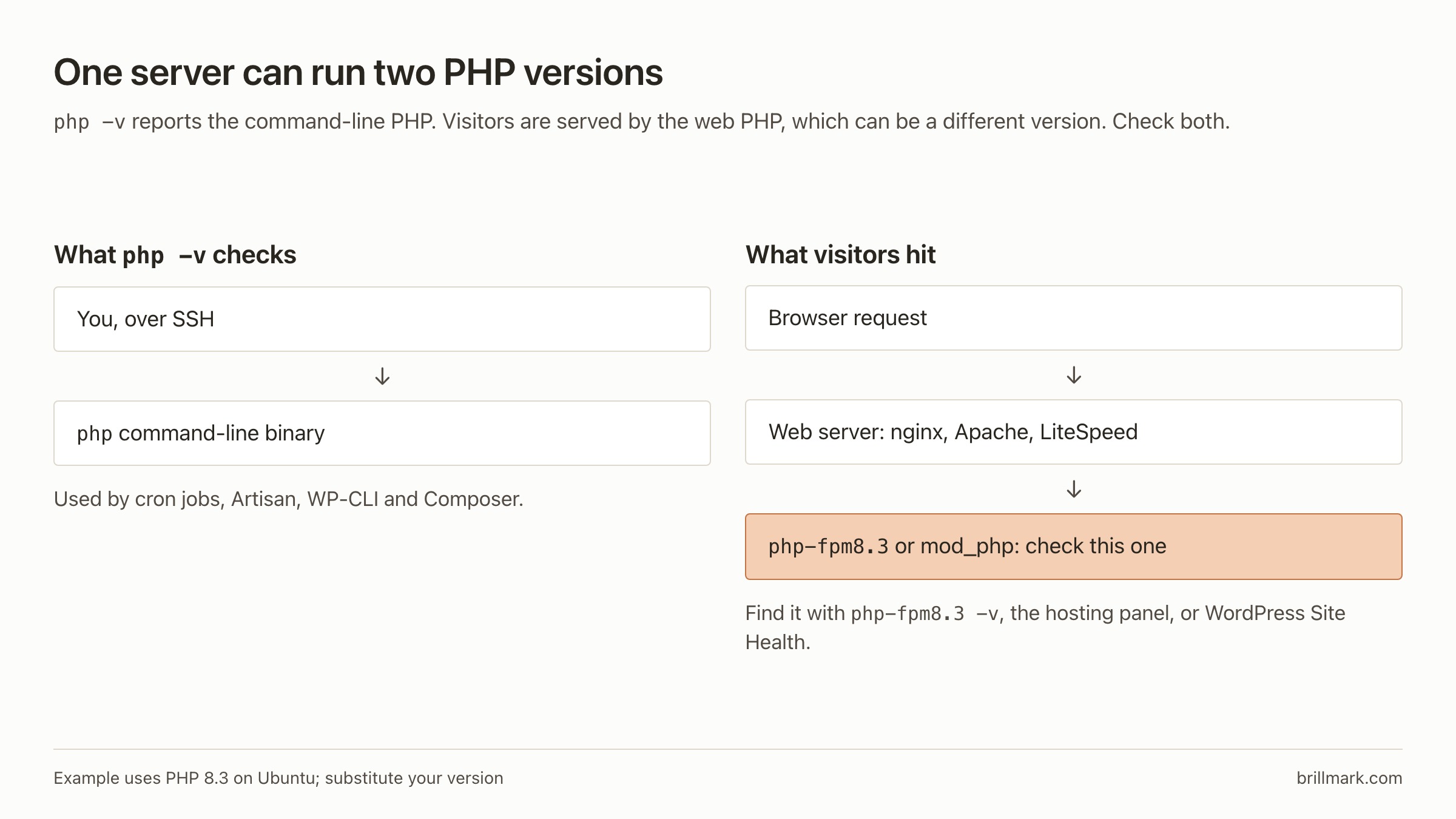
Check the web-facing one too:
- Hosting panel: the PHP version setting for your domain.
- WordPress: Tools → Site Health → Info → Server.
- PHP-FPM on Ubuntu, for PHP 8.3:
php-fpm8.3 -vOne trap: Ubuntu and Debian’s own packages often keep the old version number and backport the fix. A distribution build reading 8.3.6 can be patched while a PPA build reading 8.3.31 is not. When in doubt, the changelog decides:
apt changelog php8.3-fpm | grep -E "CVE-2026-10961(8|9)"Step 2: Check whether a patched package is available
On Ubuntu:
sudo apt update
apt-cache policy php8.3-cli php8.3-fpm
Installed is what you run. Candidate is what an update would install. If the candidate is still the old version, your repository has not received the fix yet, and updating changes nothing. Wait for it, or use a verified vendor backport.
Step 3: Apply the update
Laravel: Forge, Vapor and Cloud
For a Laravel app, composer update changes nothing here: Laravel is PHP code, and the fix is in the PHP binary that runs it. Where you patch depends on where the app runs.
On Laravel Forge:
- Open the server in Forge.
- Go to its PHP section.
- Click Update PHP, once patched packages are confirmed.
- Check the result with Step 5.
As of Laravel’s 14:25 UTC update, the upstream Ubuntu PHP PPAs had not received the patch, so clicking Update PHP would not install a patched version. Laravel said it would announce when packages land, and advised powering servers down if they cannot be updated promptly. Vapor apps on a native PHP 8.3+ runtime are redeployed automatically; custom and Docker runtimes need a rebuild. Laravel Cloud is patching running apps itself.
Self-managed Ubuntu or Debian
Back up the application and database first, and plan for a short PHP restart. Then upgrade from your configured, trusted repositories:
apt list --upgradable | grep php
sudo apt upgrade
Docker
Pull the patched base image, rebuild, and redeploy. A running container keeps its old PHP until it is replaced.
Shared hosting
Your host updates PHP, not you. Check the version in your panel, and ask support which build you are on and whether it carries both CVE fixes.
Step 4: Restart PHP
A new package does nothing until the workers that loaded the old one are gone:
sudo systemctl restart php8.3-fpmUse the service that matches your version and setup. For mod_php, restart Apache.
Step 5: Verify
php -v
php-fpm8.3 -v
Then confirm the web-facing version again (Step 1), read the package changelog if you are on a backport, and test what matters: forms, uploads, logins and the CMS admin. An upstream 8.3.31 install should now read 8.3.36, or a vendor-confirmed patched build.
If you cannot patch today
Each of these lowers the risk. None of them is a fix.
- Restrict or take offline high-risk public services until the patch is in.
- Keep the WAF on. Cloudflare says its rules deploy automatically on every plan with WAF, Free included. Paid plans should confirm the Managed Ruleset runs in block mode.
- Apply PHP’s interim settings from the advisory, in
php.inior the FPM pool, neverini_set()or.user.ini, then restart every worker:session.upload_progress.enabled=0for all;fatal_error_backtraces=0on PHP 8.5. The advisory also gives memory and request-size settings for CVE-2026-109618; read its caveats before applying them. - Watch the web server and PHP logs (next section).
How to check for possible compromise
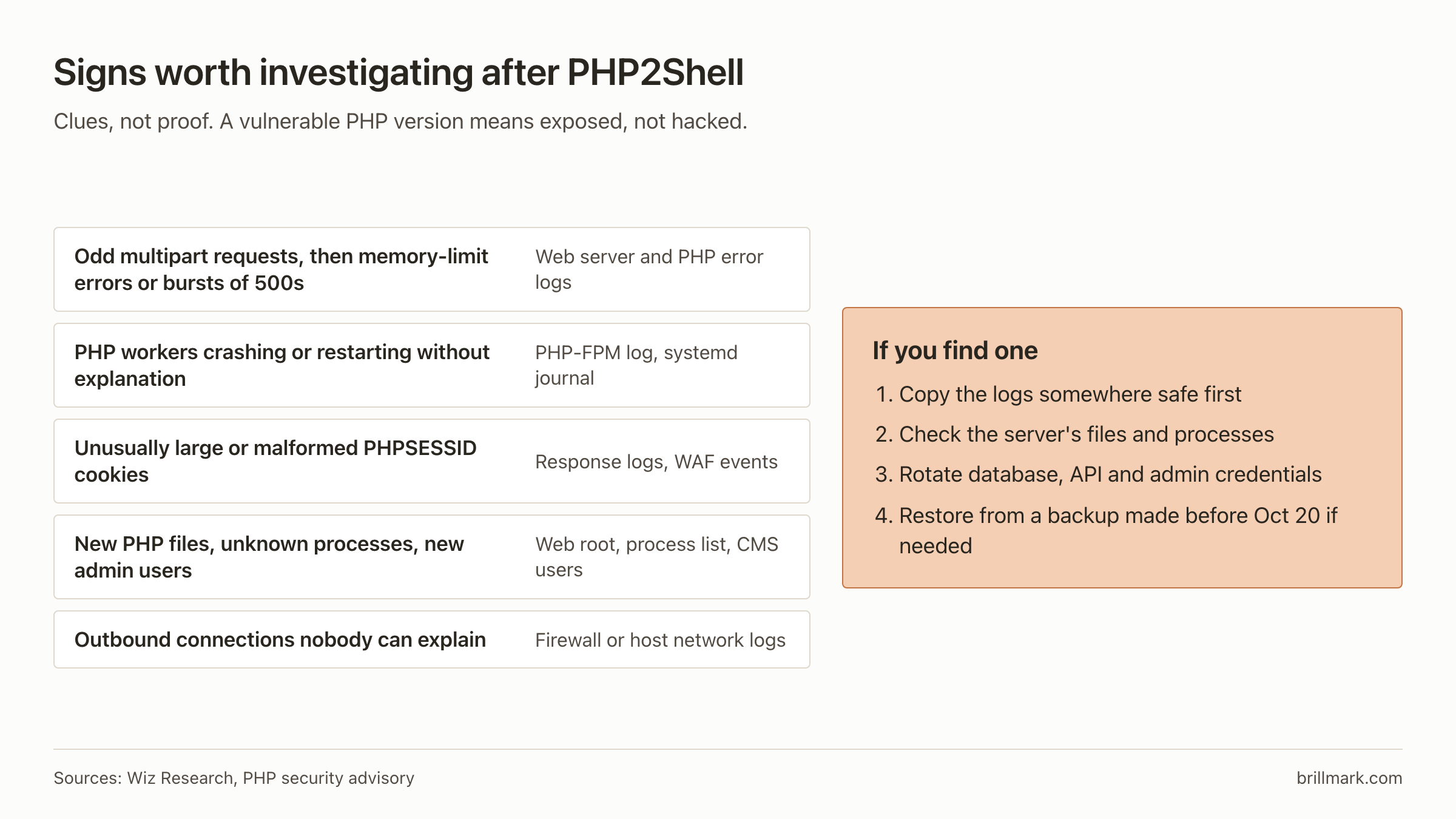
These are clues to investigate, not proof of an attack:
- Unusual multipart requests followed by memory-limit errors or bursts of HTTP 500s
- PHP workers crashing or restarting without explanation
- Unexpectedly large or malformed
PHPSESSIDsession cookies - New files in the web root, unfamiliar processes, new admin accounts
- Outbound connections from the web server nobody can explain
To spot recently changed PHP files:
sudo find /var/www -name "*.php" -mtime -3 -lsIf something looks wrong, copy the logs somewhere safe before anything rotates them. Check the server’s integrity, rotate database passwords, API keys and admin credentials, and consider restoring from a backup taken before October 20.
FAQ
Is my site hacked if it runs a vulnerable PHP version? No. Vulnerable means exposed. Look for the signs above.
I updated WordPress. Am I safe? Not from this. Only a patched PHP runtime fixes it.
Does Cloudflare protect me? It reduces the risk while you patch. Cloudflare itself says the rules do not replace patching.
I’m on PHP 7.4 or 8.1. What now? Use a vendor backport if one is available, and plan the move to 8.2 or later.
My Ubuntu server shows PHP 8.3.6. Is it vulnerable? Possibly not. Check the changelog command in Step 1.
Check the PHP runtime serving each site, install the fixed release or a verified vendor patch, confirm it took, and look for signs of compromise. Patching PHP comes first.
Running several PHP sites and not sure which version each one serves? BrillMark works on the sites businesses already run, from maintenance planning to optimization. Request a website audit and agree its scope with our team.
Make your website ready for the AI era.
AI is changing how people discover, evaluate, and interact with websites. We help you identify optimization opportunities across content, UX, technical performance, SEO, and conversion paths.