GA4 Discrepancy in Lead Form Tracking under Consent Mode v2
Root Cause Analysis
- Google Consent Mode v2 Ping Dropping (gcs=G100):
When a user clicks “Reject All” on the cookie banner, GA4 sets the consent string to gcs=G100. In Advanced Consent Mode, the browser still fires a cookieless network hit (/g/collect), but Google strips the client_id (user_pseudo_id) and session_id. - Behavioral Modeling Failure in Standard GA4:
Because Google strips the identifiers, unconsented events cannot be joined to sessions. Standard GA4 reports only display these events if the property meets high traffic volume thresholds for behavioral modeling. Without reaching those thresholds, GA4 hides unconsented hits entirely from standard reports.
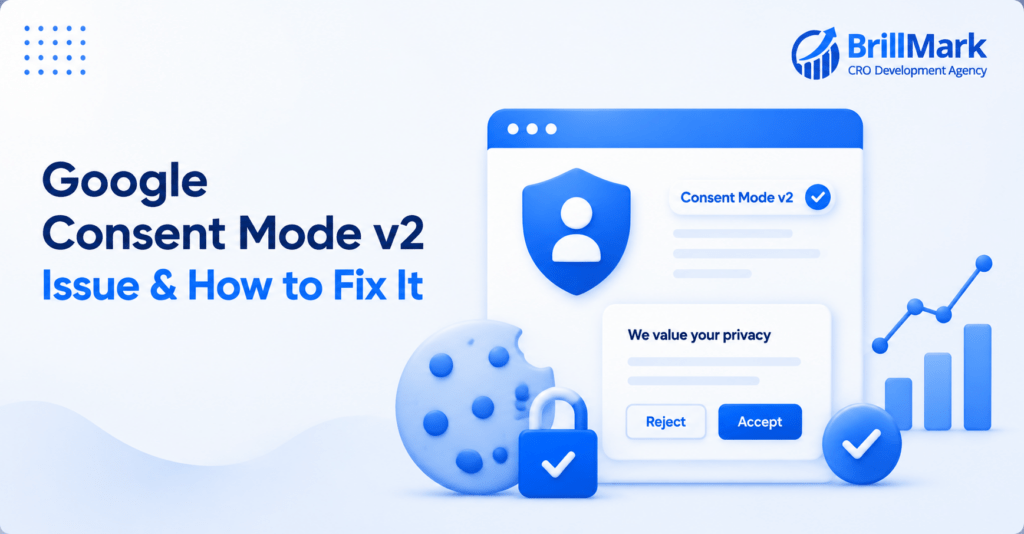
Under the strict privacy mandates of GDPR, website visitors must actively opt-in to tracking. For most businesses, this translates to a massive spike in “Reject All” clicks on cookie banners, instantly wiping out visibility into 30% to 70% of website traffic. While Google Consent Mode v2 was designed to bridge this gap, relying solely on the standard Google Analytics 4 (GA4) interface is no longer enough to understand true marketing performance.
To reclaim lost data without violating user privacy, BigQuery has transitioned from an enterprise analytics luxury to a foundational necessity.
The GA4 Consent Mode “Black Box”
When implemented correctly, Advanced Consent Mode v2 respects a user’s decision to deny cookies (often triggering a gcs=G100 state) by stripping all personal identifiers, such as the Client ID (user_pseudo_id) and Session ID. Instead of blocking tracking entirely, GA4 fires an anonymous, cookieless ping to record that an event—like a pageview or a lead form submission—occurred.
The challenge is that GA4 does not display these anonymous pings in its standard reporting interface. Instead, it feeds them into its Behavioral Modeling algorithm, attempting to estimate the missing conversions based on the behavior of users who did consent.
The fatal flaw for many organizations is Google’s strict data threshold. If a property does not generate thousands of events from both consented and unconsented users within a 7-day window, GA4’s modeling never activates. The cookieless pings go into a black box, and the UI reports show devastating, artificial drops in traffic and conversions.
Unlocking the Raw Truth with BigQuery
Linking GA4 to Google BigQuery bypasses the UI’s limitations by exporting the raw, unfiltered event data daily. Because BigQuery stores every single hit—including the anonymous cookieless pings—it allows analysts to bypass GA4’s strict modeling thresholds and view the exact reality of user interactions.
Here is how BigQuery practically salvages measurement in a post-GDPR landscape:
True Conversion Volume Recovery: Even without a Client ID, BigQuery records the exact timestamp and event name of an unconsented conversion. By querying the dataset for rows where the user ID is explicitly null, businesses can count the exact number of form submissions, purchases, or sign-ups that GA4 hid, revealing the true total conversion rate. Case in point: In a recent tracking audit for a B2B landing page, BigQuery revealed that 64% of total lead form submissions (21 out of 33) were unconsented cookieless pings. Relying solely on the GA4 interface was omitting roughly two-thirds of all actual conversions.
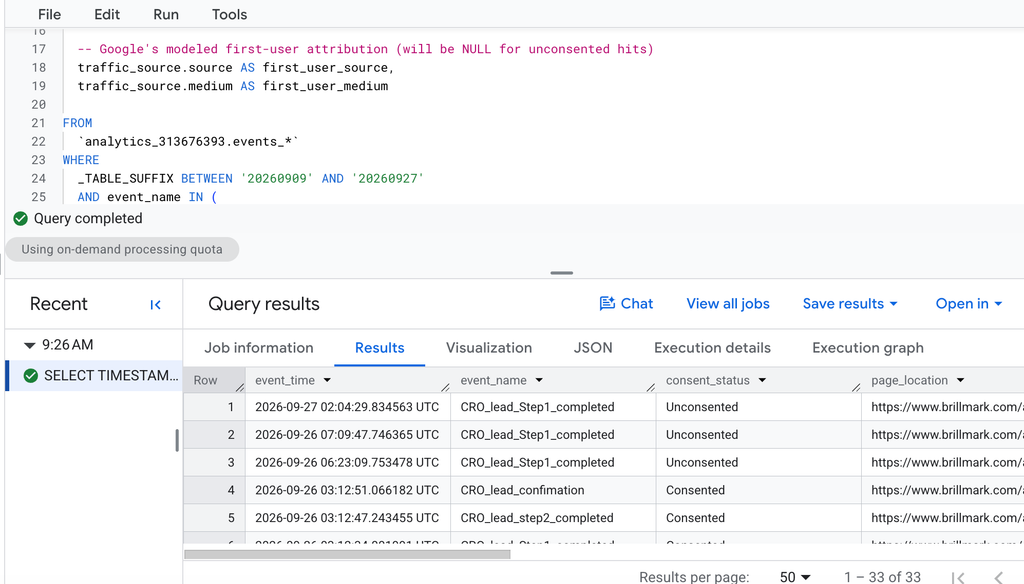
Attribution Without Cookies: Standard GA4 attribution relies on session stitching, which breaks instantly without consent. BigQuery allows you to query the raw HTTP page_referrer and direct URL parameters (like UTMs) for unconsented hits. While it cannot stitch together a multi-day user journey, it can definitively prove if an anonymous user clicked directly from a social media platform, a search engine, or an email campaign moments before converting. During the same audit, GA4’s modeled attribution fields (first_user_source and medium) were completely null for the unconsented leads. However, by querying the raw page_referrer directly in BigQuery, we definitively proved those “invisible” leads originated from LinkedIn—capturing both web referrals and traffic directly from the LinkedIn Android app.
Make your website ready for the AI era.
AI is changing how people discover, evaluate, and interact with websites. We help you identify optimization opportunities across content, UX, technical performance, SEO, and conversion paths.