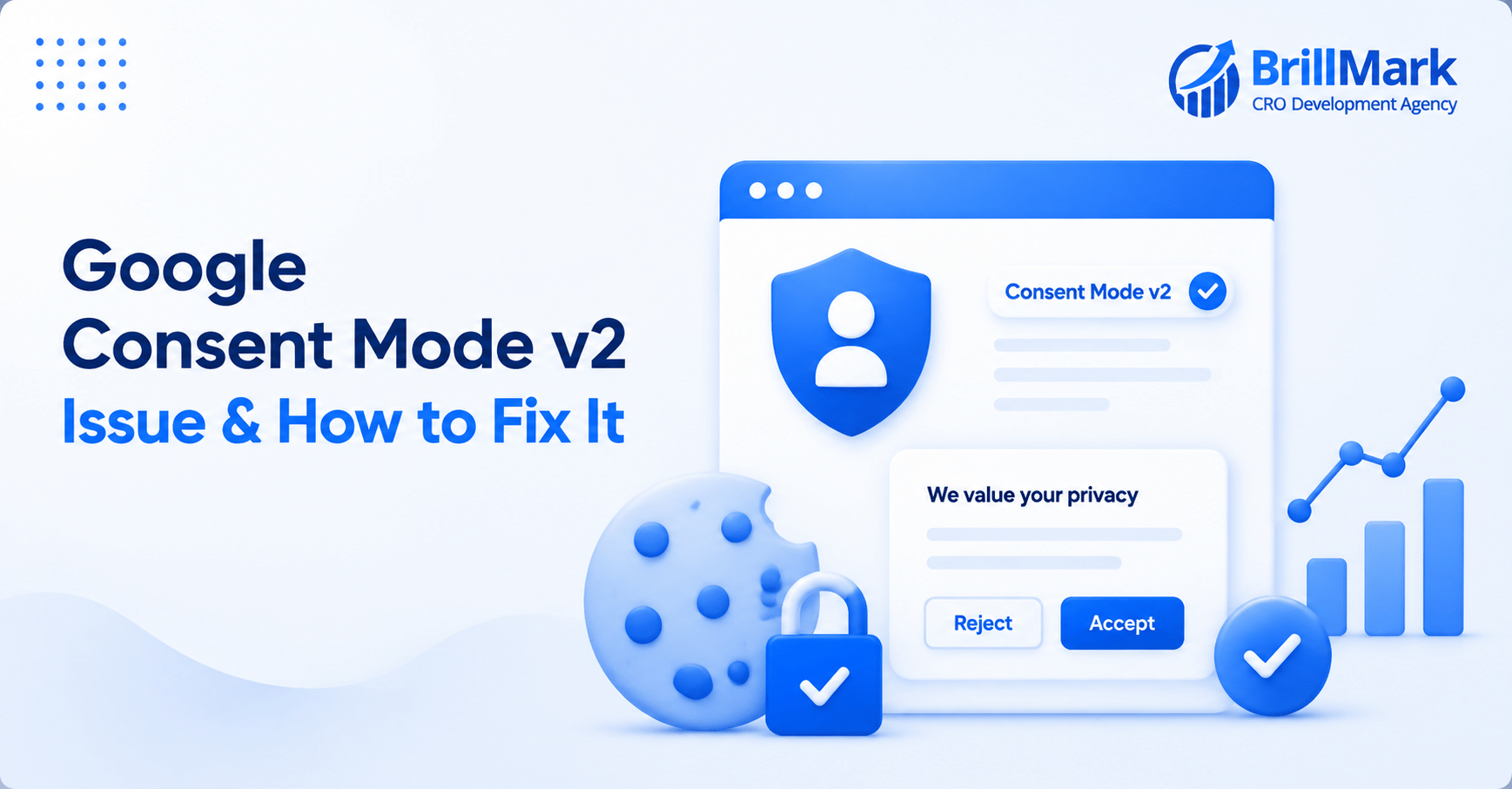
Consent Mode v2 implementations rarely fail loudly. There’s no error message, no broken page, no obvious sign that anything is wrong. Instead, the failure shows up weeks later as an unexplained dip in conversions, a returning-visitor count that doesn’t align with business reality, or a legal team asking about consent records that the implementation simply can’t answer. By the time someone notices, the data gap has often existed for months already, quietly compounding with every visitor session in between.
Most of these problems trace back to a small set of recurring mistakes in how GTM containers are built, configured, and tested. None of them require exotic debugging skills to catch, but they do require knowing where to look, because neither the browser console nor a casual glance at the GTM debug view will flag them automatically. Below is a working checklist of the most common failure points, along with the specific steps to confirm whether each one is actually happening in a given implementation.
Mistake 1: Testing Only the “Accept” State
- Most teams verify the banner works when a user clicks accept, watch tags fire, and declare the implementation done without ever testing anything else
- The state that actually protects the business from compliance exposure, the default state before any choice is made, often goes completely untested, even though it’s arguably the more important state to get right
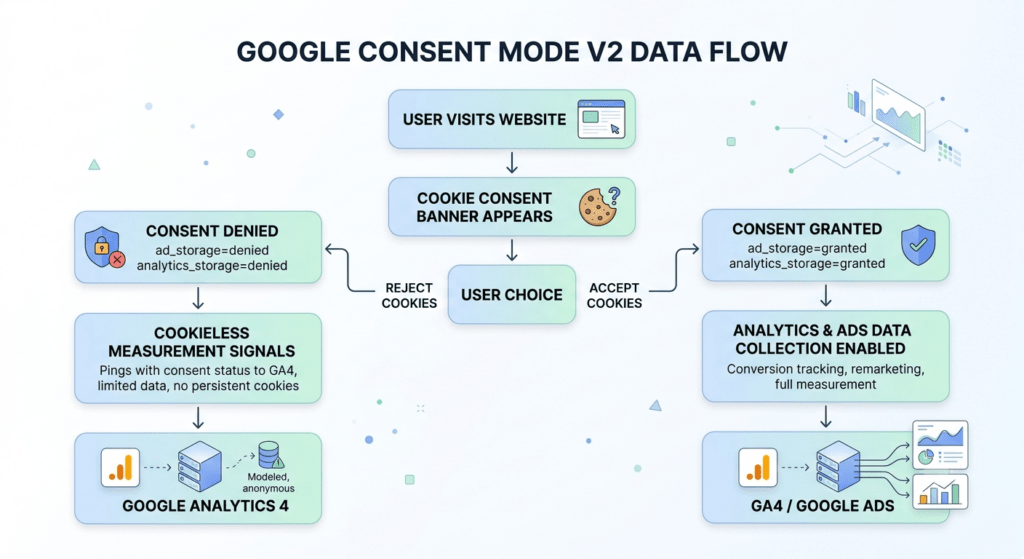
- This matters because every single visitor passes through the default state, even if only briefly, while only a subset ever interacts with the banner at all before leaving or converting
- How to debug it:
- Load the site in a fresh incognito window and open GTM Preview mode before touching the banner in any way
- Check the Consent tab in Tag Assistant to confirm every consent type is explicitly denied at that point, not just assumed to be based on how the container is supposed to behave
- Watch for consent types quietly left out of the default configuration entirely; ad_personalization and ad_user_data are the most commonly forgotten, since they were added to the Consent Mode API later than ad_storage and analytics_storage
- Repeat this test across multiple browsers, since Safari’s ITP and Firefox’s Enhanced Tracking Protection can expose default-state issues that Chrome testing alone won’t surface
Mistake 2: Consent Default Set Too Late
- Consent Mode only works if the default state is established before any tag has a chance to fire, and this is fundamentally a timing problem rather than a configuration problem
- If the gtag(‘consent’, ‘default’, …) call lives inside the GTM container itself, rather than in the page’s <head> before the container even loads, there’s a window where tags can fire before any consent state exists at all
- This window can be a few hundred milliseconds or several seconds depending on network conditions and container size, and even a brief gap is enough for a fast-loading tag to fire before consent state is ever established
- How to debug it:
- Open the browser’s network tab and filter for requests to google-analytics.com or googletagmanager.com
- Compare the timestamp of the very first outgoing request against the timestamp of the consent default call visible in the GTM debug timeline
- If any analytics or ad request goes out before the default has been established, data is being collected in an undefined consent state, and that’s a real problem regardless of what the banner eventually shows the user
- Test this on a throttled connection as well as a fast one, since slow connections can widen the timing gap and expose issues that don’t appear during normal-speed testing
Mistake 3: Missing or Misconfigured wait_for_update
- Even with a technically correct default, tags that don’t wait for a potential update will fire immediately at the denied default and never check consent state again for that page load
- This is invisible in casual testing because the page still behaves normally, the banner still shows, and the user’s eventual choice does get recorded correctly in the CMP’s own system
- What doesn’t happen is any retroactive firing of the tags that already ran under denied, which means the event is simply lost rather than delayed
- How to debug it:
- Verify wait_for_update is actually present in the default consent call, since it’s easy to omit accidentally when copying configuration from documentation or another site
- Load the page, deliberately wait several seconds before interacting with the banner, and then accept
- Watch whether tags configured with consent checks fire at all once the user accepts, since a delayed acceptance is the real-world scenario this parameter exists to handle
- If tags don’t fire after the timeout window has already elapsed, that’s the wait_for_update value being set too short for realistic CMP load times, not just a debug-only edge case that can be ignored
Mistake 4: The CMP Tag Gated Behind Its Own Consent Check
- This creates a genuine catch-22, and it happens more often than it should, particularly in containers that have been built incrementally over time by multiple people who weren’t necessarily coordinating on consent architecture
- If the tag responsible for loading the consent banner itself has a consent check applied to it, the banner can never load, because it’s waiting on a consent decision that requires the banner to exist to be made in the first place
- From the user’s perspective, this failure looks identical to several unrelated problems, such as a JavaScript error, an ad blocker interfering with the CMP script, or a slow-loading third-party resource, which makes it easy to misdiagnose
- How to debug it:
- Open the CMP tag configuration directly in GTM rather than trying to infer the problem from browser behavior alone
- Confirm its Consent Settings section shows no gating requirement whatsoever
- Apply the same check to any strictly essential tag, such as session management or security-related scripts, which should also be excluded from consent gating entirely
- If multiple people have edited the container over time, review the version history for when consent settings were last changed on these specific tags, since this mistake is often introduced accidentally during an unrelated update
Mistake 5: No Update Fired on Rejection
- Teams frequently configure the CMP to push a consent update event only when the user accepts, treating rejection as if it needs no corresponding signal at all
- This creates two distinct problems simultaneously, and both matter for different reasons
- First, there’s no explicit record in the dataLayer that a denial was actually communicated, which weakens the audit trail considerably if consent handling is ever questioned by a regulator, an internal privacy team, or outside legal counsel
- Second, and less obviously, some tag configurations behave unpredictably when they never receive any update signal at all, since they were built under the assumption that an update always eventually arrives one way or another
- How to debug it:
- Trigger a rejection deliberately in Preview mode rather than only testing the acceptance path
- Confirm a consent update event actually appears in the dataLayer with explicit denied values for each relevant consent type
- If nothing shows up in the dataLayer on rejection, that’s a gap in the CMP configuration itself, not something GTM can fix on its own
- Check whether the CMP vendor’s documentation explicitly addresses this scenario, since some platforms handle rejection differently by default and require an extra configuration step to fire the update correctly
Mistake 6: Regional Defaults Using Incorrect Codes
- When regional consent defaults are configured using the region parameter, a single incorrect ISO code can silently apply the wrong default to an entire country’s worth of traffic
- This is particularly easy to miss because testing typically happens from wherever the person building the container is physically located, meaning the one region most thoroughly tested during development is often not the one that matters most for actual compliance exposure
- Regional privacy laws also evolve, meaning a region list that was accurate and complete at launch can quietly become outdated as new jurisdictions introduce their own requirements
- How to debug it:
- Use a VPN or a dedicated geo-simulation tool to load the site as if visiting from each relevant region individually
- Check the Consent tab in Tag Assistant to confirm the default actually applied matches the intended jurisdiction’s legal requirement, rather than assuming the configuration is correct because it looks correct in the container
- Build this into a recurring test cycle rather than a one-time check performed only at launch
- Keep a simple internal log of which regions have been tested and when, so gaps in testing coverage are visible rather than assumed to be covered
Mistake 7: Consent State Not Reaching the Server Container
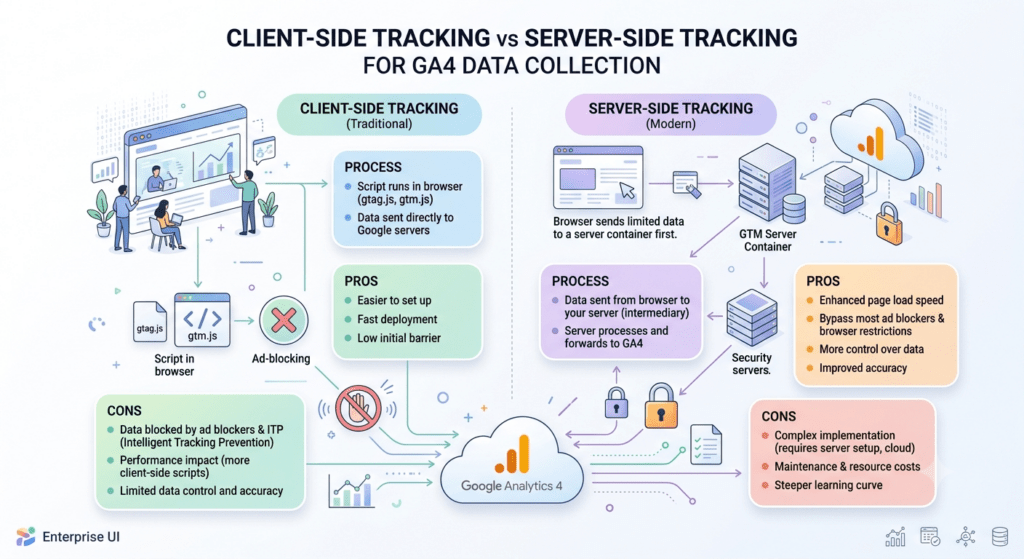
- For organizations running server-side GTM, consent state established client-side needs to be explicitly passed through via the gcs parameter on every single event sent to the server container
- It’s common for this parameter to be present and correct on the events tested during initial setup, but missing on custom events added later, particularly ones built by a different team member unfamiliar with the original consent architecture
- A server container that forwards events without proper consent context defeats the entire purpose of consent gating, regardless of how carefully the client-side logic was designed and tested
- How to debug it:
- Inspect raw event payloads arriving at the server container directly, rather than relying only on what the client-side debug view shows
- Confirm gcs is present and accurate on every event type currently in use, not just the handful that were checked during initial setup and testing
- Set up a recurring audit, even a simple quarterly review, specifically covering any new events added since the last check
- Coordinate with whoever adds new tags or events to the container so that consent parameter forwarding becomes a standard step in that process rather than an afterthought
Conclusion
- Consent Mode v2 debugging is less about finding a single broken line of code and more about verifying an entire sequence end to end
- A default must exist before anything else runs; it must hold reliably until an update genuinely arrives; every consent type and every relevant region must be covered rather than assumed; and server-side systems must receive the same signals the browser already established upstream
- Each of the mistakes above is easy to miss precisely because the page still looks and functions completely normally while the underlying problem is actively happening
- Building a recurring debugging habit around these seven points, rather than treating consent testing as a one-time task completed at launch and never revisited, is what actually protects both compliance standing and data completeness over time
- These mistakes rarely announce themselves with any kind of warning. They simply and quietly cost data, or quietly create legal risk, until someone finally goes looking closely enough to find them
Make your website ready for the AI era.
AI is changing how people discover, evaluate, and interact with websites. We help you identify optimization opportunities across content, UX, technical performance, SEO, and conversion paths.