Modern web development increasingly relies on Web Components and, with them, on a browser feature called Shadow DOM. If your site uses design systems built on Lit, Stencil, or native Web Components, or third-party widgets like payment forms, chat widgets, and video players, you’ve likely already run into this problem without realizing it.
What Is Shadow DOM?
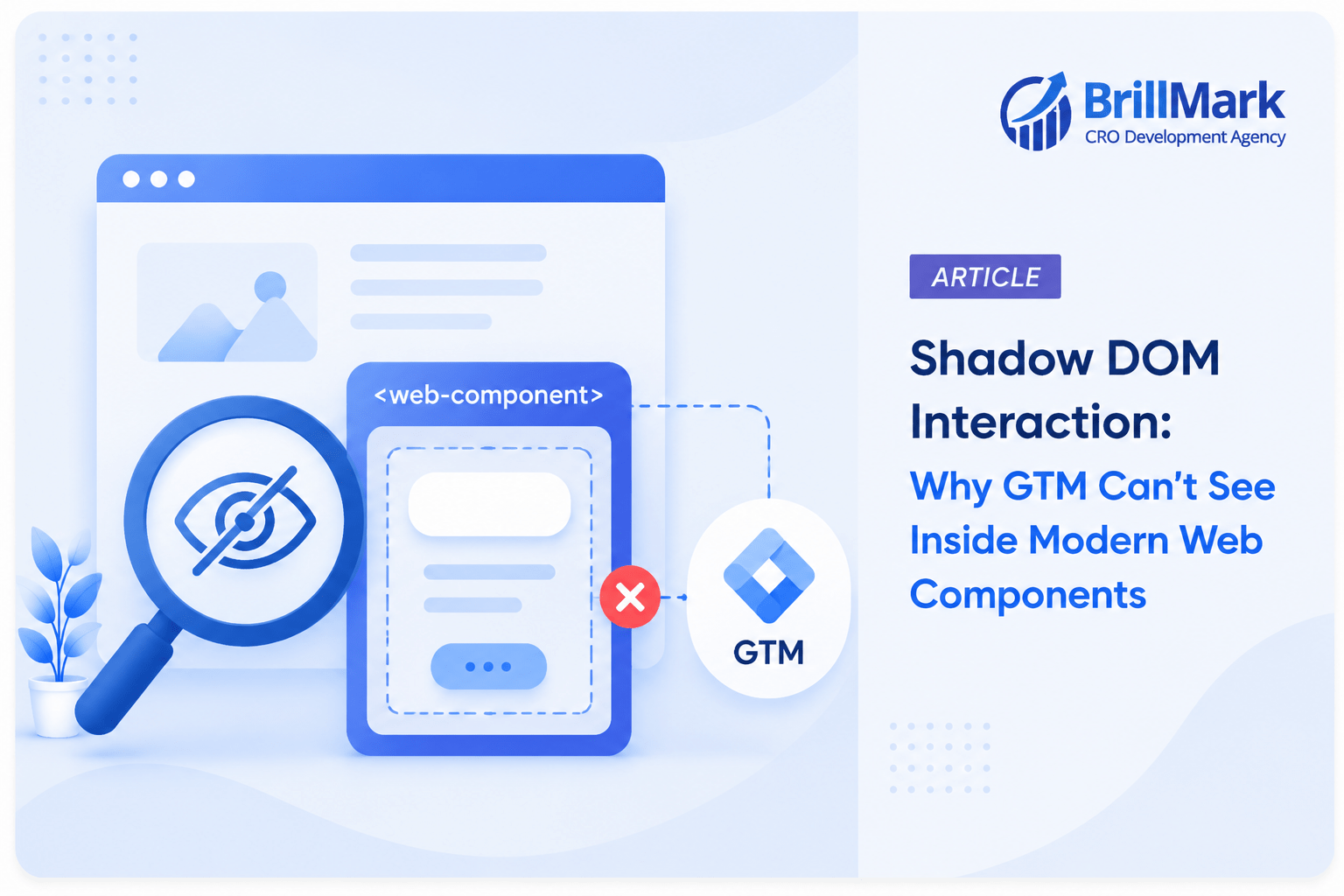
Shadow DOM is a browser standard that lets developers attach a hidden, encapsulated DOM tree (a “shadow root”) to an element. Everything inside that shadow root is isolated from the main page:
- Internal HTML structure is hidden from the document.querySelector() calls made outside the component.
- This way the CSS doesn’t leak out, and the page’s CSS doesn’t leak in.
- The internal elements aren’t part of the “light DOM” that most tools, including Google Tag Manager, are built to inspect.
This is a deliberate design choice. Component authors use Shadow DOM so their widget’s internal buttons, classes, and styles can never clash with, or be accidentally overridden by, the host page. It’s a wall, and it’s supposed to be a wall.
The Problem for GTM
Google Tag Manager’s Click Element trigger works by listening for click events on the document and then inspecting event.target to see what was clicked, reading its tag name, classes, ID, text, and so on.
The problem: when a Shadow DOM element is clicked, event.target, as seen by a listener on the main document, gets retargeted. Instead of exposing the actual button inside the shadow root, the browser reports the host element (the outer custom element, like <my-widget>) as the target. GTM’s built-in variables (Click Classes, Click ID, Click Text, Click Element) then return empty or unhelpful values, because they’re trying to read properties off an element that isn’t the one the user actually clicked.
In short: GTM’s Click Element trigger doesn’t fail loudly. It fails silently. The trigger may fire, but the data it captures about what was clicked is missing or wrong. If you’re using a Click Classes or Click ID trigger condition to filter for a specific button, it may never fire at all.
How It Compares to iframes
This is conceptually similar to the classic iframe tracking problem, and it’s a useful mental model:
| iframe | Shadow DOM | |
| Isolation type | Separate document/browsing context | Same document, separate DOM subtree |
| Standard CSS selectors | Cannot reach in at all | It Cannot reach in with plain querySelector |
| Click event visibility | The Click events don’t bubble out to the parent page | Click events do bubble out, but the target is retargeted/obscured |
| Fix | postMessage() between the iframe and parent, or a tag on the iframe’s own page | Custom JavaScript to “pierce” the shadow root |
The key difference: an iframe is a hard boundary, so you generally need cooperation from whatever’s inside it (via postMessage) to get data out. Shadow DOM is a softer boundary. The event still reaches your listener, and JavaScript can still reach into the shadow root programmatically. You just have to know how to ask.
How to Pierce the Shadow DOM in GTM
Since standard CSS selectors stop at the shadow boundary, you need custom JavaScript to look inside. The key API is element.shadowRoot, which gives you access to the encapsulated tree, provided the component was built with { mode: ‘open’ } (closed shadow roots are intentionally inaccessible, even to your own JavaScript).
1. Identify the actual clicked element with event.composedPath()
Instead of relying on event. target, use composedPath(), which returns the full event path including elements inside shadow roots:
javascript

document.addEventListener('click', function(e) {

  var path = e.composedPath();

  var actualElement = path[0]; // the real, innermost clicked element

  console.log('Actually clicked:', actualElement);

}, true);
This is the single most useful fix for shadow DOM click tracking, since it bypasses retargeting entirely.
2. Build a Custom HTML Tag or Custom JavaScript Variable in GTM
A practical pattern is a Custom Event trigger fed by a small script (added via a Custom HTML tag, firing on all pages) that listens globally and pushes a clean dataLayer event when it detects a click inside a shadow root:
html

<script>

(function() {

  document.addEventListener('click', function(e) {

    var path = e.composedPath();

    var el = path[0];

    // Only act if the click happened inside a shadow root

    if (el.getRootNode() instanceof ShadowRoot) {

      window.dataLayer.push({

        'event': 'shadow_dom_click',

        'shadowClickTag': el.tagName,

        'shadowClickText': el.textContent ? el.textContent.trim() : '',

        'shadowClickClasses': el.className || ''

      });

    }

  }, true);

})();

</script>
Then in GTM:
- Add this as a Custom HTML tag, triggered on All Pages.
- Create a Custom Event trigger listening for shadow_dom_click.
- Create Data Layer Variables for shadowClickTag, shadowClickText, and shadowClickClasses.
- Build your tracking tag off that trigger, using the new variables instead of GTM’s native Click variables.
3. Querying into a known shadow root directly
If you know which component you’re targeting, you can reach directly into its shadow root:
javascript
var host = document.querySelector('my-widget');

if (host && host.shadowRoot) {

  var innerButton = host.shadowRoot.querySelector('.submit-button');

}
For nested shadow roots (a shadow DOM component inside another shadow DOM component, common in complex design systems), you’ll need to walk down through each .shadowRoot in turn, since a single querySelector call won’t pierce more than one level at a time.
Practical Tips
- Use the capture phase (true as the third argument to addEventListener). This ensures your listener catches the event before it can be stopped by stopPropagation() calls inside the component.
- Check mode: ‘open’ vs mode: ‘closed’. If a third-party widget was deliberately built with a closed shadow root, there is no JavaScript workaround. The browser genuinely will not expose shadowRoot. Your only options at that point are to cooperate with the vendor’s own tracking hooks (if any) or to use postMessage-style events they explicitly emit.
- Test with composedPath() in the console first. Before writing any GTM tags, click around the component manually in DevTools and inspect event.composedPath() to confirm what you’re actually dealing with.
- Prefer dataLayer pushes over live DOM scraping where possible. If you have any influence over the component’s code (internal design system, not third-party), the most robust fix is to have the component push a clean, well-named dataLayer event itself rather than relying on GTM to reverse-engineer clicks after the fact.
Summary
Shadow DOM blocks GTM’s default click tracking the same way an iframe does, by hiding structure from the outside world, but the mechanism and the fix are different. Iframes require cross-document messaging; Shadow DOM requires piercing the tree with composedPath() and shadowRoot. Once you build a small Custom HTML listener that captures the real clicked element and reports it through the dataLayer, GTM can track these components just as reliably as any standard HTML.
Make your website ready for the AI era.
AI is changing how people discover, evaluate, and interact with websites. We help you identify optimization opportunities across content, UX, technical performance, SEO, and conversion paths.