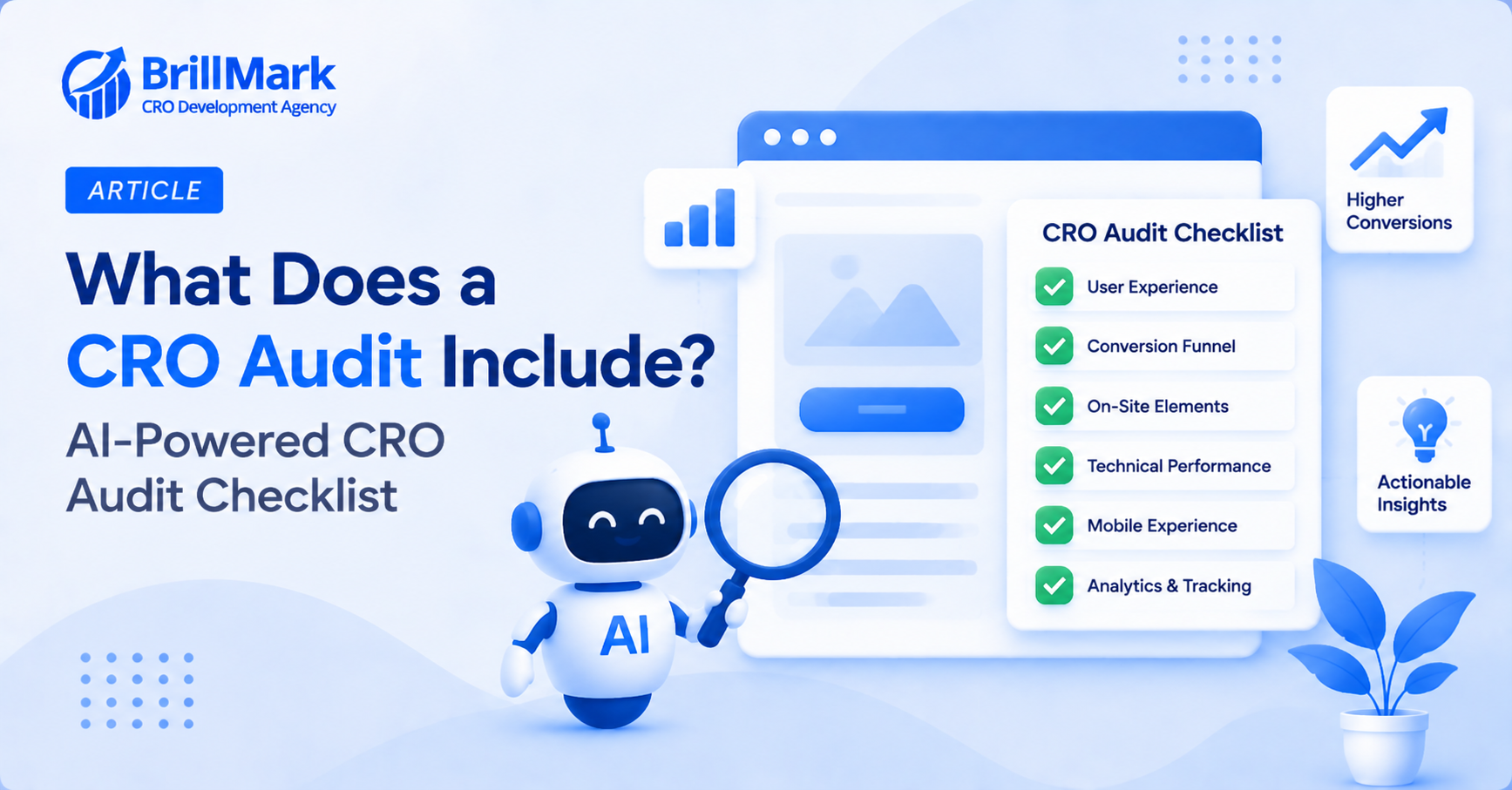
A CRO audit is a structured review of a website’s ability to convert visitors into customers. Traditionally, this process relied entirely on manual analysis. A person would review a handful of sessions, form a theory, and test it slowly over weeks. Today, however, AI tools can process far more data. As a result, they catch patterns a human reviewer would likely miss entirely. This shift hasn’t replaced the audit process itself, but it has changed what’s realistically possible to find within it. Below is a practical checklist covering what a modern, AI-powered CRO audit actually includes, along with why each step matters.
Funnel and Behavioral Analysis
Mapping the Full Conversion Path
- Start by mapping every step from landing page to final purchase
- Identify where the largest percentage of visitors drop off relative to the step before it
- AI tools can process this data across every session, not just a sampled subset
- Because of this, smaller leaks that would otherwise go unnoticed become visible
- This mapping exercise also creates a shared reference point the whole team can use later
- Without it, different stakeholders often disagree about where the actual problem sits in the funnel
Segment-Level Behavior
- Break down funnel performance by device, traffic source, and visitor type
- A leak affecting only one segment can hide within a healthy-looking overall number
- However, AI-driven segmentation surfaces these gaps automatically
- Consequently, it removes the need for a manual comparison across every possible combination
- This step often reveals the single highest-impact finding in the entire audit
- It’s also where audits most frequently uncover a problem nobody on the team had previously suspected
Session and Interaction Review
Automated Session Pattern Detection
- AI tools can scan recorded sessions for rage clicks, repeated form corrections, and unusual scroll behavior
- These patterns typically indicate confusion or frustration, even without an explicit complaint
- Because AI reviews every session, not just a small sample, subtle patterns become statistically clear
- This is one of the areas where AI adds the most value compared to manual review
- A human reviewing fifty sessions might miss a pattern that only appears once every few hundred visits
- AI, by contrast, catches that same pattern reliably, since it isn’t limited by review fatigue or sample size
Anomaly and Trend Detection
- Check for sudden shifts in conversion rate tied to a specific date, page, or segment
- AI tools can flag these shifts automatically, rather than waiting for a human to notice a dip
- This is particularly useful for catching issues introduced by a recent site change
- Early detection, in these cases, can prevent weeks of unnecessary revenue loss
- It’s also useful for catching seasonal patterns that might otherwise be mistaken for a genuine problem
- Distinguishing a real anomaly from normal seasonal variation is one of the trickier parts of this step
Technical Performance Review
Page Speed and Core Web Vitals
- Measure load speed specifically under mobile and throttled-connection conditions
- Slow pages, after all, are a well-documented cause of lost conversions
- Identify which specific scripts or assets are contributing most to load time
- AI-assisted tools, meanwhile, can prioritize fixes by combining page traffic with delay severity
- This prioritization matters, since fixing a minor delay on a low-traffic page rarely moves the needle
- Focusing instead on high-traffic pages with real delay tends to produce measurably better results
Cross-Device and Cross-Browser Functionality
- Test critical flows like add-to-cart and checkout across multiple devices and browsers
- A feature that works on one setup can still fail elsewhere
- AI monitoring tools can detect error patterns concentrated in specific browser or device combinations
- This catches issues that would otherwise only surface through a customer complaint
- Older browsers and less common devices are the most likely places for this kind of gap to hide
- Because these segments are often smaller, manual testing tends to overlook them entirely
Messaging, Pricing, and Trust Signals
Pricing Clarity
- Review whether pricing is presented consistently across every page a visitor might see it on
- Also check whether shipping costs and taxes appear early, rather than only at final checkout
- AI-driven behavioral analysis can flag pages where hesitation clusters right after pricing appears
- This pattern often points to a clarity problem, not simply disinterest
- In some cases, the issue is as simple as pricing that isn’t visible without scrolling
- In others, it stems from inconsistent pricing shown across different pages of the same product
Trust and Credibility Signals
- Confirm security badges, return policies, and contact details are visible at key decision points
- Also cross-reference customer reviews and support tickets for recurring trust-related complaints
- These qualitative sources often explain leaks that behavioral data alone can’t fully account for
- Combining both data types, therefore, produces a more complete diagnosis
- A visitor who hesitates without ever complaining leaves no explicit record of why
- Pairing behavioral signals with qualitative feedback helps fill in that missing context
Prioritization and Reporting
Ranking Findings by Impact
- Combine traffic volume and severity to rank every finding by estimated revenue impact
- A moderate issue on a high-traffic page usually deserves more attention than a severe issue elsewhere
- AI tools can generate this ranking automatically, even across large sites with many templates
- This keeps the resulting checklist focused on fixes that actually move the business forward
- Without this ranking, teams often default to fixing whatever is easiest, rather than what matters most
- A clear, data-backed ranking makes it easier to justify resourcing decisions to stakeholders as well
Validating Findings Before Building Fixes
- Treat every AI-flagged issue as a hypothesis, not a finished conclusion
- Before committing development time, confirm the pattern manually with a handful of session recordings
- This validation step, in turn, prevents wasted effort on a fix aimed at the wrong cause
- Once confirmed, document the finding clearly so the fix can be measured against a specific baseline
- This documentation also becomes useful later, since it creates a record of what was tried and why
- Over time, that record helps a team avoid repeating investigations they’ve already completed once
Conclusion
A modern CRO audit checklist covers far more ground than it used to. It spans funnel data, session behavior, technical performance, and trust signals. All of this gets reviewed at a scale no manual process could match alone. AI plays a real role throughout, surfacing patterns and anomalies a human team would likely miss.
That said, AI finds the pattern; it doesn’t replace the judgment needed to interpret it correctly. The strongest audits, therefore, combine both. AI does the heavy lifting of scanning everything, while a human validates the findings and prioritizes the fixes that will actually matter. Used this way, a CRO audit stops being a one-time project and becomes an ongoing discipline that keeps pace with how the site actually changes over time.
Make your website ready for the AI era.
AI is changing how people discover, evaluate, and interact with websites. We help you identify optimization opportunities across content, UX, technical performance, SEO, and conversion paths.