Adobe Target A/B testing sounds simple in theory. Show two versions of something. Measure which performs better. Ship the winner. Adobe Target makes the mechanics of that process straightforward. It handles traffic allocation, statistical reporting, and audience targeting without requiring custom infrastructure. What it doesn’t do automatically is guarantee the test itself is well designed. Most of the value lost in Adobe Target implementations comes not from the tool, but from tests that were set up to fail before they ever launched.
Below is a practical breakdown of how A/B testing actually works inside Adobe Target. It covers where teams commonly go wrong, and what separates a trustworthy result from one that quietly wastes weeks of traffic.
How Adobe Target A/B Testing Structure Looks Like
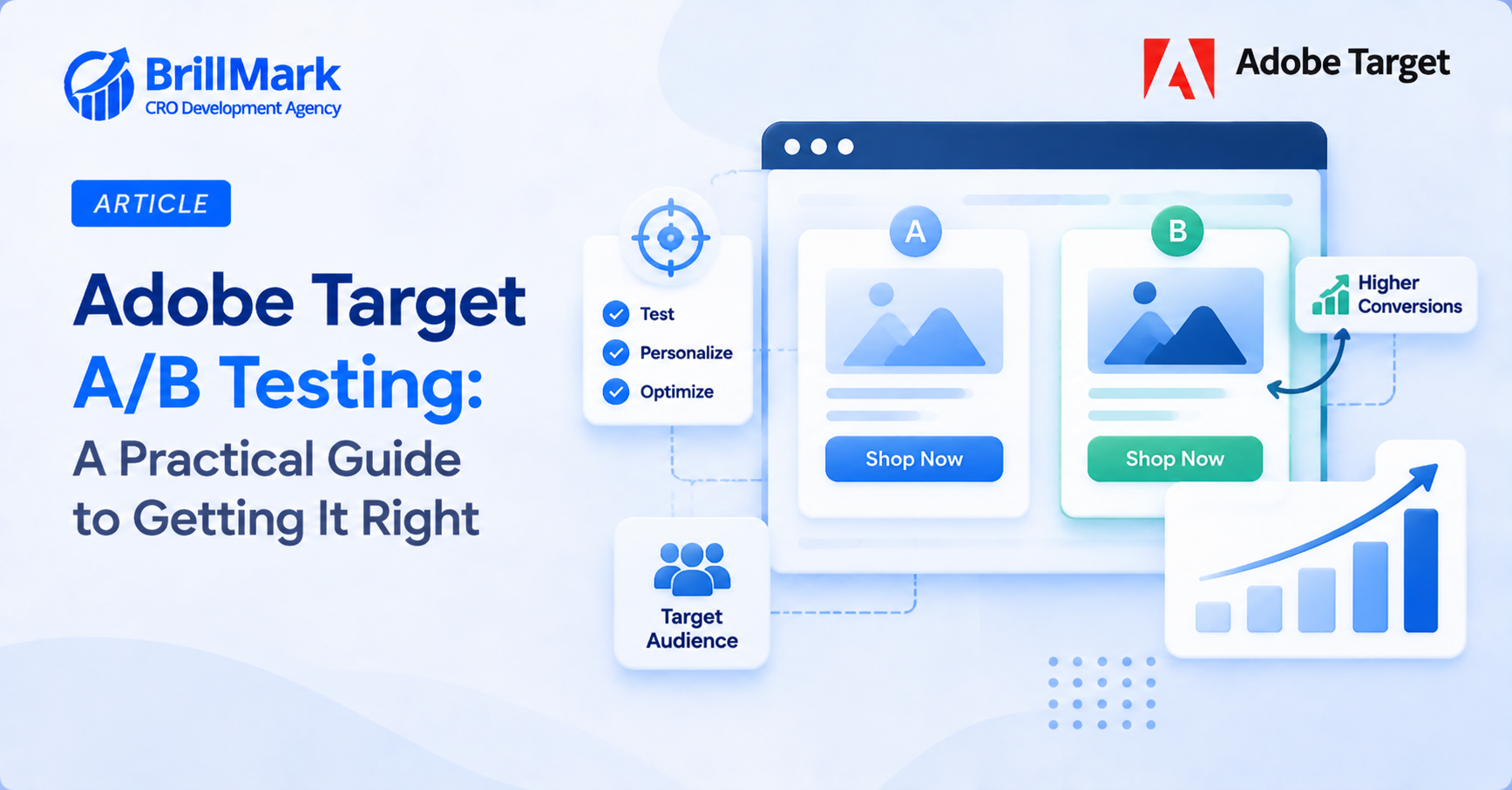
Adobe Target’s A/B testing activity type splits traffic between two or more experiences. It reports on which one performs better against a defined success metric. The basic building blocks stay consistent across implementations, regardless of industry or use case.
- Experiences: the different versions being tested. These range from a single changed headline to a fully redesigned page. They can be built through the visual experience composer for quick changes, or with custom code for more complex, structurally different variants
- Audiences: the segment of visitors eligible for the test. This can be based on geography, device type, traffic source, logged-in status, or referring channel. Any attribute already available in the Adobe Experience Cloud ecosystem can define an audience
- Goals and metrics: the success criteria the test measures against. This might be conversion rate, revenue per visitor, click-through rate, or cart abandonment. It could also be a custom event tracked through Adobe’s mbox or Web SDK implementation. Each metric needs correct instrumentation before launch, not adjustment mid-flight
- Traffic allocation: how visitors are split across experiences. Most tests use an even split across all variants. Weighted allocation sometimes applies when one variant carries more business risk, or when a phased rollout is preferred over an immediate even split
Once launched, Adobe Target’s reporting interface shows performance across experiences in near real time. It includes confidence intervals and statistical significance calculations. These tell you when a result is reliable enough to act on.
Where Adobe Target A/B Testing Implementations Go Wrong
Statistical Mistakes
- Ending tests before reaching statistical significance
- The single most common mistake is treating an early leader as a final answer
- A variant showing a promising lift after two days can easily reverse by day ten
- As the sample grows, random early variance washes out
- Adobe Target reports confidence levels directly in the interface. A test should run until it reaches a predetermined significance threshold, typically 95 percent
- Don’t stop just because someone gets impatient watching the dashboard
- Early wins are statistically the least reliable signal a dashboard can show, even when they look convincing
- Underestimating required sample size
- Low-traffic pages can take far longer to reach significance than intended
- The same is true for metrics with a naturally low conversion rate
- A test might need months rather than weeks to produce a reliable result
- Run a sample size calculation before launch, using expected baseline conversion rate and minimum detectable effect
- This prevents committing a test to a page that will never generate enough volume in a reasonable timeframe
- Factor in realistic traffic seasonality too, since volume can shift significantly between quarters
Design and Targeting Mistakes
- Testing too many variables at once inside a single experience
- An A/B test that changes the headline, hero image, button color, and layout simultaneously might show a winner
- But it won’t reveal which change actually drove the result
- When the goal is learning what works, not just picking a winner, isolating variables matters more than most teams assume
- Adobe Target’s Experience Targeting and Multivariate Testing (MVT) activity types exist for exactly this scenario
- They allow multiple variables to be tested together with proper statistical isolation, rather than bundling everything into one simple A/B split
- Audience targeting misconfigured at launch
- A test intended for a specific segment, mobile users, first-time visitors, a particular traffic source, can accidentally launch to the full site audience
- This usually happens because a targeting rule was left too broad, or an audience definition was built incorrectly
- The result gets diluted with visitors the test was never designed to measure
- This can produce a “no significant difference” result that actually just reflects audience mismatch noise, not a genuine lack of impact
- Review the audience rule logic line by line before launch, rather than trusting the visual summary alone
- Ignoring segment-level performance
- A test can show no overall winner while still containing a clear winner within a specific segment
- Returning visitors or a particular device type are common examples
- Adobe Target’s reporting allows breaking results down by segment after the fact
- Skipping this step means missing insights that could inform a more targeted follow-up test, even when the headline result looks flat
- Segment-level analysis is often where the most actionable long-term insights live
Adobe Target A/B Testing Execution Mistakes
- QA gaps between experiences
- Experiences built quickly through the visual composer can develop small inconsistencies
- One variant might load correctly while another has a broken element, a missing image, or a layout issue on certain browsers
- A test comparing a functioning control against a subtly broken variant isn’t measuring the hypothesis
- It’s measuring the bug instead
- Discard that data rather than trusting it, and relaunch only after fixing and re-verifying the issue across the same devices originally intended for testing
Setting Up a Test That Produces a Trustworthy Result
Planning Before Launch
- Start with a clear, specific hypothesis
- “Test a new headline” is not a hypothesis
- “Changing the headline to emphasize urgency will increase click-through rate because current visitors are price-sensitive and time-motivated” is a hypothesis
- A specific hypothesis clarifies what metric matters most
- It also clarifies what result would actually validate or invalidate the underlying assumption, rather than just generating a number to report
- Define the primary metric before launch, not after
- Choosing the success metric after seeing early results is sometimes called metric shopping
- It’s one of the fastest ways to draw a false conclusion from a test
- Decide on the primary metric during test design
- Treat any other metrics tracked as secondary, directional information rather than the basis for a launch decision
- Writing the primary metric into test documentation before launch creates accountability and prevents shifting the goalposts once results start coming in
- Calculate the minimum sample size and expected test duration in advance
- This sets expectations for stakeholders early
- It prevents the common failure of ending a test prematurely because it “seemed done”
- Adobe Target and third-party sample size calculators both handle this calculation
- They use baseline conversion rate, expected lift, and desired confidence level as inputs
- Sharing this estimate with stakeholders before launch also helps manage expectations around timelines

During and After the Test
- QA every experience across devices and browsers before launch
- A quick pass through each variant on desktop, mobile, and at least two browsers catches most implementation bugs
- This step is easy to skip under time pressure
- It’s also the step most likely to invalidate an otherwise well-designed test
- Build a simple pre-launch checklist covering the most common device and browser combinations for the site’s actual audience
- This makes the process faster and more consistent across every test run
- Avoid changing a live test mid-flight
- Adjusting traffic allocation, editing an experience, or modifying the audience definition partway through an active test resets the statistical clock
- This effect is easy to overlook, since Adobe Target continues collecting and reporting data as though nothing changed
- That can create a false sense of continuity in the results
- If a test needs a meaningful adjustment, it’s cleaner to end it and launch a new version instead
- This preserves the integrity of both the original and the revised test
- Let losing variants inform future tests, not just get discarded
- A variant that underperforms still generates useful information about audience preferences
- Documenting both winning and losing tests over time builds an internal knowledge base
- Each subsequent test becomes more informed than the last, rather than starting from zero every time
- Some of the most valuable long-term learnings come specifically from patterns across multiple losing tests
- These patterns can reveal an audience preference that no single test result would show on its own
Reading Results Without Overreaching
- Adobe Target’s reporting shows a statistically significant winner clearly once a test reaches that threshold
- Statistical significance answers a narrower question than people often assume
- It confirms the observed difference is unlikely to be due to random chance
- It doesn’t confirm the difference will hold indefinitely, generalize to a different audience, or persist through a seasonal shift
- A test that ran only during a holiday sales period may show results specific to that context, not a durable, year-round preference
- Treating a single test result as permanent is a common way organizations overreach on otherwise well-run tests
- The strongest testing programs re-validate major wins periodically
- They treat each test as an update to an evolving understanding of the audience, not a final, closed answer
- Building in a habit of revisiting older test wins every few quarters, especially for high-traffic pages, catches cases where audience behavior has genuinely shifted

Conclusion
- Adobe Target handles the technical execution of A/B testing reliably
- Traffic splitting, statistical reporting, and audience segmentation all work as designed once configured correctly
- What determines whether a test produces something worth acting on happens before launch
- A specific hypothesis, a predetermined primary metric, an accurate sample size estimate, and careful QA across every experience all matter more than the tool itself
- The organizations that get the most value from Adobe Target aren’t the ones running the most tests
- They’re the ones running tests designed carefully enough to trust the result once it arrives
- That discipline, more than any feature inside the platform, is what separates a testing program that compounds insight over time from one that just generates dashboards nobody fully believes
- A test worth trusting is one where every step, from hypothesis through QA through analysis, was treated with the same rigor, not just the moment the results dashboard finally turns green
Make your website ready for the AI era.
AI is changing how people discover, evaluate, and interact with websites. We help you identify optimization opportunities across content, UX, technical performance, SEO, and conversion paths.