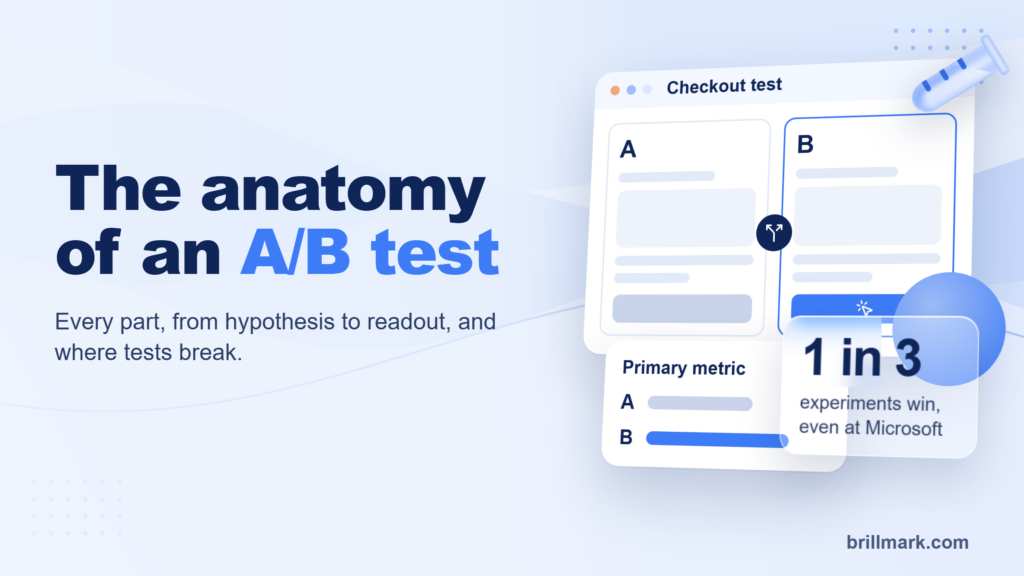
At Microsoft, about one in three experiments improves the metric it was built to move. At Google and Bing it is 10% to 20% (Kohavi and Thomke, Harvard Business Review, 2017). Most tests lose, and that is fine, as long as you can trust the loss.
Whether you can trust it is decided by the build. A variant that flickers, a goal that never fires, or a layout that breaks on Safari still produces a result. It is just the wrong one. This guide walks through how an A/B test gets developed, from the idea to the check two days after launch, with the steps we follow at BrillMark on every test.
| At a glance | |
|---|---|
| Outcome | One test idea built, QA’d, tracked and live, with results you can defend |
| You need | A page with enough traffic, a testing platform, a hypothesis and a design or written change |
| Who does what | Strategist: hypothesis and readout. Developer: variation code and goals. QA: checks before and after launch |
| Build time | Hours for a copy change, days for a multi-page funnel test |
| Access | An editor login to the testing platform. No codebase or deployment access |
| What breaks most | Flicker, goals that don’t fire, wrong targeting, one browser nobody checked |
What A/B test development means
A/B test development is writing the variation, wiring its goals and proving both work before real visitors see them. On most sites the variation is JavaScript and CSS that your testing platform (VWO, Optimizely, AB Tasty, Convert and the like) injects on top of the live page, so the site’s own code never changes.
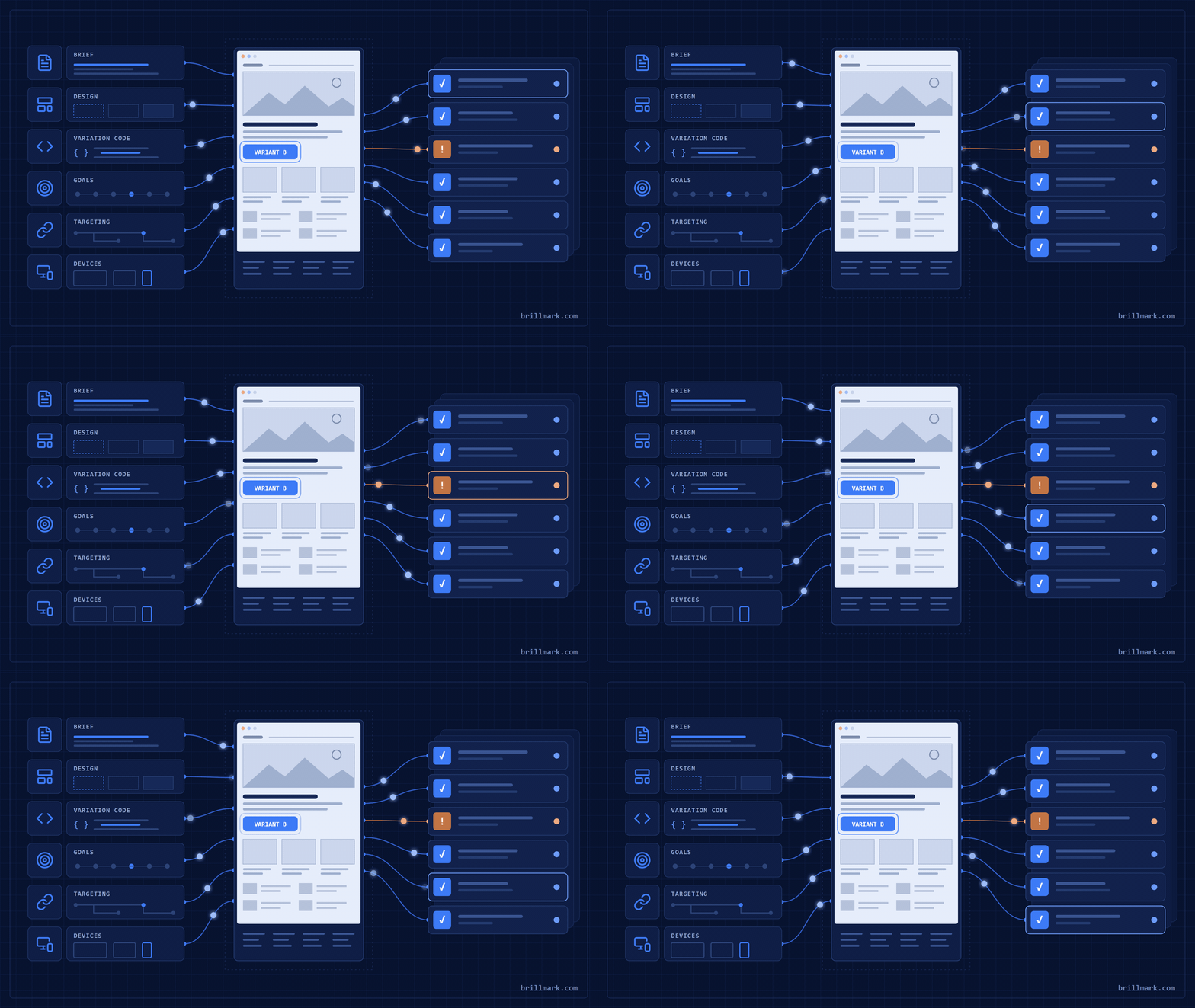
If you want the parts of a test and the types first, start with The Anatomy of an A/B Test. This post is about building one.
When to run an A/B test, and when not to
Run an A/B test when you have one clear question, a change you could roll back, and enough traffic to answer it in a few weeks. Skip it when the answer doesn’t depend on visitors’ behaviour.
Run a test when:
- the page gets enough visitors to reach your sample size in two to four weeks
- the change is reversible and you would act on either result
- you are choosing between options and opinions in the room disagree
Don’t run a test when:
- it is a bug fix, a broken link or a legal change. Just ship it
- the page is too quiet to reach a sample size in under two months
- you have already decided and want a chart to back it
Traffic is the one people underestimate. The smaller the lift you want to detect, the more visitors you need, and the number grows fast.
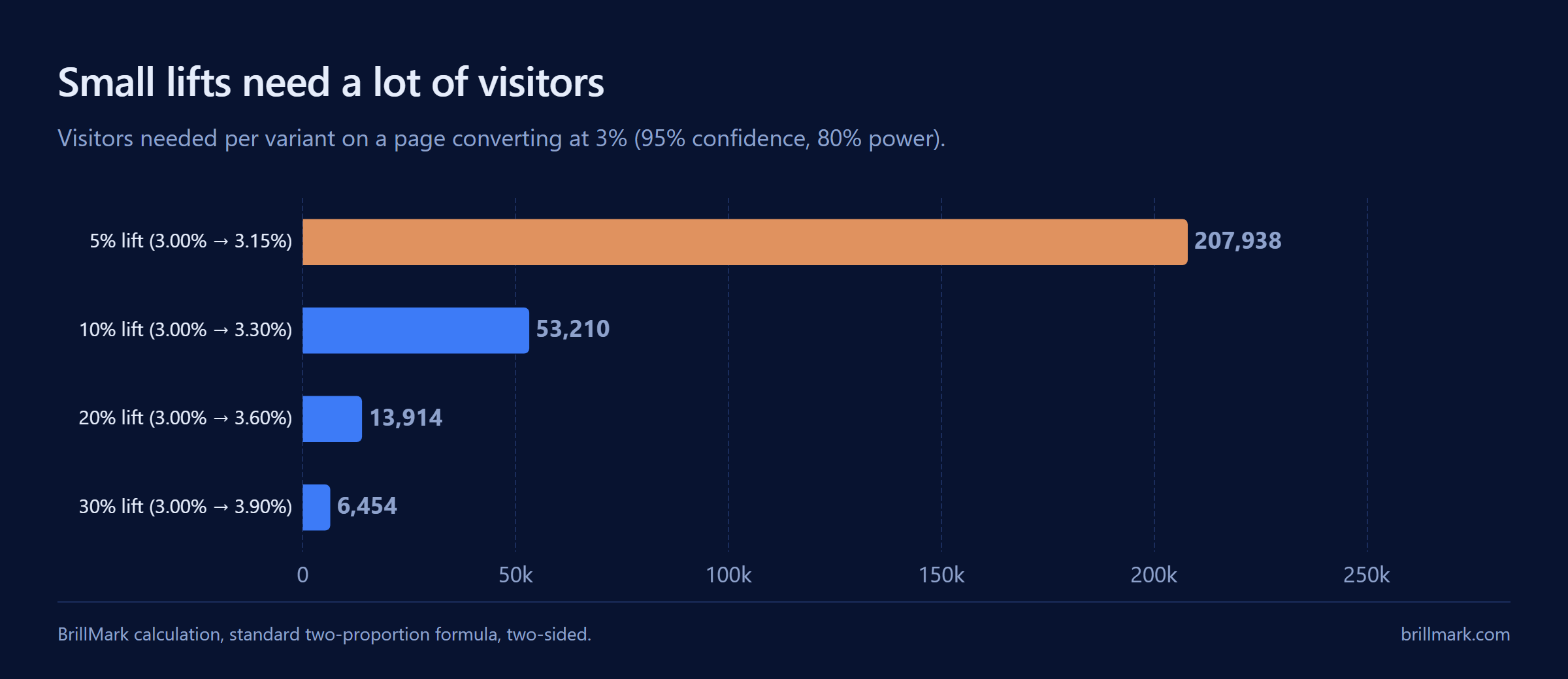
We calculated these with the standard two-proportion formula (95% confidence, 80% power). On a page converting at 3%, spotting a 10% lift takes about 53,000 visitors per variant. A test can tell you whether a change moved one metric for one audience; it can’t tell you why, or whether it will hold for everyone else.
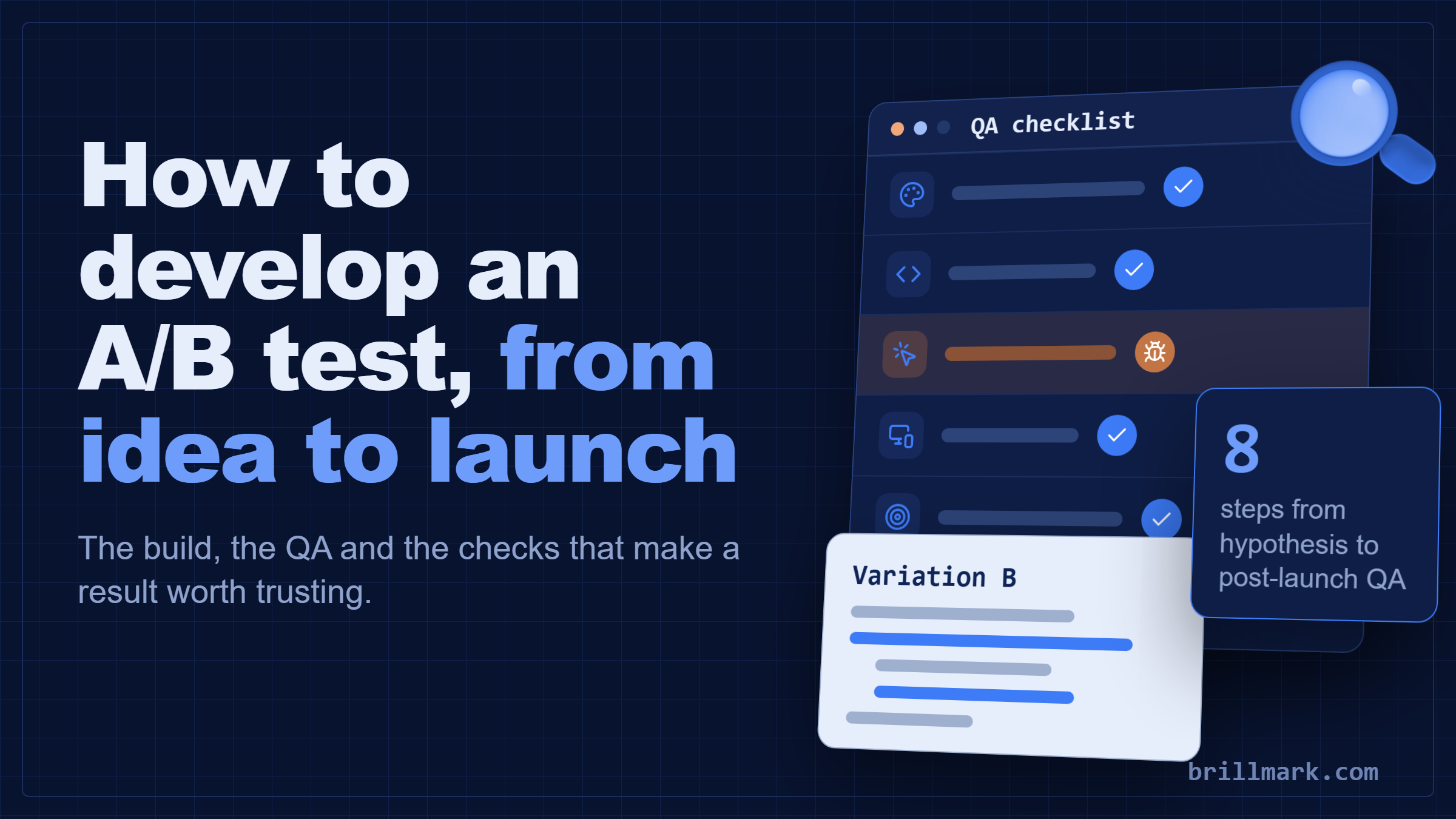
The process in eight steps
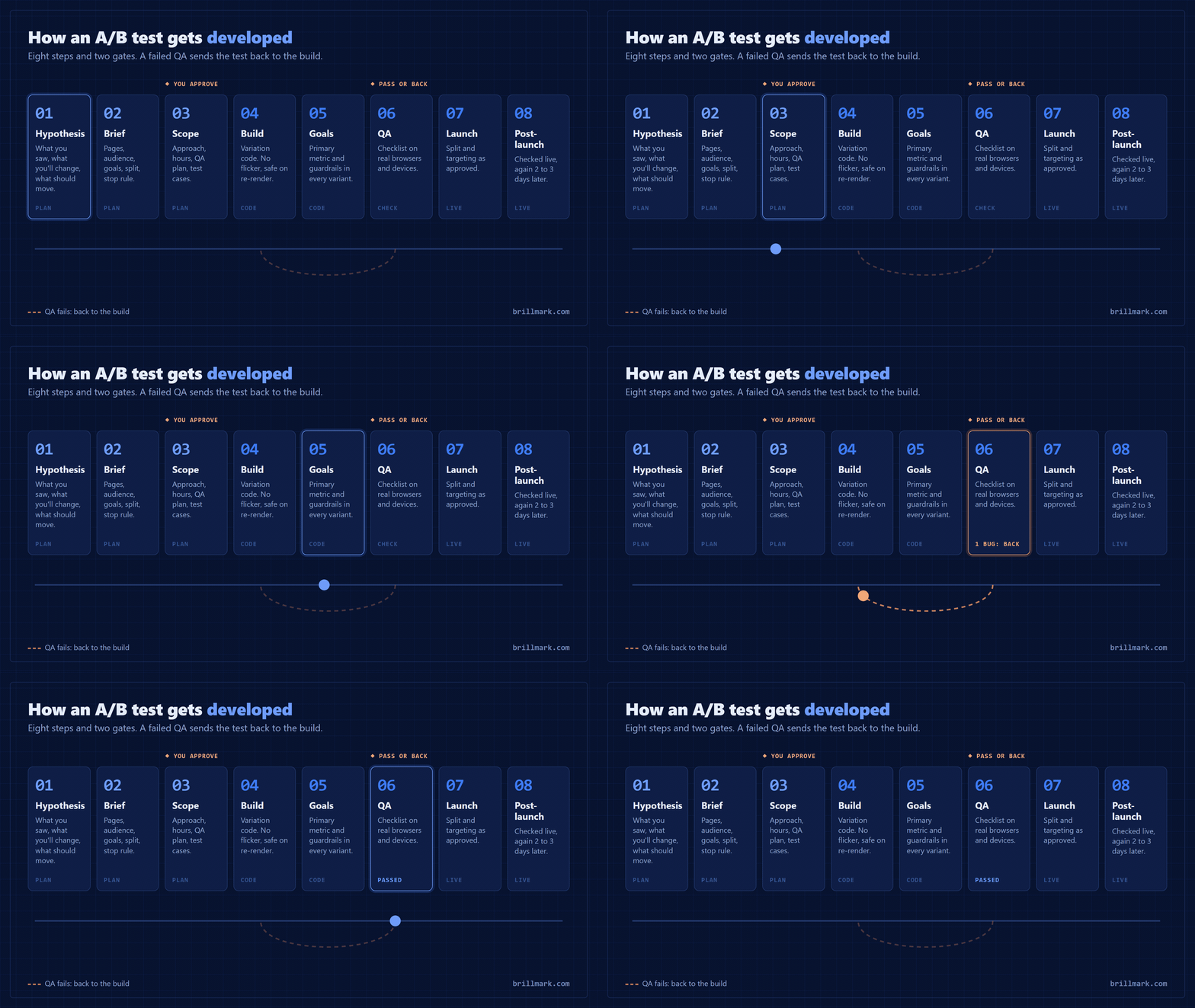
Every test we build goes through the same eight steps, and three of them happen before anyone writes code.
- Hypothesis: what you saw, what you’ll change, what should move.
- Brief: everything the developer needs, in writing.
- Scope and estimate: approach, hours and QA plan, approved before the build.
- Build: the variation, without flicker.
- Goals: the primary metric and guardrails, tracked in both variations.
- QA: a checklist on real browsers and devices, with a gate.
- Launch: traffic split and targeting set as approved.
- Post-launch QA: checked live, then again two to three days later.
Steps 1 and 2: the hypothesis and a dev-ready brief
A good hypothesis has three parts: “Because we saw X, we believe changing Y for Z visitors will move metric M.” If you can’t fill in the X with data, such as a drop-off in analytics, a pattern in session recordings or a theme in support tickets, you are guessing.
The brief turns that into something a developer can build without a meeting. Most of the back-and-forth on a test comes from a brief that leaves one of these out:
| Field | What to write |
|---|---|
| Page and targeting | Exact URLs or URL rule, and any pages to exclude |
| Audience | All visitors, or a segment: new, returning, mobile, paid traffic, a country |
| The change | Per variation, with a design file or annotated screenshot |
| Devices and browsers | Which ones must work; anything out of scope |
| Goals | One primary metric, one or two guardrails, and where each fires |
| Traffic split | Usually 50/50; anything else needs a reason |
| Conflicts | Other tests running on the same pages |
| Stop rule | Sample size and end date, decided now |
If the developer has to ask what “make the CTA stand out” means, the brief isn’t done.
Step 3: scope and estimate before anything is built
Before any build starts, agree in writing on the approach, the hours and the QA plan. This is where a “small copy change” turns out to touch three templates, or a funnel test turns out to need checkout access the platform doesn’t have.
At BrillMark, QA writes the test cases at this step, before development starts. They become the acceptance criteria, and the developer signs off on them before building. For a sense of timing, here is how long builds take with us once a brief is approved:
| Test type | Typical build time at BrillMark |
|---|---|
| Copy or styling change | Often the same day |
| Standard test | 48 hours from an approved brief |
| Multi-page or funnel test | 3 to 5 days |
Step 4: build the variation without flicker
Flicker is when a visitor sees the original page for a moment before the variation appears. It looks like a glitch, and it skews the result: people in variant B see both versions, so you are no longer testing B against A.

VWO’s support documentation lists the usual causes: the platform’s snippet loaded asynchronously through a tag manager, the snippet placed at the bottom of the page instead of the head, custom JavaScript that runs after the page has rendered, and large images in the variant that take time to download. The fixes follow from the causes: load the snippet early and synchronously, hide only the elements you change until the change is applied, and keep images small.
Single-page apps add a second problem. On sites built with React, Vue or a headless storefront, the page changes without reloading, so a variation applied on the first view disappears on the next. The test has to re-apply when the view changes. In Optimizely Web, a page activated by a condition is checked every 50 milliseconds and times out after two seconds, so a slow app can miss the window and the experiment never runs; a callback that fires when your app is ready avoids that.
A pattern we use in some form on most builds: wait for the element, apply the change once, and apply it again if the app re-renders.
// Variation B: new button copy and a note under it.
(function () {
  var SELECTOR = '.product-form__submit';
  function apply(btn) {
    if (btn.dataset.abApplied) return;      // apply once per element
    btn.dataset.abApplied = '1';
    btn.textContent = 'Add to cart';
    btn.insertAdjacentHTML('afterend', '<p class="ab-note">Secure checkout</p>');
  }
  function check() {
    var btn = document.querySelector(SELECTOR);
    if (btn) apply(btn);
  }
  check();                                  // element may already be there
  new MutationObserver(check)               // or arrive later (SPA, lazy load)
    .observe(document.documentElement, { childList: true, subtree: true });
})();
Build every variation so it can run twice without breaking, because on a modern site it will.
Step 5: set up goals and tracking
Goals are the events the platform counts: a click, a form submit, an add to cart, an order. Set the primary goal you named in the brief, plus guardrails such as revenue per visitor or checkout errors, the things you don’t want the test to hurt.
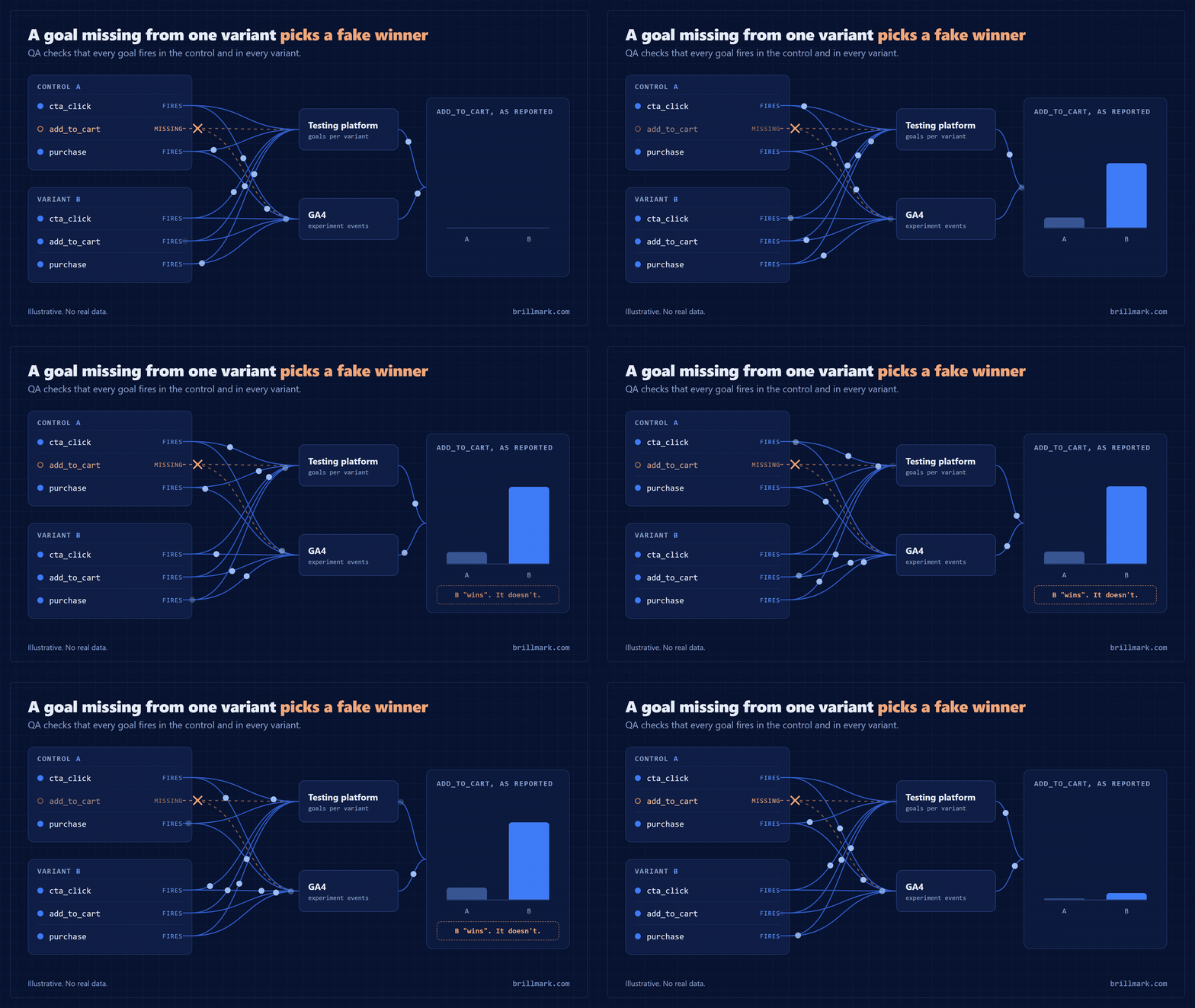
Then check that every goal fires in the control and in each variant, on mobile and desktop. A goal that fires only in B makes B look like a winner. If results also go to GA4 or another analytics tool, confirm the experiment and variant names arrive there and match the platform.
Step 6: QA, the step that decides whether you can trust the result
QA is a checklist run on real browsers and devices, and a test that fails it goes back to the developer before anyone sees it. Ours covers six areas.
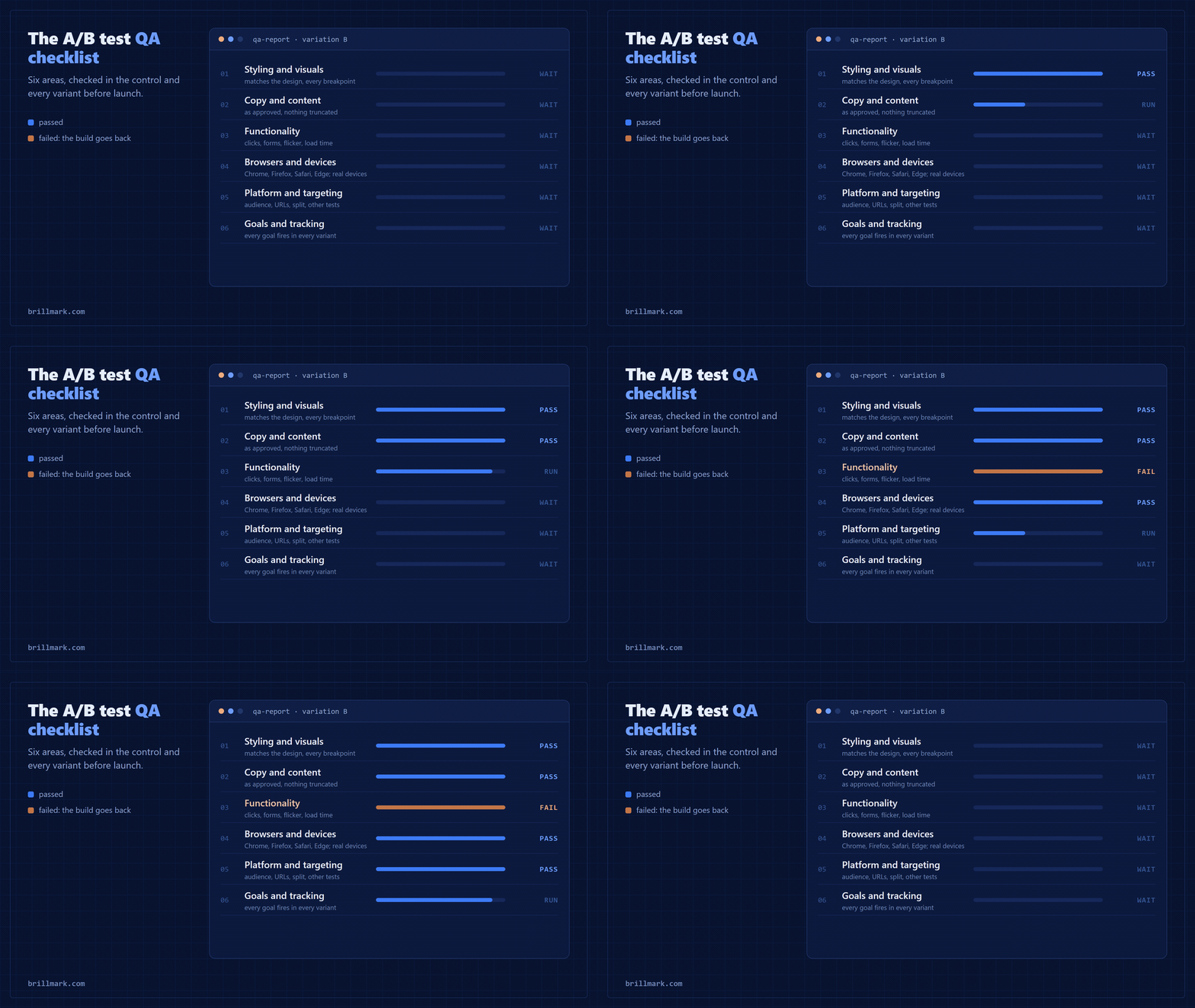
We also use a rejection gate. If ten or more bugs show up quickly, or the build is less than 90% right on first review, QA stops and sends it back rather than logging bugs one by one. QA is where we spend the most time on any test, because a test that ships broken still produces numbers, and nobody questions numbers.
Steps 7 and 8: launch, then check it again
Launch with the traffic split and targeting exactly as approved, then check the live test straight away: both variations load, goals fire, nothing broke on production that worked in preview. Take screenshots or a short video as proof.
Check again two to three days later, when there is real traffic. Look for a sample ratio mismatch: if you set a 50/50 split and see 54/46, something is dropping visitors from one side, and the result can’t be trusted until you find out what (Fabijan et al., KDD 2019). Note any bugs that already existed on the control, so nobody blames the test for them later.
Then leave it alone until the stop date. Checking every day and stopping the moment B looks ahead is one of the most common ways to declare a false winner (Evan Miller, How Not To Run an A/B Test).
Limits
- A well-built test can still be inconclusive. That is an answer: the change didn’t move the metric enough to detect.
- Client-side tests change what the browser shows. Prices, stock, search results and anything decided on the server need a server-side test and your own developers.
- Shopify limits what can change in checkout, so checkout tests need a different approach from the rest of the store.
- On a low-traffic page, a test can take months. Test a bigger change or a busier page.
- One test answers one question for one audience.
FAQ
How long does it take to build an A/B test?
A copy or styling change can be built the same day. A standard test takes about two days from an approved brief, and a multi-page funnel test three to five, plus QA.
Does the developer need access to my codebase?
Usually not. A client-side test is built inside the testing platform, so an editor login is enough. Server-side tests are the exception.
What causes A/B test flicker?
The variation is applied after the original page has already rendered. Loading the platform’s snippet late, or asynchronously through a tag manager, is the most common cause.
Can you A/B test a single-page app?
Yes, but the variation has to re-apply each time the app changes view, and the platform has to activate on those views, not only on the first page load.
Can I stop a test early if it’s clearly winning?
Not safely. Decide the sample size and stop date before launch and keep to them, unless the test is broken or hurting a guardrail.
Sources
- Kohavi, R. and Thomke, S., The Surprising Power of Online Experiments, Harvard Business Review, 2017: experiment success rates at Microsoft, Google and Bing.
- VWO (Wingify) help, Why do I notice a page flicker: causes of flicker.
- Optimizely, Page activation and Dynamic websites: polling, timeouts and single-page apps.
- Fabijan, A. et al., Diagnosing Sample Ratio Mismatch in Online Controlled Experiments, KDD 2019.
- Miller, E., How Not To Run an A/B Test: stopping early.
- Sample sizes: BrillMark calculation, two-sided two-proportion test, 95% confidence, 80% power, 3% baseline.
Related reading: The Anatomy of an A/B Test: Every Part, From Hypothesis to Readout.
Have more test ideas than development time? BrillMark builds, QAs and launches A/B tests on the platform you already use. Send us one hypothesis and get back an approach, hour estimate and QA plan, usually within one business day.
Make your website ready for the AI era.
AI is changing how people discover, evaluate, and interact with websites. We help you identify optimization opportunities across content, UX, technical performance, SEO, and conversion paths.