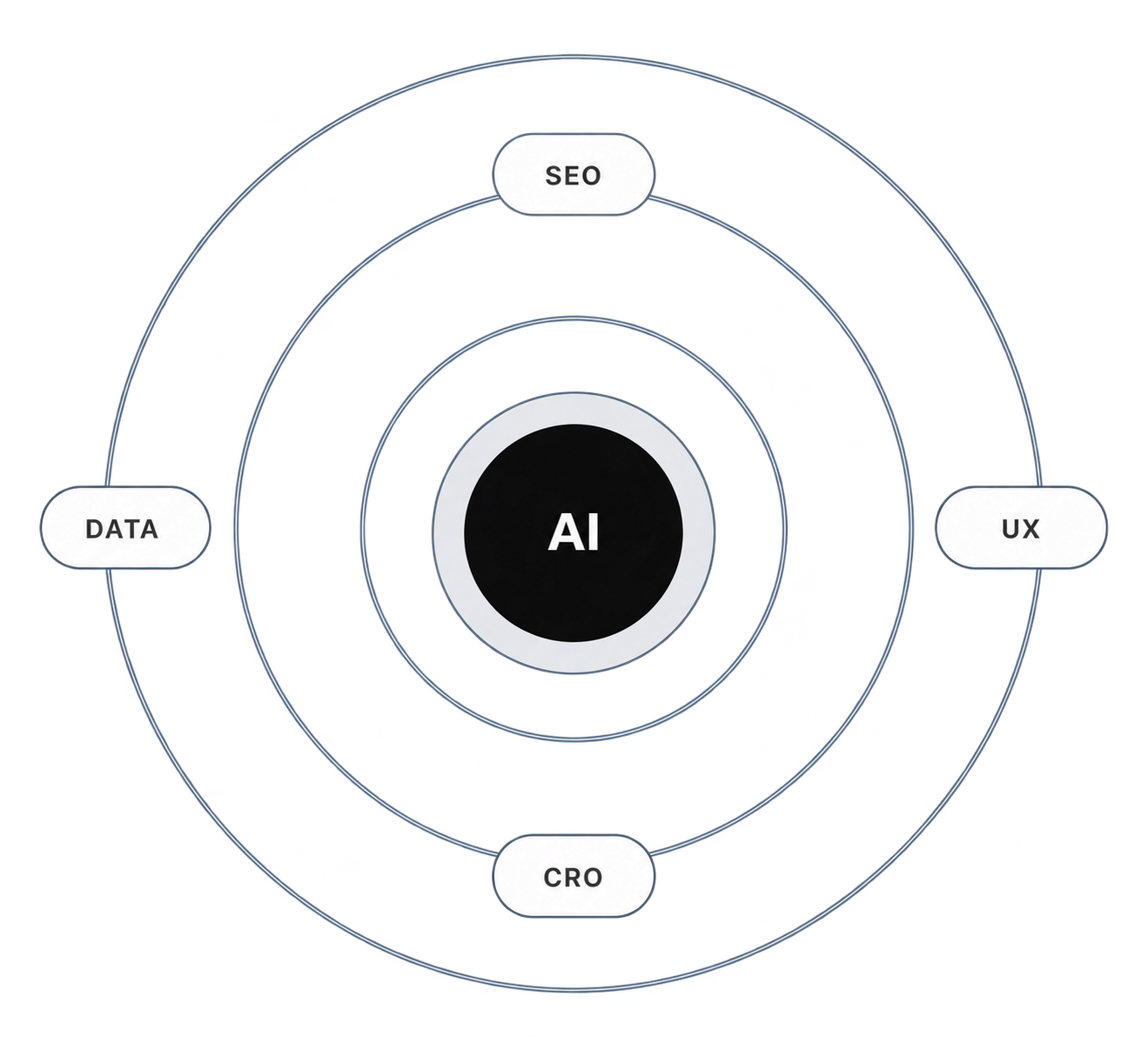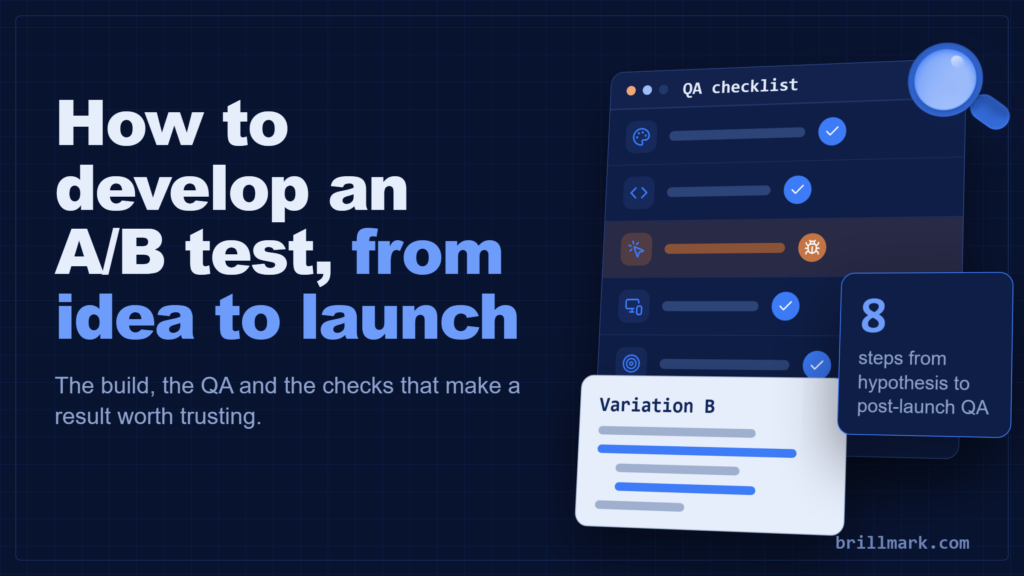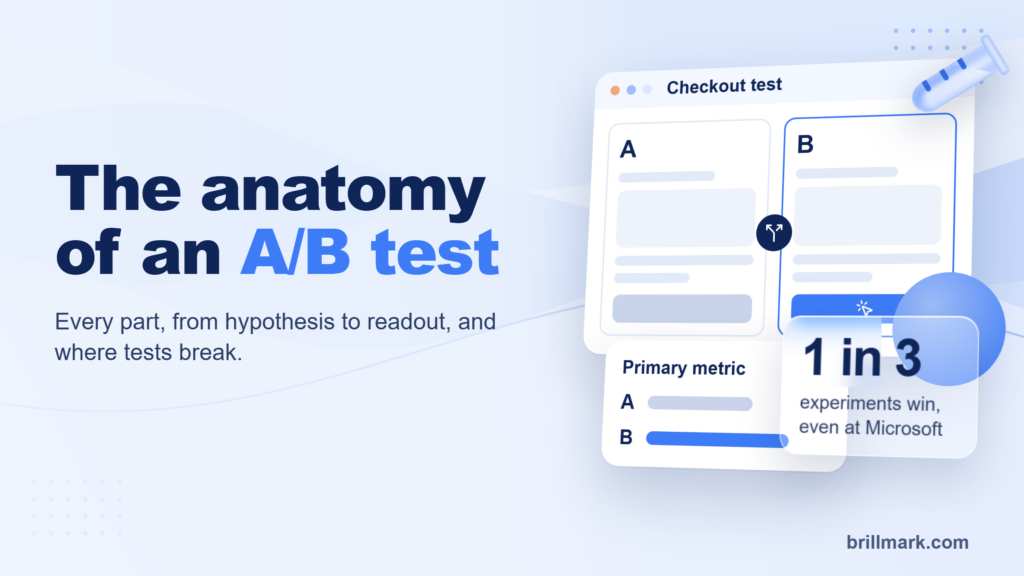
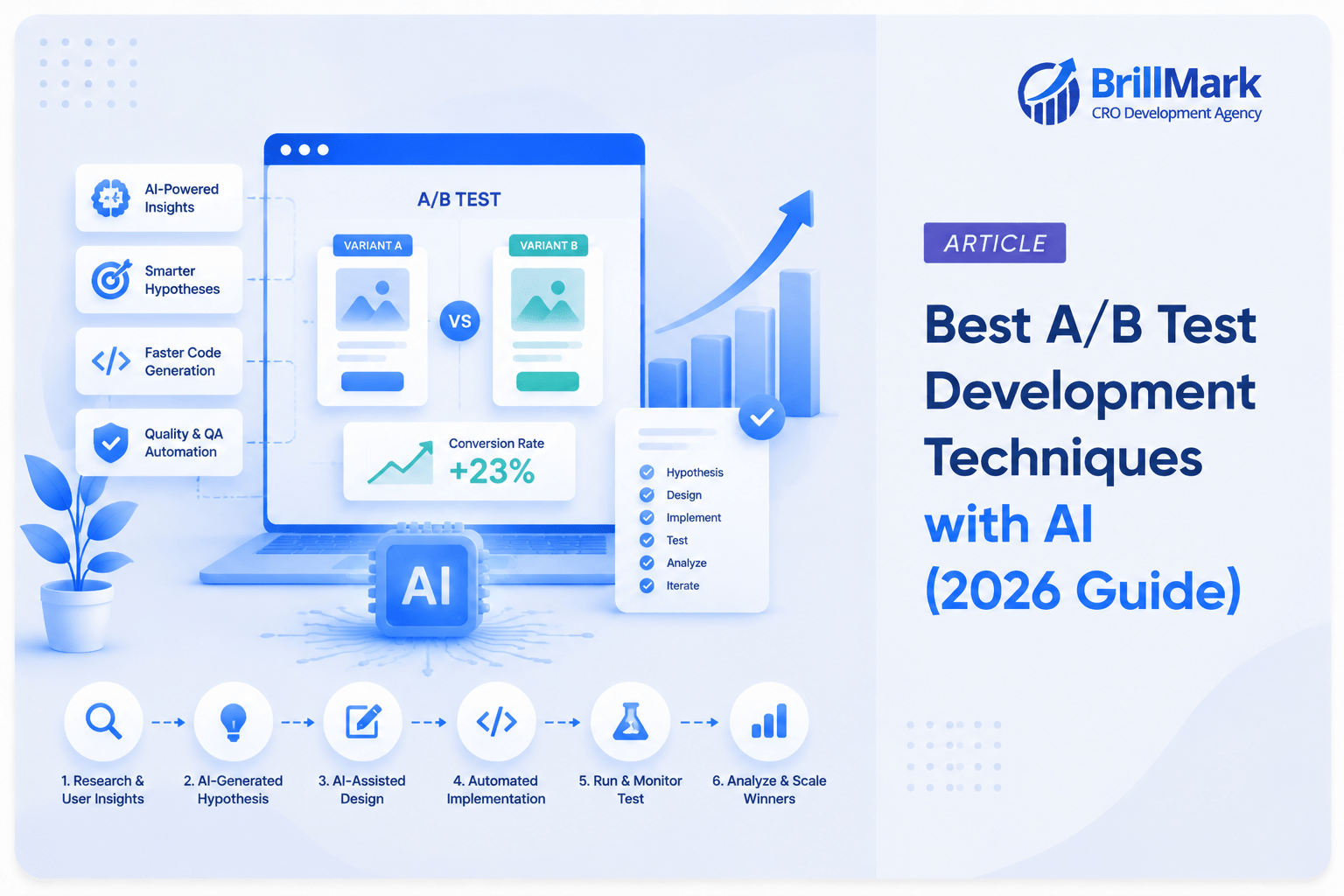
AI A/B Testing combines artificial intelligence with traditional experimentation workflows to accelerate research, development, QA, and analysis.
AI has not made A/B testing easier. It has made ideas cheap and left everything downstream exactly as expensive as it always was: building the variation, QA-ing it across browsers, validating the tracking, reading the result honestly.
This guide covers where AI genuinely compresses that development cycle, where it quietly introduces new failure modes, and what the human still has to own. It is written from the perspective of a team that builds and QAs tests for a living (Brillmark has shipped [45,000+] tests across [250+] brands), not from the perspective of a tool vendor.
What you’ll learn:
- Where AI fits at each of the eight stages of an experiment
- Ten specific techniques, with prompts and tool recommendations
- The QA layer that has to sit between AI-generated code and production
- Six implementation errors AI is good at catching, and three it is not
- What still requires a human decision, and why
What is AI-powered A/B test development?
AI-powered A/B test development is the use of large language models and machine learning tools to accelerate the build phase of an experiment: writing variation code, generating copy and design alternatives, producing QA test cases, and documenting results. It compresses development time; it does not replace developer judgment, statistical validation, or manual QA.
The distinction that matters most is between two things people lump together:
- AI for experimentation. The algorithmic layer inside a testing platform: multi-armed bandits, predictive allocation, automated segment discovery. This is machine learning operating on your traffic.
- AI for development. The tooling layer your team uses to produce the experiment: code assistants, prompt-driven design generation, automated test-case writing. This is a generative model operating on your workflow.
This guide is about the second one. The first is a platform decision. The second is a process decision, and it is the one you control.
Traditional vs AI-assisted A/B test development
| Stage | Traditional workflow | AI-assisted workflow | What changes |
| Hypothesis | Analyst reviews GA4, heatmaps, and recordings manually | AI synthesizes multi-source data into ranked hypotheses | Faster synthesis, same human prioritization |
| Variation code | Developer writes HTML/CSS/JS from scratch | Developer prompts, reviews, and refactors AI draft | Draft speed up; review time unchanged or higher |
| Design variants | Designer produces 2-3 mockups | AI generates 8-12 directions, designer curates | More exploration, same validation burden |
| Copy | Copywriter drafts each variant | AI drafts variants against a brief, human edits | Volume up, brand risk up without guardrails |
| QA | Manual cross-browser and device checks | AI-generated Playwright specs + manual pass | Coverage up, manual pass still required |
| Debugging | Developer reproduces and traces | AI reads console/DOM diffs and proposes causes | Faster triage, not faster root-cause certainty |
| Documentation | Written after the fact, often skipped | AI drafts summaries, tickets, QA checklists | Documentation actually gets written |
| Analysis | Analyst runs stats, writes readout | AI drafts the narrative, analyst validates stats | Faster readouts, higher risk of false confidence |
The pattern across every row: AI moves the first draft forward, not the final decision. Teams that budget for the review step get the speed benefit. Teams that treat the draft as the deliverable ship broken tests faster than they used to.
A note on measured speedups. GitHub’s controlled study of Copilot reported roughly 55% faster completion on a scoped task. A 2025 randomized trial from METR found experienced open-source developers were about 19% slower on real tasks in codebases they knew well, while believing they had been faster. Both results are real. AI helps most on unfamiliar, boilerplate-heavy, well-specified work. A/B test variation code is often exactly that. Deep changes in a codebase your team wrote are often not. [VERIFY BOTH: see checklist]
Where does AI fit into the A/B testing workflow?
AI assists at all eight stages of an experiment, but with sharply different reliability. It is most useful at development, QA scaffolding, and documentation. It is least trustworthy at statistical validation and business prioritization.
IDEA AI: mine reviews, tickets, search queries for friction themes
↓
RESEARCH AI: summarize session recordings, cluster heatmap patterns
↓
HYPOTHESIS AI: draft and rank hypotheses (human re-ranks by business value)
↓
DESIGN AI: generate variant directions (designer curates for usability)
↓
DEVELOPMENT AI: draft variation code (developer reviews line by line) ← biggest gain
↓
QA AI: generate test cases and Playwright specs (manual pass required)
↓
DEPLOYMENT AI: pre-flight checks, selector validation, tracking verification
↓
ANALYSIS AI: draft the readout narrative (analyst owns the statistics) ← highest risk
Read that diagram as a confidence gradient, not a checklist. Reliability is highest in the middle and drops off at both ends. The top requires business context AI does not have; the bottom requires statistical rigor AI routinely fakes.
1. How do you use AI to generate stronger A/B test hypotheses?
Feed AI structured evidence from multiple sources at once (analytics exports, heatmap summaries, session recording notes, support tickets, review text, and site-search queries) and ask it to find friction themes that appear in more than one source. Cross-source corroboration is the signal. Single-source ideas are guesses.
The failure mode of most hypothesis generation is not that teams lack ideas. It is that ideas come from one source, usually whoever spoke loudest in the last meeting, and get tested as if they were evidence-backed.
AI is good at the synthesis step humans skip because it is tedious: reading 400 support tickets and noticing that 60 of them mention the same confusing shipping threshold that also shows up as a rage-click cluster on the cart page.
Inputs worth feeding it:
- GA4 funnel exports (step-level drop-off, segmented by device and source)
- Heatmap and scroll-depth summaries
- Session recording annotations, especially rage clicks and dead clicks
- Support tickets and live chat transcripts
- Product reviews and post-purchase survey verbatims
- Internal site-search queries with zero results
- Exit-intent survey responses
A prompt that produces usable output:
You are a conversion research analyst. Below are five data sources from
an ecommerce checkout flow: GA4 funnel drop-off, rage-click locations,
120 support tickets, 80 exit-survey responses, and internal site-search
queries.
Identify friction themes that appear in AT LEAST TWO sources. For each
theme, output:
1. The theme, in one sentence
2. Which sources corroborate it, with a specific quote or number from each
3. A testable hypothesis in “If we [change], then [metric] will [direction],
because [user-behavior reason]” format
4. Estimated reach: what % of sessions encounter this friction, and how
you derived that number
Rank by estimated reach × severity. Do not include themes supported by
only one source. If the data does not support a ranking, say so.
Two details in that prompt do most of the work: requiring corroboration across sources, and requiring the model to show how it derived reach. Without those, models produce confident, generic, unrankable lists.
Tool notes: Claude and ChatGPT both handle large mixed-format context well and are the practical choices for this. Gemini integrates natively with Google Analytics data if your stack is already there. Whichever you use, the output is a research memo, not a roadmap. A human prioritizes against business value, technical cost, and what you have already tested.
2. Can AI write the code for A/B test variations?
Yes, for the majority of client-side variations: DOM manipulation, style overrides, component swaps, and framework-specific snippets. AI drafts them in minutes rather than hours. No AI-generated variation code should reach production without line-by-line developer review, because the failure modes are silent ones: selector fragility, flicker, and duplicate event firing.
This is where the time actually comes back. Variation code is well-specified, largely boilerplate, and pattern-heavy, which is the exact profile where code assistants perform best.
What AI drafts reliably:
| Output | Reliability | Watch for |
| CSS-only variations | High | Specificity wars with existing stylesheets |
| DOM insertion / reordering | High | Fragile selectors, timing before hydration |
| Vanilla JS interaction changes | Medium-high | Event listener leaks, duplicate binding |
| React / Vue component variants | Medium | State collisions, hydration mismatch |
| Shopify Liquid snippets | Medium | Theme-specific object availability |
| WordPress template modifications | Medium | Plugin conflicts, caching layers |
| Server-side experiment logic | Low | Assignment consistency, bucketing bugs |
Tools worth having in the stack:
- Cursor / Claude Code. Best for multi-file work where the model needs to read your existing component before writing a variant of it. This context-awareness is the difference between a snippet and a working variation.
- GitHub Copilot. Strongest for inline completion inside an established codebase and coding conventions your team already uses.
- ChatGPT / Claude (chat). Best for one-off client-side snippets where you paste the target markup and describe the change.
A prompt structure that produces reviewable code:
Write a client-side A/B test variation for [Optimizely / VWO / Convert /
custom]. Target element markup is pasted below.
Change: [specific change]
Requirements:
– Use a MutationObserver or the platform’s ready callback; do not assume
DOM is loaded
– Selector must not depend on auto-generated class hashes; explain your
selector choice
– Include anti-flicker handling appropriate to [platform]
– Bind events once; guard against re-execution if the script runs twice
– Do not modify anything outside the target element
– Add a cleanup path that restores original state
– Comment every non-obvious line
Then list every assumption you made about the page that could be wrong.
Tht last instruction, list every assumption that could be wrong, is the single highest-value line in the prompt. It converts silent risk into a checklist your developer can verify.
Non-negotiable practices:
- Never deploy AI code without human review. Not “usually review.” Never deploy without it. The reason is not code quality in the abstract. It is that a variation with a subtly broken selector still runs, still collects data, and produces a result that looks valid and is not.
- Keep experiments modular. One variation, one file, one scope. AI is worse at reasoning about interaction effects than it is at writing any individual piece.
- Follow your existing coding standards. Give the model your conventions in the prompt or in a project rules file. Otherwise you accumulate five stylistic dialects across your experiment library.
- Version everything. Every variation in Git, with the hypothesis in the commit message. This is also what makes your experiment library useful as future AI context.
- Never paste client production credentials, PII, or unreleased roadmap detail into a general-purpose model. Use enterprise tiers with data-retention controls for client work.
3. How do you use AI to create A/B test design variations?
AI design tools generate a wide range of visual directions quickly (hero layouts, CTA treatments, card designs, checkout arrangements), which expands what a team can explore. They cannot evaluate usability, accessibility, or brand fit, so a designer still curates before anything is built.
The value is exploration breadth, not final output. A designer who would have produced three hero directions can review twelve and pick the two worth testing.
Where it works:
- Hero section layout alternatives
- CTA button styling, placement, and hierarchy
- Landing page structural variants
- Product card and listing density
- Checkout step consolidation layouts
- Form field grouping and progressive disclosure
Tools: Figma’s AI features for in-file generation and variant expansion; Adobe Firefly for imagery and background work; general models for wireframe-level structural ideas described in text.
Why designers still validate: generated designs optimize for visual plausibility, not task completion. They routinely produce insufficient contrast ratios, touch targets under 44px, hierarchy that reads well in a static frame and fails in a real scroll, and layouts that break at 320px. An A/B test that loses because the variant had an accessibility problem taught you nothing about your hypothesis.
Practical rule: anything AI generates goes through the same design QA as anything a human generates: contrast check, touch target check, responsive check at four breakpoints, screen reader pass. Speed on the generation step does not buy you a shortcut on the validation step.
4. How do you write A/B test copy with AI?
AI produces copy variants at volume against a brief, which suits testing better than any other content use case, because you need six headline variants, not one perfect one. The constraint is that AI defaults to generic marketing register, so briefs must include voice rules, banned phrases, and specific customer language pulled from research.
Copy is the highest-volume, lowest-risk place to use AI in experimentation. A wrong headline loses a test. A wrong checkout script loses revenue.
What to generate in A/B test via AI:
- Headlines and subheadlines
- CTA button microcopy
- Product descriptions
- Form field labels and helper text
- Error and validation messages
- Empty-state and loading copy
- Checkout reassurance copy (shipping, returns, security)
- Email subject lines for lifecycle tests
Before / after, worked examples:
| Element | Generic AI output | Research-grounded revision | Why it’s better |
| Hero headline | “Transform Your Business With Our Solution” | “Ship A/B tests in 4 days, not 4 weeks” | Specific, quantified, names the actual pain |
| CTA | “Get Started” | “See a sample test build” | Describes what happens next; lowers commitment |
| Shipping notice | “Free shipping available” | “Free shipping over $50. You’re $12 away” | Contextual, actionable, uses cart state |
| Form error | “Invalid input” | “That card number is 15 digits. Amex needs 16” | Diagnoses the problem and states the fix |
| Empty state | “No results found” | “No results for ‘blu jeans’. Try ‘blue jeans’?” | Recovers the user instead of ending the session |
The pattern in the right-hand column: specificity and language taken from actual customers. Both come from research inputs you supply, not from the model.
A brief format that works:
Write 8 variants of [element] for [page] on [site].
- Audience: [specific, from research, not “our customers”]
- Primary objection at this step: [from exit surveys/support tickets]
- Voice: [3 adjectives + one sentence of what we never sound like]
- Banned: [list, e.g. “seamless”, “unlock”, “elevate”, “game-changing”, “revolutionize”, em-dash-heavy constructions]
- Constraint: [character limit / must contain the offer / must not promise a delivery date]
- Customer language to work from: [paste 5-10 real verbatims]
For each variant, state the psychological mechanism it uses (clarity,
specificity, risk reversal, social proof, loss aversion) so we can
test mechanisms, not just wordings.
That last instruction turns eight random headlines into a structured test of four mechanisms. You learn something either way.
Validate with users, not with the model. Never ask AI to predict which variant will win. It will answer confidently and it has no information about your customers. That is what the test is for.
5. How do you automate A/B test QA with AI?
AI generates the QA test cases and browser automation scripts that most experimentation teams never get around to writing: selector validation, console error checks, responsive breakpoint verification, and tracking-event assertions. It automates the repeatable checks. It does not replace the manual pass, because the most damaging test bugs are ones that pass every automated assertion.
QA is the least glamorous and most valuable place to apply AI in this workflow. A test that ships with broken tracking does not fail loudly. It produces a number.
What AI-assisted QA catches reliably:
| Check | What it catches | How |
| Selector validation | Element not found; multiple matches | Automated DOM query across templates |
| Console errors | JS thrown by the variation | Automated console capture per variant |
| Tracking fires | Missing, duplicate, or misattributed events | Network interception assertions |
| Responsive layout | Breakage at defined breakpoints | Screenshot diffing at 320/768/1024/1440 |
| Cross-browser | Rendering and API differences | Parallel runs on Chromium/Firefox/WebKit |
| Accessibility | Contrast, missing labels, focus order | axe-core assertions in the test run |
| Flicker | Original content visible before swap | Timed screenshot at first paint |
Playwright is the practical backbone here. It runs across Chromium, Firefox, and WebKit, and AI is unusually good at writing Playwright specs because the API is well-documented and stable in training data.
Write a Playwright test suite for this A/B test variation.
Variation: [description]
Control URL: [url]
Variant forced via: [query param/cookie / localStorage flag]
Assert:
1. Target selector resolves to exactly one element in both variants
2. Zero console errors in either variant
3. [conversion event] fires exactly once on [action], with correct payload
4. Variant renders correctly at 320, 768, 1024, 1440 widths
5. Original content is not visible at any point before the swap
6. axe-core reports no new violations vs control
7. Test runs on Chromium, Firefox, and WebKit
Include setup/teardown, and fail loudly on any assertion rather than
a warning. Comment what each assertion protects against.
What automated QA misses, and why manual is still mandatory:
- Whether the variation makes sense to a human. Everything can pass, and the page can still be confusing.
- Interaction with real personalization, promos, and logged-in states. Your automation runs on a clean session. Your users do not.
- Third-party script conflicts that only appear with a live consent banner, chat widget, and tag manager loaded.
- Real-device rendering. An emulated iPhone viewport is not an iPhone.
- Edge-case content. The product with a 90-character name. The cart with 40 items. The out-of-stock variant.
The workable split: AI writes and runs the repeatable checks on every build; a human does a 15-minute manual pass on real devices before launch. The automation buys back the time to make that manual pass consistent.
6. How does AI detect A/B test implementation errors?
AI detects implementation errors by comparing expected against actual behavior across variants, flagging DOM anomalies, unexpected event volumes, traffic allocation imbalances, and console exceptions. It surfaces anomalies earlier than a human scanning dashboards. Diagnosing root cause and deciding whether to invalidate a test remain human calls.
These are the six errors that quietly ruin experiments:
| Error | What it looks like | How AI helps | Human still owns |
| Wrong / fragile selector | Variation renders on some pages, not others | Cross-template selector audit before launch | Choosing a durable selector strategy |
| Flicker (FOOC) | Original flashes before variant loads | Timed screenshot detection at first paint | Deciding anti-flicker approach and its cost |
| Duplicate events | Conversion counts inflated in one variant | Event-volume anomaly detection vs baseline | Tracing which listener double-bound |
| Sample Ratio Mismatch (SRM) | Split lands at 53/47 instead of 50/50 | Continuous chi-square monitoring with alerts | Deciding whether to invalidate the test |
| Broken variant on a segment | Variant fails on one browser or device class | Segment-level error-rate comparison | Root-cause fix and re-run decision |
| Analytics discrepancy | Testing tool and GA4 disagree materially | Automated reconciliation across sources | Determining which source to trust |
Sample Ratio Mismatch deserves its own paragraph.
If your intended 50/50 split arrives as anything meaningfully off (and a chi-square test tells you what “meaningfully” means at your traffic volume), something is wrong with assignment, and the result is not trustworthy no matter how significant it looks. Bot traffic, redirect timing, caching layers, and consent-banner interactions all cause it. Automated SRM monitoring is one of the highest-ROI things you can add to an experimentation program, AI or not.
What AI is genuinely good at here: noticing the anomaly on day 2 instead of day 12. Anomaly detection over experiment telemetry is a real machine learning application, not a chat-assistant one.
What it is bad at: telling you why. Root-cause tracing requires understanding your stack, your CDN, your consent implementation, and what deployed last Tuesday.
7. Can AI personalize A/B tests?
Yes. AI can move experimentation from one-variation-for-everyone to segment-aware allocation, where models identify which user groups respond differently to which variant and route traffic accordingly. The tradeoff is statistical: personalization multiplies your comparisons, which means you need substantially more traffic and much more discipline about pre-registering segments.
Signals commonly used for segmentation:
- Behavioral: pages viewed, scroll depth, time on site, prior sessions
- Traffic source and campaign
- Geography and language
- Device class and connection speed
- Purchase history, lifetime value, and recency
- Cart contents and value
- Intent signals: search queries, filters applied, comparison behavior
Two distinct things get called “AI personalization,” and they are not the same:
- Post-hoc segment discovery. Running a standard A/B test, then letting AI surface which segments responded differently. Useful for generating hypotheses. Not valid as a conclusion, because the more segments you slice, the more likely you find a “winner” that is noise. Every discovered segment effect is a hypothesis for a new test, not a result.
- Adaptive allocation / contextual bandits. Algorithms that shift traffic toward the better-performing variant per segment while the test runs. Genuinely powerful for high-traffic, short-lived decisions like promotional layouts. Poorly suited to learning why something works, because the changing allocation makes clean inference harder.
The honest constraint: most sites do not have the traffic to personalize responsibly. If your baseline test already needs three weeks to reach adequate power, splitting it across five segments does not give you five insights. It gives you five underpowered tests. Get the core program working before adding this layer.
8. How does AI speed up A/B test analysis?
AI accelerates the interpretation and write-up of results: summarizing what happened, flagging segment differences, and drafting the readout narrative. It should never be the source of statistical conclusions. Language models produce confident, fluent statistical claims that are wrong, and fluency is exactly what makes them dangerous here.
Useful applications:
- Drafting the plain-language readout from validated numbers
- Flagging segments worth investigating
- Comparing the result against your historical test library for context
- Summarizing what the result implies for the roadmap
- Turning a result into a stakeholder update in the right register
The hard line: significance testing, confidence intervals, power calculations, and multiple-comparison corrections come from your testing platform or a statistician. Not from a chat window. Ask a language model whether a result is significant and it will give you a number. The number may be invented.
Context worth remembering when reading any result: at Microsoft, only roughly one-third of well-designed experiments produced positive results, a figure Ronny Kohavi has cited repeatedly from Bing’s program. [VERIFY] Most of your ideas will lose. A tool that helps you feel more confident about results is solving the wrong problem. A tool that helps you read losses honestly is solving the right one.
A safe prompt pattern:
Below are validated results from a completed A/B test, already analyzed
in [platform]. Statistical conclusions are provided; do not recalculate,
re-interpret, or comment on significance.
[PASTE: hypothesis, variants, sample sizes, primary metric result,
confidence interval, p-value or Bayesian probability, test duration,
pre-registered segments]
Write a stakeholder readout with:
1. What we tested and why (2 sentences)
2. What happened (state the numbers as given, no added interpretation)
3. What we believe it means, with explicit uncertainty
4. What we recommend next
5. What we still don’t know
Flag any place where you are inferring rather than reporting.
9. How do you use AI for experiment documentation?
AI reliably drafts the documentation layer most teams skip: experiment summaries, Jira tickets, QA checklists, test specs, and sprint notes. This is the lowest-risk, highest-compliance use of AI in experimentation, because errors are visible and cheap to correct.
For an agency running dozens of concurrent tests across multiple clients, documentation is not administrative overhead. It is the asset. A well-documented experiment library is what prevents you from re-running a test you already lost in 2024, and it is what makes onboarding a new team member take days instead of weeks.
What to automate:
| Artifact | Input | Output |
| Experiment spec | Hypothesis + wireframe | Full spec with success metrics and guardrails |
| Jira ticket | Spec | Ticket with acceptance criteria and QA steps |
| QA checklist | Variation code | Checklist specific to that variation’s risks |
| Results summary | Validated data | Stakeholder-ready readout |
| Sprint notes | Test statuses | Weekly digest by client or workstream |
| Knowledge base entry | Completed test | Searchable, tagged library record |
The compounding benefit: a structured, tagged experiment library becomes context you can feed back into hypothesis generation. “Here are 340 tests we have run for ecommerce clients, with results. What patterns hold, and what have we never tested?” That question is only answerable if the documentation exists, and documentation only exists if it is cheap to produce.
10. Where do humans stay in the loop?
Humans must own five decisions regardless of how good the tooling gets: which hypothesis to test, whether the code is safe to deploy, whether the design is usable, whether the statistics are valid, and what the business does with the result. AI drafts. Humans approve.
| Decision | Why AI can’t own it |
| Which hypothesis to test | Requires business context, roadmap constraints, and what the company can actually act on |
| Code deployment | AI code fails silently; a broken test still produces a number |
| Design approval | Usability and accessibility require human evaluation against real tasks |
| Statistical validity | LLMs generate plausible statistics; plausible is not correct |
| Acting on the result | Business decisions carry consequences AI does not bear |
The specific risks, named:
- Hallucination. Invented statistics, non-existent API methods, fabricated platform features. Frequency is low and confidence is uniformly high, which is the worst possible combination.
- Bias in generated copy and design. Models reproduce patterns from training data, including which audiences get addressed and how.
- Poor UX from plausible-looking output. Designs that photograph well and test badly.
- Incorrect code with silent failure. The defining risk of this entire workflow.
- Privacy and data handling. Customer PII, session recordings, and client data pasted into consumer AI tools is a compliance problem regardless of how useful the output was. Use enterprise tiers with retention controls, and strip PII before it reaches any model.
- Automation complacency. The well-documented tendency to under-scrutinize automated output over time. The review step degrades before the code does.
Common AI A/B testing mistakes to avoid
| Mistake | Better approach |
| Blindly trusting AI-generated code | Line-by-line developer review before every deploy |
| Testing many changes at once because AI made them easy to build | One hypothesis per test; build speed is not a reason to abandon isolation |
| Skipping QA because the code “looks fine” | Automated Playwright suite plus a 15-minute manual pass on real devices |
| Shipping AI copy without validation | Test it; never let a model predict the winner |
| Assuming tracking works | Verify every event fires once, in both variants, with correct payload |
| Asking AI whether a result is significant | Statistical conclusions come from your platform, not a chat window |
| Slicing segments post-hoc and calling it a finding | Pre-register segments; discovered effects are hypotheses for the next test |
| Ignoring SRM | Monitor traffic split continuously; investigate every imbalance |
| Pasting client data into consumer AI tools | Enterprise tier, retention controls, PII stripped first |
| Running more tests instead of better ones | Volume without rigor produces confident nonsense faster |
That last row is the one worth sitting with. AI increases throughput. If your program’s constraint was rigor rather than throughput, AI makes the problem worse, not better.
What’s next for AI in A/B testing?
Direction of travel: from AI assisting individual workflow steps toward AI orchestrating multi-step experimentation, with human approval gates at hypothesis selection and deployment. The technical capability is arriving faster than the governance around it.
Watch these:
- Agentic test creation. Agents that read analytics, propose a hypothesis, write the variation, generate the QA suite, and open a PR for human approval. Each component works today; the reliable orchestration is the open problem.
- Predictive pre-test screening. Models trained on historical experiment libraries estimating which variants are worth the traffic cost. Requires a large, well-documented, in-domain test corpus, which is why this favors agencies and enterprises with real history.
- Continuous autonomous optimization. Always-on bandit systems for high-traffic surfaces where the goal is revenue rather than learning.
- Multi-agent experimentation. Specialized agents (research, development, QA, analysis) coordinating with defined handoffs. Promising, immature, and easy to oversell.
- Server-side AI experimentation. Moving assignment and rendering server-side eliminates flicker and client-side selector fragility entirely. This is the most underrated item on the list, and it is available now.
- Governance and auditability. As AI writes more experiment code, “which model wrote this, from what prompt, reviewed by whom” becomes a compliance question. Teams that log this now will not have to reconstruct it later.
The constraint that does not go away: experimentation is a learning system, and learning requires rigor that scales worse than generation does. Whatever gets automated, someone still has to decide what is worth knowing.
Frequently Asked Questions
Can AI create A/B tests automatically?
AI can automate most individual steps: generating hypotheses, writing variation code, producing QA test cases, and drafting analysis. Fully autonomous end-to-end test creation is not reliable in production today, primarily because AI-generated code fails silently and a broken test still returns a plausible-looking number. Current best practice is AI-assisted creation with human approval gates at hypothesis selection, code review, and result interpretation.
Is AI replacing CRO specialists?
No. AI is compressing the execution layer of CRO (building, QA-ing, and documenting) while the judgment layer becomes more valuable, not less. When variations are cheap to produce, the scarce skills are deciding what is worth testing, ensuring results are statistically valid, and translating findings into business decisions. The specialists at risk are those whose work was primarily execution.
Which AI tools are best for A/B test development?
For variation code: Cursor and Claude Code for context-aware multi-file work, GitHub Copilot for inline completion in an established codebase. For hypothesis generation and analysis drafting: Claude or ChatGPT with large-context inputs. For QA automation: Playwright, with AI generating the test specs. For design exploration: Figma AI and Adobe Firefly. Tool choice matters far less than the review process around it.
Can AI write JavaScript for A/B tests?
Yes. AI writes client-side variation JavaScript competently, including DOM manipulation, event handling, style injection, and MutationObserver patterns. This is one of its strongest applications because the code is well-specified and pattern-heavy. It requires developer review for selector durability, anti-flicker handling, single-binding of event listeners, and framework-specific concerns like React hydration timing.
Is AI-generated code safe to deploy in an A/B test?
Not without review. The risk in experimentation is specific: AI-generated code that contains a subtle error still executes, still collects data, and produces a result that appears valid. A broken selector affecting one browser class does not throw an error. It silently produces a biased sample. Every AI-generated variation needs line-by-line developer review plus automated and manual QA before it sees traffic.
How does AI improve A/B test QA?
AI generates the test cases and browser automation scripts teams rarely write manually: selector validation, console error capture, tracking-event assertions, responsive screenshot diffing across breakpoints, cross-browser runs, and accessibility checks via axe-core. It expands coverage and makes QA consistent across every build. It does not replace manual testing, because the most damaging bugs (confusing UX, third-party script conflicts, real-device rendering issues) pass every automated assertion.
Can AI analyze statistical significance?
AI should not be the source of statistical conclusions. Language models generate fluent, confident statistical claims that are frequently wrong, and fluency makes the errors hard to catch. Significance testing, confidence intervals, power analysis, and multiple-comparison corrections belong to your testing platform or a statistician. AI’s appropriate role is drafting the narrative around results that have already been validated elsewhere.
Does AI reduce experiment time?
It reduces development and documentation time, often substantially, since variation code and write-ups are exactly the well-specified, boilerplate-heavy work where AI performs best. It does not reduce the time an experiment must run to reach statistical power, which is determined by your traffic, baseline conversion rate, and minimum detectable effect. AI shortens the build cycle, not the measurement cycle. Teams that misread this end up stopping tests early, which is the most expensive mistake in experimentation.
Does AI-generated content hurt SEO or experiment validity?
For SEO, Google’s position is that AI-generated content is acceptable when it meets Search Essentials. The problem is mass-produced thin content, not the tool used. For experiment validity, AI-generated copy is fine precisely because you are testing it rather than assuming it works. The risk is generating so many variants that you run underpowered tests to compare them.
Conclusion
Three things are true at once, and the useful position holds all three:
AI speeds development. Variation code, QA scripts, and documentation are well-specified, pattern-heavy work, the profile where AI performs best. Teams that apply it here get real time back.
AI improves quality where quality was previously a resource problem. Most experimentation programs under-invest in QA and documentation not because they do not value them, but because they cost hours nobody had. AI makes that layer affordable, and consistent QA catches the broken tests that were quietly polluting your results.
Human expertise becomes more valuable, not less. When building is cheap, the bottleneck moves to judgment: what is worth testing, whether the implementation is sound, whether the statistics hold, and what the business should do about it. None of those are draft-generation problems.
The teams that win with AI in experimentation are not the ones running the most tests. They are the ones who used the reclaimed hours to raise their standard for what counts as a valid result.
Make your website ready for the AI era.
AI is changing how people discover, evaluate, and interact with websites. We help you identify optimization opportunities across content, UX, technical performance, SEO, and conversion paths.