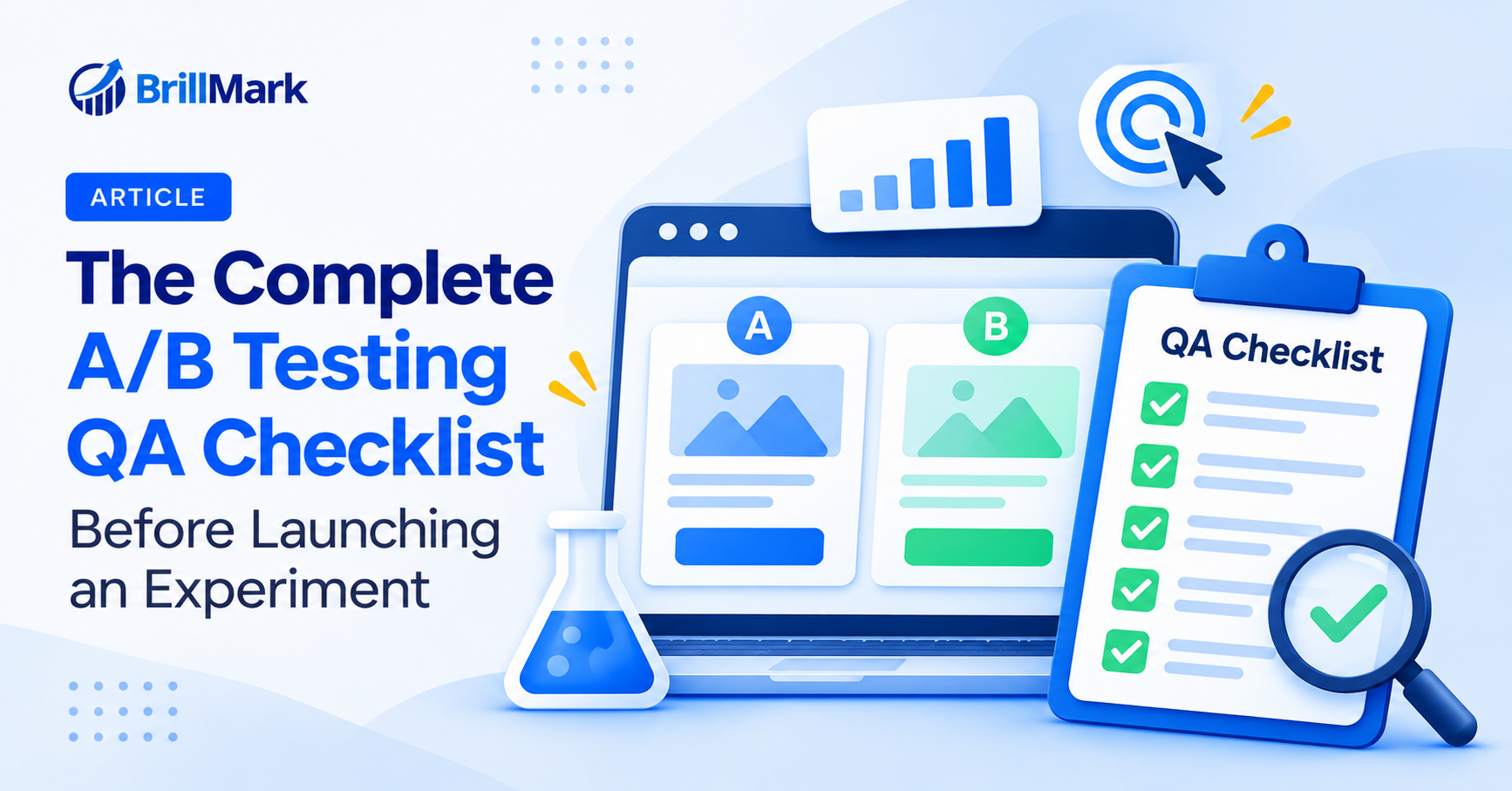
A/B testing QA is essential for running reliable experiments and collecting accurate data. A broken variant doesn’t just fail to win. It can corrupt your results, create a poor user experience, and lead to incorrect business decisions. Therefore, every experiment needs a complete A/B testing QA checklist before it reaches real visitors. Unfortunately, QA is often rushed or skipped entirely. As a result, teams can spend weeks collecting data they cannot trust. This guide covers the essential A/B testing QA steps, from validating experiment setup and targeting to checking tracking, functionality, and performance before launch.
Unfortunately, QA is often rushed or skipped entirely. Teams may focus on building a new variation, selecting a testing tool, and launching the experiment without checking whether everything works as expected. As a result, they can spend weeks collecting results that they cannot trust.
Verify the Test Setup
Before checking individual variants, confirm that the experiment has been configured correctly. A technically functional variation can still produce unreliable results if the hypothesis, audience, or traffic allocation is incorrect.
Confirm the Hypothesis and Primary Metric
Every experiment should begin with a clear hypothesis. It explains what you want to change, why the change might influence visitor behavior, and what outcome you expect.
A vague hypothesis makes it difficult to determine whether the experiment actually tested the intended idea. Therefore, document the hypothesis before development begins.
For example:
Hypothesis: Increasing the visibility of the primary CTA on product pages will encourage more visitors to add products to their carts.
The hypothesis should connect a specific change with a measurable behavior.
Before launch, review the following:
- Write down the hypothesis in one clear sentence.
- Define the primary metric before launching the experiment.
- Confirm that the metric is being tracked correctly.
- Decide which secondary metrics you will review.
- Identify guardrail metrics that could reveal negative effects.
- Document the expected direction of the change.
- Confirm that the variation actually implements the hypothesis.
The primary metric should measure the behavior most directly affected by the experiment.
For example, a product page CTA test should generally prioritize add-to-cart behavior rather than relying exclusively on overall revenue. Revenue may be influenced by several additional factors, including product pricing, order value, and checkout completion.
Secondary metrics provide additional context. These might include click-through rate, bounce rate, checkout completion, average order value, or revenue per visitor.
Guardrail metrics are equally important. A variation could increase clicks while reducing completed purchases. Monitoring downstream behavior helps prevent teams from declaring a misleading success.
Defining these metrics in advance also prevents teams from selecting a favorable metric after reviewing the results.
Check the Audience and Targeting Rules
Targeting determines which visitors can enter an experiment. If targeting rules are incorrect, the test may collect data from people who were never intended to participate.
For example, an experiment designed for product detail pages might accidentally run across the entire website. This could introduce visitors who never encounter the tested element.
Review every targeting condition before launch.
- Confirm that the experiment targets the intended audience.
- Review URL conditions and page-specific targeting.
- Check device, location, and browser restrictions where applicable.
- Verify that excluded audiences remain excluded.
- Confirm that logged-in and logged-out conditions work correctly.
- Review traffic sources if the experiment has campaign-specific targeting.
- Check whether returning visitors qualify for the test.
- Make sure the audience is large enough to support the planned experiment.
Pay particular attention to targeting rules that use URL parameters, query strings, or dynamic page paths.
For example, a rule that matches every URL containing a particular product category could unintentionally include unrelated pages. Similarly, a targeting condition that depends on a query parameter might fail when visitors arrive through a different campaign URL.
Testing the targeting conditions directly helps identify these issues before launch.
Validate Traffic Allocation
Traffic allocation determines how visitors are distributed between the control and variation.
A typical experiment might use a 50/50 split. However, some experiments require different allocations because of risk, implementation complexity, or business requirements.
Regardless of the planned distribution, confirm that the actual allocation matches the configuration.
- Confirm that the traffic split matches the experiment plan.
- Verify that visitors are assigned to the correct variants.
- Check that the assignment remains consistent across sessions.
- Confirm that returning visitors do not switch variants unexpectedly.
- Review exclusion groups and mutual exclusion settings.
- Make sure overlapping experiments do not interfere with each other.
- Confirm that the experiment is not running on unintended pages.
Visitor assignment should remain consistent throughout the experiment.
For example, if a visitor sees the control during their first session and the variation during their second session, their experience becomes inconsistent. This can affect behavior and make the resulting data harder to interpret.
Also check whether another experiment is changing the same element or influencing the same audience.
Two experiments running independently on the same page can create interactions that were not included in either hypothesis.
When necessary, use experiment exclusion groups or coordinate launch schedules to prevent conflicting changes.
QA Every Variant
Once the experiment setup is confirmed, inspect the control and every variation individually.
A variation can look correct in the testing tool’s editor but behave differently on the actual website. Differences in page structure, responsive layouts, scripts, and browser rendering can introduce unexpected problems.
Test Across Devices and Browsers
Responsive testing is essential because visitors access websites through different devices, screen sizes, and browsers.
A variation that works perfectly on desktop may overlap other elements on mobile. Similarly, a CSS change that works in Chrome may behave differently in Safari.
Test each variant under realistic conditions.
- Load every variant on desktop, tablet, and mobile.
- Test at least two major browsers, including Safari.
- Check common screen sizes and responsive breakpoints.
- Review the experience on portrait and landscape screens where relevant.
- Confirm that navigation remains usable on smaller devices.
- Check that buttons remain visible and accessible.
- Verify that text does not overflow its container.
- Test on real devices when the experiment affects important interactions.
A quick browser check is useful, but it should not replace real-device testing for high-impact experiments.
For example, a mobile product page might display a sticky CTA that works correctly in Chrome but overlaps the browser controls in Safari.
Testing the experience on an actual device can reveal issues that are difficult to reproduce through a desktop emulator.
Also inspect the page at intermediate screen widths. A design may look correct at 375px and 1440px but break at 768px.
Responsive QA should confirm that the variation adapts naturally instead of simply shrinking desktop elements.
Check Visual and Functional Details
Visual QA ensures that the variation looks intentional and matches the approved design.
Even a small layout issue can affect visitor behavior. A button that becomes difficult to see, an image that fails to load, or a heading that wraps incorrectly can influence conversion performance.
Review the following:
- Look for missing images, shifted layouts, and overlapping elements.
- Confirm that fonts and typography match the intended design.
- Check spacing, alignment, padding, and margins.
- Verify that images maintain their correct proportions.
- Confirm that the CTA remains visually prominent.
- Check that menus, popups, and sticky elements display correctly.
- Click every button and link in each variant.
- Confirm that forms submit correctly.
- Verify that form validation displays the right error messages.
- Check that confirmation messages appear after successful submissions.
- Inspect the browser console for JavaScript errors.
Do not limit the review to the element being changed.
For example, replacing a product page CTA might affect the spacing around the price, product image, or promotional banner. These surrounding elements should also be checked.
Pay particular attention to flicker.
Flicker occurs when visitors briefly see the original page before the variation appears. This can happen when experiment code loads after the original content has already rendered.
The problem is especially noticeable when changing headlines, buttons, layouts, or navigation elements.
Flicker can bias results because visitors may react to the original experience before seeing the variation. It can also create a frustrating experience that would not occur in a properly implemented test.
Check the page during initial loading, not only after the variation has fully rendered.
Compare Variants Against the Control
The control should represent the existing production experience.
Before launch, confirm that the control still works exactly as it does without the experiment. This is particularly important when the testing tool modifies the page through JavaScript or dynamically changes DOM elements.
Compare the control and variation side by side.
- Confirm that the control matches the original production page.
- Make sure only the intended elements differ.
- Check that the variation does not accidentally change unrelated content.
- Verify that both experiences use the same underlying functionality where appropriate.
- Review the implementation against the approved design.
- Confirm that any additional changes are documented in the hypothesis.
Unplanned differences make it difficult to determine what caused the experiment’s results.
For example, imagine a variation changes the CTA color but also introduces a slower-loading image.
If conversion rates decline, the team cannot confidently determine whether the color change affected behavior or whether the slower page caused the decline.
Keeping the control and variation consistent makes the experiment easier to interpret.
For larger changes, document the exact differences between the variants. This creates a useful reference for QA, implementation reviews, and future experiment analysis.
Validate Tracking and Data
Tracking QA is one of the most important parts of experiment validation.
A variation can look perfect and function correctly while producing incorrect analytics data. If conversion events fail to fire, duplicate, or use inconsistent parameters, the experiment may produce misleading results.
Tracking should be verified independently for the control and every variation.
Confirm Events Fire Correctly
Every important interaction should generate the expected analytics event.
For example, an experiment involving a product page CTA might require tracking:
- CTA clicks
- Add-to-cart events
- Checkout initiation
- Purchase completion
- Revenue and transaction details
The exact events depend on the experiment and its primary metric.
Before launch, complete the intended visitor journey in each variant.
- Trigger every tracked event in the control.
- Trigger every tracked event in each variation.
- Confirm that events appear in the analytics platform.
- Verify event names and parameters.
- Check that events fire only when the intended action occurs.
- Confirm that events are not recorded twice.
- Verify that conversion attribution is consistent.
- Check whether events are associated with the correct variant.
For example, clicking an add-to-cart button should not automatically count as a completed purchase.
Similarly, a successful form submission should not generate multiple lead conversions because the confirmation event fires more than once.
Use browser debugging tools and analytics debugging features to inspect the event payloads.
Confirm that the event includes the expected information, such as product identifiers, transaction values, or experiment identifiers.
Testing the complete conversion journey is more reliable than simply checking whether the event appears in the analytics interface.
Check Consent and Privacy Handling
Experiment tracking should respect the website’s consent and privacy requirements.
The testing platform, analytics implementation, and other tracking scripts may behave differently depending on whether a visitor accepts or declines consent.
Therefore, QA should include both consent states.
- Confirm that the experiment respects the website’s consent settings.
- Test the experience after consent is accepted.
- Test the experience after consent is declined.
- Verify that tracking behavior matches the applicable consent requirements.
- Confirm that visitors are not incorrectly included in tracked results.
- Check that consent changes are handled consistently.
- Review relevant privacy requirements with the responsible team.
For example, a visitor who declines analytics consent may still receive a website variation, depending on the experiment implementation and applicable requirements.
However, analytics collection must follow the configured consent rules.
Testing both states helps identify situations where the experiment works correctly for consenting visitors but behaves unexpectedly for others.
This review is especially important for websites using consent management platforms, Google Consent Mode, or multiple analytics systems.
Reconcile Data Sources
Experiment platforms and analytics tools may report different visitor or conversion numbers.
Some differences are expected because platforms can use different attribution rules, counting methods, identity resolution, consent handling, and reporting windows.
However, large discrepancies should be investigated before the experiment is trusted.
- Compare experiment platform visitors with analytics sessions or users.
- Review conversion totals across both systems.
- Confirm that the same conversion definition is being used.
- Check attribution windows and reporting time zones.
- Investigate missing or duplicated events.
- Verify that both variants are represented in analytics.
- Review consent-related differences.
- Check whether traffic filters exclude different audiences.
For example, the experiment platform might count a conversion when a visitor completes a form, while the analytics platform records a conversion only after a separate confirmation event.
These definitions should be aligned before comparing the numbers.
Run a short soft launch when possible.
A soft launch allows the team to validate the experiment with limited exposure before increasing traffic.
During this period, check whether visitors enter the correct variants, events fire as expected, and the reporting systems show consistent patterns.
A soft launch does not prove that the experiment is statistically valid. Its purpose is to catch technical problems before they affect the full audience.
Plan the Test Before You Launch
QA should include statistical planning, not just technical checks.
An experiment can function perfectly and still fail to answer the business question if the sample size is too small, the duration is unrealistic, or the stopping rules are unclear.
Planning these details before launch helps prevent premature decisions.
Calculate Sample Size and Duration
Sample size determines how much data the experiment needs to detect the effect you care about.
The required sample depends on several factors:
- Baseline conversion rate
- Minimum detectable effect
- Statistical significance level
- Statistical power
- Traffic allocation
- Number of variants
A low-traffic website may need substantially more time to detect a small improvement than a high-traffic website.
Therefore, estimate the sample size before launching the test.
- Use the baseline conversion rate from a relevant historical period.
- Define the minimum effect worth detecting.
- Select the statistical significance level.
- Choose an appropriate statistical power.
- Calculate the required sample size for each variant.
- Estimate how long the experiment will need to run.
- Account for traffic fluctuations and seasonal patterns.
For example, a website with a low baseline conversion rate may need thousands of visitors per variant to detect a modest relative improvement.
A test that ends after only a few hundred visitors might not provide enough evidence to distinguish a meaningful effect from random variation.
Also, plan to cover complete business weeks whenever practical.
Visitor behavior can differ between weekdays and weekends. Running the experiment across full weekly cycles helps account for these recurring patterns.
However, sample size should remain the primary consideration when determining the experiment’s duration.
Set Stopping Rules
Decide how the experiment will end before it goes live.
Without a predefined stopping rule, teams may stop the test as soon as one variation appears to be winning.
This can lead to unreliable conclusions because early results are often unstable.
A variation may appear significantly better after a small number of visitors but lose that advantage as more data accumulates.
Document the following:
- The planned sample size.
- The expected minimum duration.
- The primary metric.
- The statistical decision criteria.
- The conditions that would justify stopping early.
- The technical issues that would require pausing the experiment.
Avoid ending the experiment simply because the dashboard shows a temporary improvement.
If the test uses a fixed sample-size approach, follow the planned analysis method.
If the testing platform uses a sequential or Bayesian approach, follow its documented decision rules instead of applying unrelated stopping criteria.
The key is consistency.
A predefined stopping plan reduces the temptation to make decisions based on short-term fluctuations.
Check the Calendar
External events can influence visitor behavior during an experiment.
Promotions, holidays, advertising campaigns, product launches, and website deployments can all affect conversion rates.
Before launch, review the calendar with the relevant teams.
- Check upcoming promotions and discounts.
- Review planned email and advertising campaigns.
- Identify holidays or seasonal traffic changes.
- Confirm whether product pricing will change.
- Review scheduled website releases.
- Check whether other teams are modifying the tested page.
- Document any expected external events.
For example, a checkout experiment running during a major sale may experience higher conversion rates because visitors have stronger purchase intent.
That improvement might not reflect the variation itself.
Similarly, a pricing change introduced during the experiment could influence revenue and conversion behavior.
Coordinate with marketing, development, analytics, and product teams before launch.
If an external change cannot be avoided, document it so the results can be interpreted with the appropriate context.
Review Technical Compatibility
Experiment code must work within the website’s existing technical environment.
Even a correctly configured variation can fail because of caching, content security policies, JavaScript conflicts, or changes in the page structure.
These checks are particularly important for single-page applications, dynamic websites, and complex e-commerce experiences.
Check the Experiment Implementation
Confirm that the experiment code is installed and operating correctly.
- Verify that the testing platform snippet loads on the intended pages.
- Confirm that the experiment initializes correctly.
- Check for JavaScript errors.
- Review content security policy restrictions.
- Check whether caching affects variant delivery.
- Verify compatibility with the website’s CDN.
- Confirm that dynamic page changes do not remove the variation.
- Check for conflicts with third-party scripts.
- Verify that the experiment works after navigation in single-page applications.
For example, a variation might work on the initial page load but disappear when the visitor navigates to another product through client-side routing.
This can happen when the experiment depends on a page-load event that does not occur during subsequent navigation.
Test the complete browsing experience, including refreshes and internal navigation.
Check Performance and SEO
Experiments should not introduce unnecessary performance problems or interfere with search engine behavior.
A variation that adds heavy scripts, large images, or complex DOM manipulation may slow down the page.
This can influence visitor behavior independently of the intended hypothesis.
- Check page loading performance in the control and variation.
- Review layout shifts during initial rendering.
- Confirm that images load correctly.
- Check whether the variation introduces unnecessary JavaScript.
- Verify that important content remains accessible.
- Review canonical and hreflang behavior where applicable.
- Confirm that the experiment does not unintentionally change indexable content.
- Check whether the test implementation creates duplicate or unintended URLs.
SEO checks depend on the experiment type.
For example, a client-side CTA experiment may have limited impact on indexing, while a test that changes page content, metadata, or URL structure may require additional review.
Avoid assuming that every experiment needs the same SEO validation.
Focus on the technical changes introduced by the specific test.
Final Pre-Launch Review
Once all individual checks are complete, perform a final review.
This is the last opportunity to identify configuration errors, confirm stakeholder approval, and make sure the experiment is ready for real visitors.
Run a Last Checklist Pass
Review the experiment from beginning to end.
- Confirm the hypothesis and primary metric.
- Verify the audience and targeting rules.
- Check the traffic allocation.
- Review every variant.
- Confirm that the control matches production.
- Verify analytics events and conversion tracking.
- Check consent behavior.
- Confirm the sample size and stopping rules.
- Review technical compatibility.
- Confirm that a rollback plan exists.
- Identify the person responsible for monitoring.
A final review should involve the people responsible for implementation, analytics, and the experiment’s business objective.
For high-impact experiments, obtain approval before launch.
This helps ensure that the variation matches the intended design and that tracking requirements have been reviewed.
Prepare a Rollback Plan
A rollback plan explains how to stop the experiment and restore the original experience if something goes wrong.
This is especially important for tests involving checkout, navigation, pricing, or lead-generation forms.
Before launch:
- Identify who can pause the experiment.
- Confirm how to disable the variation.
- Verify that the control can be restored.
- Document the conditions that require an immediate pause.
- Make sure the responsible team knows how to respond.
For example, if a variation breaks checkout or prevents visitors from submitting a lead form, the team should be able to stop the test quickly.
The rollback process should not depend on someone discovering the problem and then figuring out how to disable the experiment.
Conclusion
A/B testing is only as reliable as the QA process behind it.
A strong hypothesis means little if a variation is broken, tracking is incorrect, targeting is too broad, or visitors receive inconsistent experiences.
Fortunately, many of these problems can be identified before launch through a structured quality assurance process.
The most important checks include validating the experiment setup, testing every variant across devices, confirming that interactions work, verifying analytics events, reviewing consent handling, and establishing statistical stopping rules.
Technical compatibility and early monitoring are equally important. They help ensure that the experiment runs as intended and that unexpected issues are identified before they affect a large portion of the audience.
Treat this checklist as a standard part of experimentation, not an optional extra.
A reliable QA process saves time, reduces the risk of invalid results, and helps teams make better decisions from their testing data.
Ultimately, a test worth running is a test worth checking first.
Need help with A/B test development, implementation, or QA? BrillMark supports experimentation teams with test development, quality assurance, and implementation across leading A/B testing platforms.
Make your website ready for the AI era.
AI is changing how people discover, evaluate, and interact with websites. We help you identify optimization opportunities across content, UX, technical performance, SEO, and conversion paths.