Key takeaways
- Convert Experiences is a privacy-first A/B testing and personalization platform built by Convert Insights Inc., aimed at agencies, ecommerce teams, and mid-market companies that want experimentation without enterprise procurement.
- Pricing is published and self-serve, starting indicatively around $99 per month on the entry tier and scaling by monthly tested visitors, with a 15-day free trial and no permanent free plan.
- All major test types are supported: A/B, A/B/n, split URL, multivariate, multipage, A/A, personalization, and server-side experiments via API and SDKs.
- Goal creation is unusually deep for the price band, with click, form, revenue, scroll, engagement, and custom JavaScript goals plus a large library of prebuilt goal templates.
- The visual editor is jQuery-based and marketer-friendly, with a global CSS/JS layer for anything the point-and-click interface cannot reach.
- Privacy and compliance are the core differentiator: no personal data collected by default, GDPR and CCPA alignment, a signable DPA, and no cross-site tracking.
- Support is a consistently cited strength, with live chat access on paid plans rather than tiered ticket queues.
What is Convert Experiences?
Convert Experiences is a client-side and server-side experimentation platform that lets teams run A/B tests, split URL tests, multivariate tests, and personalization campaigns on websites and applications. Built by Convert Insights Inc. since 2009, it is positioned as a privacy-compliant, mid-market alternative to enterprise testing suites, with published pricing and self-serve signup.
Definition block: Convert Experiences is a conversion rate optimization tool that delivers website variations to segmented audiences, measures their effect on defined goals, and reports statistical results, without collecting personally identifiable visitor data by default.
The company operates as a fully distributed team and sells directly plus through an agency partner program. Its product line includes Convert Experiences (the core testing platform), Convert Deploy (code deployment and personalization without a full experiment), and a full-stack API with server-side SDKs.
What features does Convert Experiences offer?
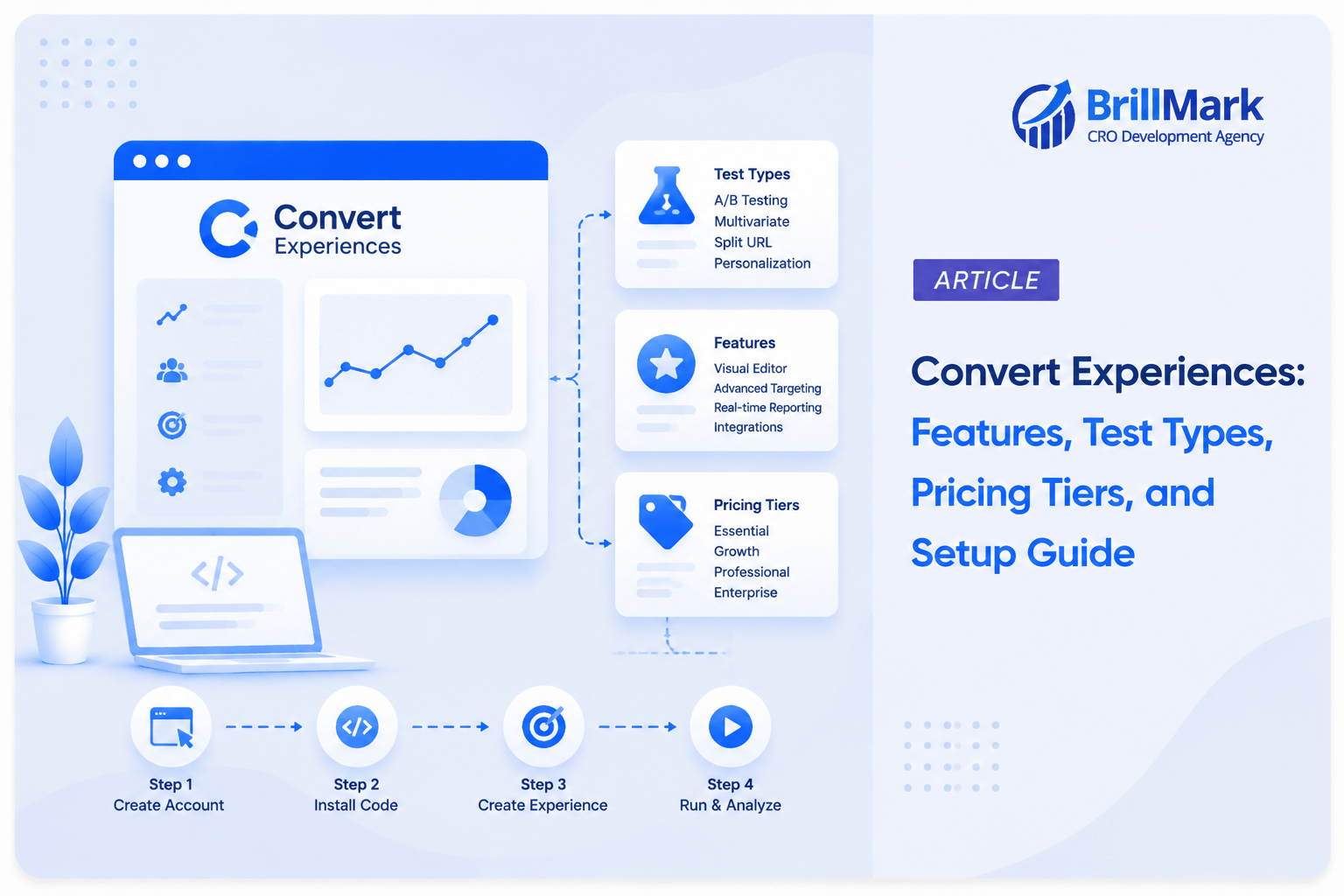
Convert Experiences full experimentation workflow: building variations, targeting audiences, tracking goals, and reporting results, plus a privacy layer and integration set that are unusually complete for its price band.
Experimentation
- A/B and A/B/n testing with a visual editor and code editor
- Split URL testing (redirect tests) with query-parameter preservation
- Multivariate testing (MVT) with full-factorial combinations
- Multipage and funnel experiments spanning a sequence of pages
- A/A testing for validating setup and false-positive rates
- Server-side and full-stack experiments via REST API and SDKs
- Feature rollouts and code deployment via Convert Deploy
- Unlimited experiments and variations on paid plans
Targeting and personalization
- Rule-based personalization experiences
- Audience conditions on geo, device, browser, OS, traffic source, UTM, referrer, day and time, and visitor type
- JavaScript-condition targeting for anything custom
- Cookie, data-layer, and query-string targeting
- Custom audience segments reusable across experiments
- Traffic allocation control per variation, including holdback
Goals and measurement
- Large library of prebuilt goal templates
- Click, form-submission, page-visit, scroll-depth, and engagement goals
- Revenue and average-order-value tracking
- Custom JavaScript and API-triggered goals
- Multiple goals per experiment with segment-level breakdown
- Post-experiment segmentation of results
Editor and delivery
- Point-and-click WYSIWYG editor
- Global and per-variation CSS and JavaScript
- jQuery available inside the editor scope
- Anti-flicker handling and a lightweight tracking script
- Live preview and shareable QA links
- Support for single-page applications through dynamic element handling
Privacy and compliance
- No personally identifiable information collected by default
- GDPR and CCPA alignment with a signable Data Processing Agreement
- No cross-site or third-party tracking
- Configurable data retention
- Consent-management integration support
- Self-hosted and on-premise deployment options for regulated buyers
Collaboration and governance
- Unlimited team members on higher tiers
- Role-based permissions
- Multiple projects and domains
- Experiment archive with historical results
- SSO on enterprise plans
Integrations
- Analytics: GA4, Google Analytics, Adobe Analytics, Mixpanel, Heap, Amplitude, Segment, Kissmetrics
- Behavior tools: Hotjar, Microsoft Clarity, Crazy Egg, Contentsquare, Mouseflow, FullStory
- Platforms: Shopify, WordPress, WooCommerce, BigCommerce, Magento, Wix, Webflow, Squarespace
- Other: HubSpot, Zapier, Google Tag Manager, Optimize-style data layers
- Reported integration count is 100+, verify the current directory for a specific tool
How much does Convert Experiences cost?
Convert Experiences Convert Experiences publishes self-serve pricing based on monthly tested visitors (MTUs). Plans currently start at $399 per month (or $299/month when billed annually) for the “Growth” tier and scale up to custom Enterprise quotes. A 15-day free trial is available without a credit card; however, there is no permanent free plan.
Pricing accuracy note: Convert periodically updates its pricing model, visitor bands, and feature gating. The information provided here is based on the latest available data. Always verify current tiers, tested-visitor limits, and feature availability on the official Convert pricing page before finalizing any budget.
| Tier | Monthly Price | Annual Price (Effective Monthly) | Tested Users Allowance | Key Features |
| Growth | $399/mo | $299/mo ($3,588/yr) | 100K/mo (1.2M/yr) | A/B & Split URL testing, Advanced Targeting & Goals, Behavioral Targeting, QA Wizard, Chat/Email support. |
| Pro | $599/mo | $420/mo ($5,040/yr) | 100K/mo (1.2M/yr) | All Growth features + Multivariate/Multi-page testing, Guided Onboarding, Full Stack & SDKs, Sequential Testing, Raw Data Export, Phone Support, SSO. |
| Enterprise | Price on Request | Price on Request | 1M+/mo (12M+/yr) | All Pro features + FREE VWO Migration, Unlimited Projects, BYOID, Data Segregation, Enterprise SLA, Custom Payments/Terms. |
How the metering works: Convert bills on monthly tested visitors, meaning visitors who were actually bucketed into a running experiment, not total site traffic. Targeting narrowly (one page, one device, one country) keeps your billable count well below your total audience, which is a meaningful cost lever that many teams under-use.
Key Notes:
- Billing: Annual plans are paid upfront and offer significant savings (up to 30% discount compared to monthly billing).
- Tested Users: The allowance is based on visitors bucketed into experiments on your site. Annual plans provide your total yearly allowance (e.g., 1.2M users) available immediately.
- Add-ons & Perks: All plans now include features like Convert Heatmaps, Convert Signals®, and Multi-Arm Bandit (Auto-Allocate). Additionally, paid plans include access to specific industry tools (e.g., CXL, GoodUI/Evidoo) depending on the plan tier and signup date.
- Sustainability: Convert directs 8% of plan fees toward planting trees with TIST at no extra cost.
What is the minimum you can get, and what is the maximum?
Minimum spend
Minimum: a 15-day free trial, then an entry plan (the Growth tier) starting at $399 per month (or $299 per month when billed annually). At that level, you get client-side A/B and split URL testing, advanced targeting and goals, behavioral targeting, the QA Wizard, heatmaps, session signals, and roughly 100,000 tested visitors per month. Typical constraints at the entry tier include limits on active projects and domains (such as up to 5 active projects), while multivariate testing, full-stack SDKs, and advanced enterprise features are reserved for higher tiers like Pro or Enterprise.
That capacity is more than enough to run a robust testing program on a site with substantial traffic: headline and hero tests, CTA and form changes, pricing-page layout variants, behavioral personalization, and comprehensive funnel optimization.
Maximum capability Maximum: an enterprise contract unlocking high-volume capacity, full-stack server-side testing, advanced data control, and enterprise-grade compliance. At the top tier you get:
- Unlimited projects and active experiments
- Unlimited team members with role-based permissions
- Server-side and mobile experimentation through the full-stack API and SDKs
- Raw data export and data segregation for warehouse-side analysis
- Enterprise-grade compliance including SSO, audit visibility, redlining contracts, and custom payment terms
- Dedicated support including a success manager, contractual SLA, and free VWO migration services
Plain-language summary: The floor is a robust, high-traffic experimentation tool for the price of a standard mid-tier SaaS subscription. The ceiling is a full-scale experimentation platform with enterprise-grade compliance and support, typically at a lower total cost of ownership than major enterprise-suite competitors.
How do you set up a test in Convert Experiences?
Setting up a client-side A/B test in Convert Experiences takes roughly 20 to 40 minutes once the tracking script is installed.
- Install the Convert tracking script. Place it in the <head> of your site, or deploy through Google Tag Manager or a platform plugin (Shopify, WordPress, BigCommerce). Install it synchronously and high in the head to minimize flicker.
- Create a project. A project maps to a website or property and holds its own experiments, goals, and audiences.
- Create an experience. Choose the type: A/B test, split URL test, multivariate test, multipage experiment, or personalization.
- Define the site area. Set URL match rules using exact match, contains, regex, or wildcard patterns so the test fires on the intended pages, including templated page sets.
- Build variations in the visual editor. Click any element to change text, styling, visibility, or position. Use the variation code editor for custom JavaScript, CSS, or jQuery when the visual layer is not enough. Duplicate variations to create V2 and V3.
- Attach goals. Select from the goal library or create a custom goal (click selector, form submit, page visit, scroll depth, revenue, or JavaScript-triggered). Designate one goal as primary and add secondary goals for diagnostics.
- Set audiences and traffic. Apply audience conditions (geo, device, source, visitor type, custom JavaScript) and choose the traffic allocation split, including a holdback if you want an untouched control.
- QA the experience. Use the live preview and shareable preview link, then verify across browsers and devices. Check that goals fire using your browser console and the Convert debugger.
- Launch and monitor. Convert reports conversions, conversion rate, improvement, and confidence per variation, with segment-level breakdowns available post-launch.
- Conclude and document. Reach your predetermined sample size or duration before calling a result, then archive the experiment with its learning so the finding is reusable.
For server-side tests: integrate the full-stack API or an SDK in your application, define the experiment and variations in the dashboard, branch your code on the assigned variation, and report conversions through the tracking endpoint.
What types of tests can you set up in Convert Experiences?
| Test type | Supported | Notes |
| A/B and A/B/n | Yes | Unlimited variations on paid plans |
| Split URL / redirect | Yes | Preserves query parameters and UTMs |
| Multivariate (MVT) | Yes | Full-factorial; requires higher traffic to resolve |
| Multipage / funnel experiment | Yes | Coordinated changes across a page sequence |
| A/A test | Yes | Used to validate instrumentation and false-positive rate |
| Personalization experience | Yes | Rule-based, always-on rather than time-boxed |
| Server-side / backend | Yes | Full-stack API and SDKs, typically enterprise-gated |
| Mobile app | Yes | Through the full-stack API |
| Feature rollout / code deployment | Yes | Via Convert Deploy |
| Multi-armed bandit | Not a native product feature | Approximate with manual traffic reallocation |
| Edge-side experiments | No | Delivery is client-side or server-side, not edge-native |
Practical note on multivariate: MVT splits traffic across every combination, so a 3-element by 3-variation test creates 27 buckets. Unless you have very high traffic, sequential A/B tests will usually produce usable answers faster than a single MVT.
How easy is goal creation in Convert Experiences?
Goal creation is straightforward and unusually flexible for the price tier. Most goals can be created without a developer by selecting an element in the editor or picking a template from the goal library. Custom goals fall back to a JavaScript or API trigger, which is the only path that typically needs engineering help.
Goal types available
- Page visit, including URL pattern matching
- Click on a link, button, or CSS-selector-defined element
- Form submission
- Scroll depth
- Engagement and time-based goals
- Revenue and average order value
- Custom JavaScript goal
- API-triggered goal for server-side conversions
What makes it easy
- Prebuilt goal templates for common ecommerce and lead-gen events
- Goals are reusable across experiments within a project, so measurement stays consistent
- Multiple goals per experiment with a designated primary metric
- Segment-level goal reporting after launch, no re-instrumentation required
Where you will still need help
- Revenue tracking on custom checkouts needs the transaction value passed correctly
- Single-page applications need care so click goals bind to elements that render late
- Cross-domain conversions (separate checkout domain) require correct cross-domain configuration
How easy is the Convert Experiences editor to use?
The visual editor is marketer-usable for common changes, with a code layer for everything else. Text, image, style, visibility, and simple layout edits are point-and-click. Because the editor exposes jQuery and per-variation JavaScript, experienced CRO practitioners can build complex variations without leaving the tool.
| Editor capability | Available | Notes |
| Point-and-click text and style edits | Yes | Includes font, color, spacing, background |
| Hide, show, move, replace elements | Yes | Drag repositioning is limited compared with visual page builders |
| Per-variation custom CSS | Yes | Scoped to the variation |
| Per-variation custom JavaScript | Yes | jQuery available |
| Global experiment JavaScript and CSS | Yes | Applied across all variations |
| Single-page application support | Yes | Dynamic element handling, may need mutation observers on complex apps |
| Flicker control | Yes | Synchronous head placement plus anti-flicker handling |
| Responsive and device preview | Yes | Desktop, tablet, mobile views |
| Shareable QA preview link | Yes | For stakeholder review before launch |
| Undo and revision history | Yes | Per-variation |
Honest limitation: like every WYSIWYG experimentation editor, it becomes brittle on heavily componentized front ends where the DOM re-renders. On React, Vue, or Angular applications with frequent re-renders, expect to hand-write variation code and use mutation observers rather than relying on the visual layer.
Who is Convert Experiences best suited to?
Convert Experiences fits teams that need real experimentation depth without an enterprise contract, and organizations where data privacy is a procurement requirement.
Strong fit
- CRO and marketing agencies managing tests across multiple client sites
- Mid-market ecommerce brands on Shopify, BigCommerce, WooCommerce, or Magento
- EU-based or privacy-regulated companies needing a DPA and no PII collection
- Teams with 10,000 to 500,000 monthly tested visitors
- Marketing-led programs with occasional developer support
Weaker fit
- Engineering-led programs where feature flags and CI/CD-native experimentation are the primary use case
- Teams needing native multi-armed bandit optimization
- Very high test volume enterprises running hundreds of concurrent experiments across business units
- Teams wanting heatmaps, session recordings, and surveys bundled in the same product, which requires pairing Convert with a separate behavior-analytics tool
What are affordable alternatives to Convert Experiences?
If Convert’s price band or feature mix does not fit, these are the closest options by budget level. Prices are indicative and should be verified.
| Tool | Indicative price | Best for | Notable limitation |
| GrowthBook | Free self-hosted; cloud from ~$20/user/month | Teams with engineering capacity wanting warehouse-native experiments | Requires engineering ownership |
| PostHog | Free tier, then usage-based | Product teams wanting analytics, flags, and tests together | Weaker visual editor for marketing tests |
| Zoho PageSense | From ~$20 to $100/month | Small businesses, existing Zoho users | Shallower statistics and segmentation |
| Mida.so | From ~$50/month | Startups needing simple A/B and split URL tests | Limited advanced features |
| Nelio A/B Testing | From ~$29/month | WordPress-only sites | WordPress only |
| Crazy Egg | From ~$99/month | Heatmaps plus lightweight testing | Basic experimentation depth |
| Intelligems | From ~$100/month | Shopify price, offer, and shipping tests | Ecommerce-specific |
| Statsig | Free tier, then usage-based | Product experimentation at scale | Engineering-first workflow |
| VWO | From ~$200/month per module | Teams wanting testing plus heatmaps, recordings, and surveys in one suite | Module-based pricing multiplies cost |
| Omniconvert | From ~$320/month | Ecommerce CRO with surveys and personalization | Smaller ecosystem |
| AB Tasty | Quote-based, commonly ~$1,000+/month | Mid-market wanting broad features with high-touch support | No public pricing |
| Kameleoon | Quote-based, commonly ~$1,000+/month | Hybrid client-side and server-side with AI personalization | No free tier |
Free-tier reality check: Google Optimize was retired in September 2023 and VWO has since discontinued its permanent free Starter plan, so no major commercial testing vendor currently offers a permanent zero-cost tier. If budget is the binding constraint and you have engineering capacity, GrowthBook self-hosted is the strongest free option. With no engineering capacity, the cheapest viable paid entry points are Zoho PageSense, Mida.so, or Nelio for WordPress.
Frequently asked questions
Does Convert Experiences have a free plan?
No. Convert Experiences offers a 15-day free trial with no credit card required, but there is no permanent free tier. After the trial you must move to a paid plan, with entry pricing indicatively around $99 per month based on monthly tested visitors.
How does Convert Experiences count visitors for billing?
Convert bills on monthly tested visitors, meaning only visitors actually bucketed into a live experiment. Total site traffic is not billed. Narrow targeting by page, device, or geography reduces your billable count, which makes precise audience conditions a direct cost-control lever.
Is Convert Experiences GDPR compliant?
Convert Experiences is built to collect no personally identifiable information by default, does not perform cross-site tracking, offers configurable data retention, and provides a signable Data Processing Agreement. Buyers in regulated sectors should still complete their own assessment and can request on-premise or self-hosted deployment options.
Does Convert Experiences support server-side testing?
Yes. Server-side and mobile experimentation is available through the full-stack API and SDKs, typically on higher or enterprise tiers. You define the experiment in the dashboard, branch application code on the assigned variation, and report conversions back through the tracking endpoint.
Does Convert Experiences include heatmaps and session recordings?
No. Convert focuses on experimentation and personalization rather than behavioral analytics. It integrates with Hotjar, Microsoft Clarity, Crazy Egg, Contentsquare, Mouseflow, and FullStory, so most teams pair Convert with one of those for qualitative research.
How much traffic do you need to use Convert Experiences effectively?
As a rough floor, aim for around 1,000 conversions per month on your target metric, or roughly 25,000 monthly visitors at a 4 percent conversion rate, to detect a 10 percent relative lift within a month. Below that, prioritize qualitative research and larger, bolder changes over incremental testing.
Can agencies use Convert Experiences across multiple clients?
Yes. Convert supports multiple projects and domains within an account, unlimited team members on higher tiers, and role-based permissions, and it operates an agency partner program. Agencies commonly run separate projects per client under one contract.
What statistical approach does Convert Experiences use?
Convert reports conversion rate, relative improvement, and confidence per variation. Confirm the current engine configuration and whether frequentist or Bayesian reporting applies to your account in the vendor documentation, since statistical engines are updated periodically.
Make your website ready for the AI era.
AI is changing how people discover, evaluate, and interact with websites. We help you identify optimization opportunities across content, UX, technical performance, SEO, and conversion paths.