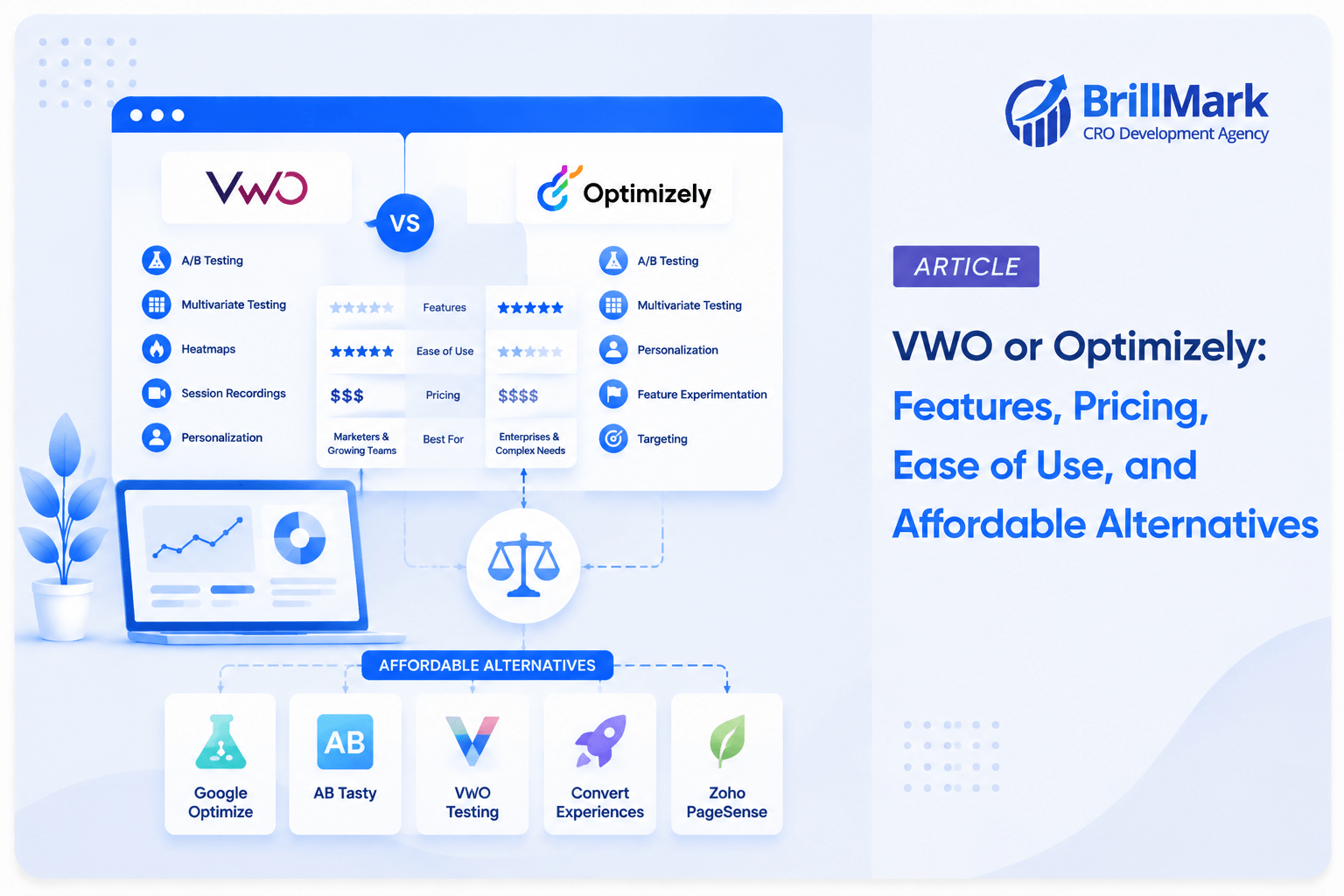
VWO or Optimizely Comparison
Before getting started with any tool, VWO or Optimizely is in every list of best tools, and here we have curated everything you should know about the following.
Key takeaways
- VWO is easier for marketers. Its visual editor, goal library, and self-serve onboarding let a non-technical user launch a client-side A/B test in under 30 minutes.
- Optimizely is stronger for engineering-led programs. Feature flags, server-side SDKs across 10+ languages, and its always-valid Stats Engine suit teams shipping experiments through CI/CD.
- VWO publishes pricing. Optimizely does not. VWO starts free and scales from roughly $200 to $1,000+ per month; Optimizely is quote-only and typically starts in the tens of thousands per year.
- Test-type coverage overlaps heavily. Both support A/B, split URL, multivariate, multi-page, server-side, and personalization. Optimizely adds multi-armed bandits natively; VWO adds a broader research suite (heatmaps, recordings, surveys) inside the same product.
- Goal creation is faster in VWO. Point-and-click goals versus Optimizely’s event-then-metric model, which usually needs a developer for custom events.
- Cheaper alternatives exist at every level. GrowthBook and PostHog are free to self-host; Convert, AB Tasty, Kameleoon, and Zoho PageSense sit between the two extremes.
What is VWO?
VWO (Visual Website Optimizer) is an experimentation and behavioral analytics platform that combines A/B testing, session recordings, heatmaps, surveys, funnels, and feature rollouts in one modular suite. Launched in 2010 by Wingify, it is built primarily for marketing and product teams who want to run tests without writing code.
VWO organizes its product into modules: VWO Testing, VWO Insights (heatmaps, recordings, form analytics), VWO Personalize, VWO Data360 (customer data), VWO Web Rollouts / FullStack (feature flags and server-side), and VWO Plan (program and hypothesis management). You buy the modules you need.
What is Optimizely?
Optimizely is an enterprise digital experience platform whose experimentation products, Optimizely Web Experimentation and Optimizely Feature Experimentation, are used to run client-side and server-side tests at scale. Founded in 2010, it now sits inside a wider suite that includes CMS, CMP, commerce, and personalization products under the Optimizely One umbrella.
Optimizely’s differentiator is statistical and architectural rather than visual. Its Stats Engine produces always-valid results (sequential testing), so you can look at a test mid-flight without inflating false-positive risk, and its SDKs let experimentation live inside application code rather than a JavaScript snippet.
Which is easier to use, VWO or Optimizely?
VWO is easier for most teams. Marketers can build a variation in a WYSIWYG editor, pick a goal from a prebuilt list, and launch without developer involvement. Optimizely’s Web Experimentation editor is comparable in capability, but its account structure, environment management, event implementation, and quote-based onboarding add setup overhead that assumes technical support.
Practical differences that show up in day-one use:
| Ease dimension | VWO | Optimizely |
| Self-serve signup | Yes, free plan available | No, sales-led |
| Time to first live test | Typically same day | Typically days to weeks (onboarding, implementation) |
| Non-technical variation editing | Strong | Strong |
| Custom goal setup without a developer | Usually possible | Usually requires a developer |
| Learning curve for reporting | Low, Bayesian probability-to-beat-baseline | Moderate, statistical significance plus confidence intervals |
| Documentation depth | Good | Very deep, more technical |
| In-app guidance and templates | Extensive widget library | Fewer prebuilt marketing templates |
Verdict on ease: If your primary users are marketers or a CRO agency team, VWO. If your primary users are engineers and product managers who already work in feature-flag workflows, Optimizely feels natural faster.
What features does VWO offer?
VWO offers client-side and server-side experimentation plus a native behavioral research layer, meaning you can observe a problem and test a fix inside one tool.
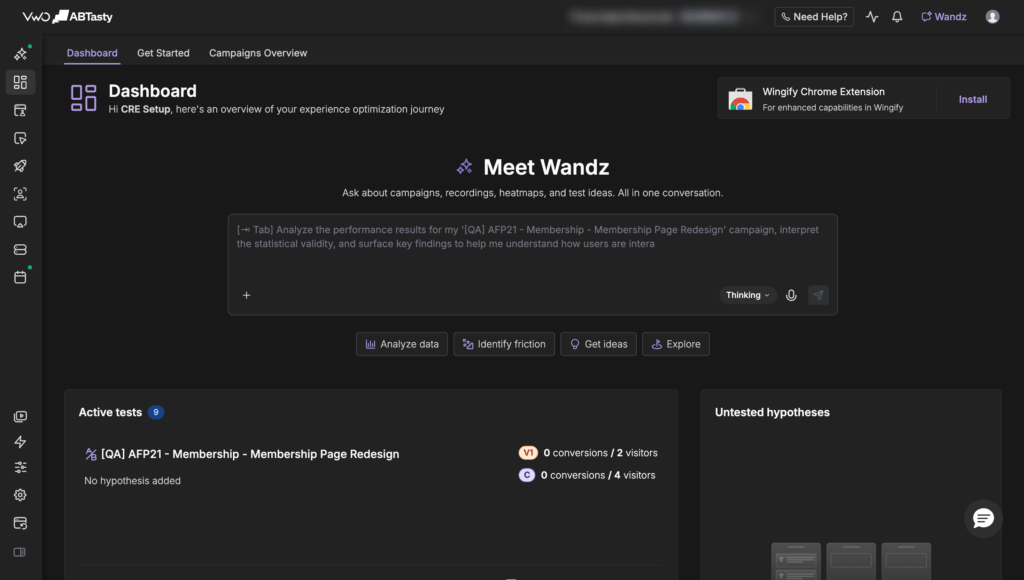
Experimentation
- A/B testing with a visual editor and code editor
- Split URL (redirect) testing
- Multivariate testing (MVT)
- Multi-page and funnel-level tests
- Server-side and mobile app testing via VWO FullStack SDKs
- Feature flags and web rollouts with percentage-based release
- Bayesian statistics engine (SmartStats) with optional frequentist reporting
Research and analytics
- Heatmaps, clickmaps, scrollmaps
- Session recordings with rage-click and error filters
- Form analytics
- On-page and email surveys, plus NPS
- Funnels and segment-level conversion analysis
Personalization and targeting
- Rule-based personalization campaigns
- Geo, device, traffic source, behavior, and custom-attribute targeting
- Audience segmentation from VWO Data360 or integrated CDPs
Program management
- Hypothesis backlog and prioritization scoring
- Test archive with learnings library
- Collaboration, commenting, and approval workflows
Integrations
- GA4, Google Ads, Mixpanel, Amplitude, Segment, HubSpot, Shopify, WordPress, Adobe Analytics, Slack, Jira
What features does Optimizely offer?
Optimizely’s experimentation infrastructure is designed for scale, with feature management and a statistics engine built for continuous, always-on testing across web and application layers.
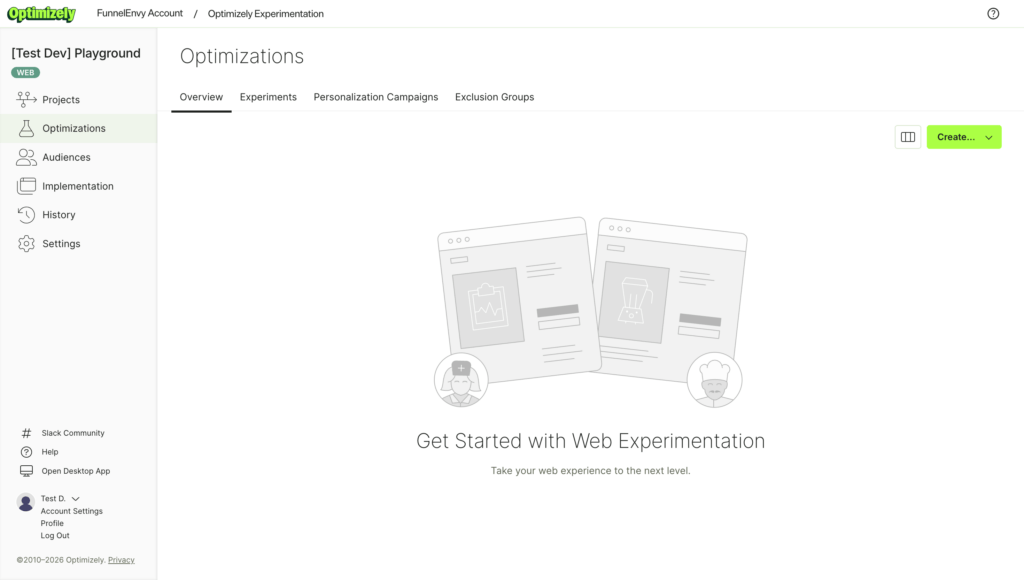
Experimentation
- A/B and A/B/n testing via Web Experimentation visual editor
- Multi-armed bandit tests (traffic auto-allocated to winners)
- Multivariate testing
- Multi-page and redirect tests
- Server-side experimentation via Feature Experimentation SDKs (JavaScript, Python, Java, Ruby, PHP, C#, Go, Node, Swift, Android, React, Flutter)
- Feature flags, targeted rollouts, kill switches
- Stats Engine with sequential testing and false-discovery-rate control
- Stats Accelerator to shorten test duration on multi-variation tests
Personalization and delivery
- Optimizely Personalization campaigns
- Content Recommendations
- Edge delivery via Performance Edge for reduced flicker and latency
Platform depth
- Program management, roadmap, and idea intake
- Audience builder with behavioral and third-party attributes
- Enterprise governance: roles, permissions, environments, audit logs, SSO/SAML
- Data export and warehouse integrations (Snowflake, BigQuery, Enriched Events export)
- Broader Optimizely One suite: CMS, Content Marketing Platform, Commerce, CDP
Integrations
- GA4, Adobe Analytics, Amplitude, Mixpanel, Heap, Segment, mParticle, Contentful, Salesforce, Slack, Jira
What extra things does VWO or Optimizely offer that the other does not?
Only in VWO (or materially stronger there)
- Native heatmaps, session recordings, and form analytics in the same platform
- On-site surveys and NPS
- Built-in hypothesis prioritization and learnings repository
- A genuinely free tier for small-scale testing
- Published, self-serve pricing
- Faster path from qualitative insight to test build (recording to hypothesis to variation in one interface)
Only in Optimizely (or materially stronger there)
- Always-valid sequential statistics (peek at results anytime without penalty)
- Native multi-armed bandit optimization
- Stats Accelerator for dynamic traffic allocation
- Edge-delivered experiments for flicker-sensitive, performance-critical sites
- Deeper SDK coverage and CI/CD-native feature management
- Raw event-level data export for warehouse-side analysis
- A full DXP stack (CMS, commerce, CMP) if you want experimentation inside one vendor’s content system
- Enterprise governance at very high test volume (hundreds of concurrent experiments)
A note on research tooling: Optimizely expects you to bring your own qualitative layer, usually Hotjar, Contentsquare, FullStory, or Microsoft Clarity. VWO bundles it. If you already pay for a behavior-analytics tool, VWO’s bundling is less of an advantage.
How do VWO or Optimizely pricing tiers compare?
VWO publishes usage-based pricing and offers a free plan. Optimizely does not publish pricing and quotes annually per product, traffic volume, and module mix. In practical terms, VWO is accessible from $0 and scales into four figures per month, while Optimizely commonly starts in the low tens of thousands of dollars per year.
- Pricing accuracy note: Both vendors reprice regularly and Optimizely figures below are derived from publicly reported contract ranges and buyer reports, not a published rate card. Treat all numbers as indicative and confirm on the vendor pricing page or in a quote before budgeting.
VWO pricing tiers (indicative, annual billing)
| Tier | Indicative price | Typical traffic allowance | What you get |
| Starter (Free) | $0 | ~50,000 tracked users/month | Limited concurrent A/B and split URL tests, visual editor, basic reports, core goals |
| Growth | ~$200 to $400/month per module | ~10,000 to 50,000 MTU | Unlimited tests, MVT, targeting, integrations, standard support |
| Pro | ~$700 to $1,200/month per module | ~50,000 to 100,000 MTU | Multivariate, advanced segmentation, personalization, FullStack access, priority support |
| Enterprise | Custom quote | 100,000+ MTU | SSO/SAML, dedicated success manager, custom SLAs, data residency options, program services |
Key mechanic: VWO prices per module and per monthly tracked user (MTU). Adding Insights or Personalize on top of Testing multiplies cost, so a “full suite” VWO account is meaningfully more expensive than a Testing-only account at the same traffic level.
Optimizely pricing tiers (indicative, annual contracts)
| Tier | Indicative annual price | Who it fits | What you get |
| Web Experimentation, entry | ~$36,000 to $60,000 | Single-brand mid-market site | Visual editor, A/B, MVT, redirect tests, Stats Engine, standard support |
| Web Experimentation, mid | ~$60,000 to $120,000 | Multi-site or high-traffic ecommerce | Higher traffic tiers, personalization, bandits, Performance Edge, more seats |
| Feature Experimentation | Priced separately, often ~$25,000+ | Product and engineering teams | Full SDK access, feature flags, server-side experiments |
| Optimizely One / Enterprise | $150,000 to $250,000+ | Enterprise DXP buyers | Multiple products bundled, governance, dedicated CSM, professional services |
What is the minimum you can get on each platform, and what is the maximum?
Minimum spend
VWO minimum: a paid Growth plan after a 30-day trial, indicatively $200 to $400 per month for a single module at the lowest MTU band. VWO retired its permanent free Starter plan, which had allowed up to roughly 50,000 monthly tested users at $0. New sign-ups now get a 30-day trial only, so teams must either upgrade or move to an alternative tool. At the Growth entry point you get unlimited A/B and split URL tests, the visual editor, standard goals, and core targeting, without multivariate or the Insights modules.
Optimizely minimum: an annual contract, typically five figures. There is no free tier and no monthly self-serve option. The smallest realistic entry point is a single-product Web Experimentation contract at the lowest traffic band, and even that assumes you have engineering support to install the snippet and implement custom events.
Maximum capability
- VWO at maximum (Enterprise, all modules): unlimited client-side and server-side experiments, full FullStack SDK access, personalization, Data360 customer data unification, complete Insights suite (heatmaps, recordings, surveys, form analytics), SSO/SAML, dedicated success management, and program services. Realistic ceiling for a large account is roughly $3,000 to $8,000+ per month depending on traffic and module count.
- Optimizely at maximum (Optimizely One): everything in Web and Feature Experimentation plus CMS, Content Marketing Platform, Commerce, CDP, Content Recommendations, edge delivery, warehouse-grade event export, and full enterprise governance across hundreds of concurrent tests and multiple business units. Six-figure annual commitments are standard at this level.
- Plain-language summary: VWO’s ceiling is a very good experimentation and insights program. Optimizely’s ceiling is an entire digital experience stack with experimentation embedded in it.
How do you set up a test in VWO?
Setting up a client-side A/B test in VWO takes roughly 15 to 30 minutes once the SmartCode snippet is installed.
- Install the VWO SmartCode in the <head> of your site, or deploy it via Google Tag Manager or the WordPress/Shopify plugin.
- Create a campaign. Choose Testing, then A/B Test, Split URL, or Multivariate.
- Enter the page URL and set URL match rules (exact, contains, regex, or a wildcard pattern for templated pages).
- Build variations in the visual editor. Click any element to edit text, styles, position, or visibility. Use the code editor for custom JS or CSS. Duplicate a variation to create V2, V3, and so on.
- Select goals. Pick from the goal library (page visit, click element, form submit, revenue, engagement, custom conversion) and mark one as primary.
- Set targeting and traffic. Choose audience segments (device, geo, source, new versus returning, custom attributes) and traffic allocation split.
- Preview and QA. Use the built-in preview with a shareable link and cross-device check.
- Launch and monitor. VWO reports probability to beat baseline, expected uplift range, and visitor counts, with automatic significance signalling.
For server-side tests: install the VWO FullStack SDK in your application, define a flag and variations in the dashboard, wrap the code path in a flag check, and track metrics via the SDK’s event API.
How do you set up a test in Optimizely?
Setting up a Web Experimentation test in Optimizely follows a similar arc but assumes event tracking is implemented first.
- Install the Optimizely snippet on your site, ideally synchronously in the <head> to reduce flicker, or use Performance Edge.
- Create a project and environment (for example development and production), then confirm the snippet is live in the right environment.
- Implement events and metrics. Define click events, pageview events, and custom events. Custom events usually require a developer to fire optimizely.push or SDK track calls.
- Create an experiment and select the type: A/B, multivariate, multi-armed bandit, or multipage.
- Define the page. Optimizely uses reusable Page definitions with URL targeting and activation modes (immediate, manual, polling, callback), which is powerful for single-page applications but adds a concept to learn.
- Build variations in the visual editor, or write variation code directly in the code editor. Variation code is often the preferred route for engineering-led teams.
- Attach metrics. Set a primary metric plus secondary and monitoring metrics, and choose the winner-determination approach.
- Set audiences and traffic allocation, including holdback if you want an untouched control group.
- QA and launch. Preview with the Optimizely browser extension, verify in the debug console, then start the experiment.
- Read results. Stats Engine reports statistical significance with always-valid p-values, so mid-test peeking is safe.
Key procedural difference: VWO lets you create most goals inside the test builder. Optimizely wants events and metrics defined as reusable platform objects before the experiment, which is better hygiene at scale but slower for a one-off test.
What types of tests can you set up in VWO or Optimizely?
| Test type | VWO | Optimizely |
| A/B and A/B/n | Yes | Yes |
| Split URL / redirect | Yes | Yes |
| Multivariate (MVT) | Yes (Pro and above) | Yes |
| Multi-page / funnel test | Yes | Yes (multipage experiments) |
| Multi-armed bandit | Limited, via Personalize logic | Yes, native |
| Dynamic traffic allocation | Partial | Yes (Stats Accelerator) |
| Server-side / backend | Yes (FullStack SDKs) | Yes (Feature Experimentation SDKs) |
| Mobile app (iOS/Android) | Yes | Yes |
| Feature flags and rollouts | Yes (Web Rollouts, FullStack) | Yes, core strength |
| Personalization campaigns | Yes | Yes |
| Recommendations testing | No native engine | Yes (Content Recommendations) |
| Edge-side experiments | No | Yes (Performance Edge) |
| Email or off-site tests | Surveys and email surveys only | No |
VWO & Optimizely goal creation?
VWO has easier goal creation. Goals are selected from a prebuilt library in the campaign builder, and click, form-submit, and page-visit goals can be created by pointing at an element without code. Optimizely requires events to exist as platform objects first, and custom events almost always need a developer to fire a tracking call.
VWO goal types
- Visit a specific page
- Click on a link or element (selected visually)
- Form submission
- Engagement (time on page, scroll)
- Revenue and average order value
- Custom conversion via JavaScript API
- Multiple goals per test with one designated primary
Optimizely metric types
- Pageview events
- Click events (created through the editor)
- Custom events (developer-implemented)
- Revenue and numeric metrics
- Primary, secondary, and monitoring metric hierarchy
- Metric templates reusable across experiments
Trade-off worth naming: VWO’s speed encourages per-test goal creation, which over dozens of tests can produce inconsistent measurement. Optimizely’s reusable-metric model is slower to start but gives cleaner cross-experiment comparability. For an agency running many client programs, VWO’s speed usually wins; for a single company running a mature in-house program, Optimizely’s discipline pays off.
VWO or Optimizely: Which platform has the better visual editor?
Both editors are mature WYSIWYG tools. VWO’s is friendlier for non-developers; Optimizely’s is more predictable on complex, JavaScript-heavy applications.
| Editor capability | VWO | Optimizely |
| Point-and-click text and style edits | Yes | Yes |
| Drag to reposition elements | Yes | Limited |
| Element hide, move, replace | Yes | Yes |
| Custom CSS and JS per variation | Yes | Yes |
| Prebuilt widget library (banners, popups, badges) | Yes, extensive | Minimal |
| SPA / React handling | Good, with dynamic-element support | Strong, via activation modes and polling |
| Flicker control | Standard anti-flicker script | Standard plus Performance Edge option |
| Mobile and responsive preview | Yes | Yes |
| Cross-browser QA link sharing | Yes | Yes, plus browser extension |
| Undo / change history | Yes | Yes |
Where each struggles: Both visual editors get brittle on heavily componentized front ends where DOM structure changes between renders. On such sites, experienced teams write variation code by hand in either tool. If most of your tests will be hand-coded anyway, editor quality matters less than SDK quality, which favors Optimizely.
VWO or Optimizely: What are the more affordable alternatives to VWO and Optimizely?
Twelve alternatives worth evaluating, ordered roughly from cheapest to most expensive. Prices are indicative and should be verified.
| Tool | Indicative price | Best for | Notable limitation |
| GrowthBook | Free (open source, self-hosted); cloud from ~$20/user/month | Warehouse-native teams wanting full control | Requires engineering ownership |
| PostHog | Free tier, usage-based after (~$0.0001/event) | Product teams wanting analytics, flags, and tests in one | Weaker visual editor for marketing tests |
| Microsoft Clarity + custom | Free | Heatmaps and recordings only | No testing engine |
| Zoho PageSense | From ~$20 to $100/month | Small businesses, Zoho ecosystem users | Shallower statistics and segmentation |
| Mida.so | From ~$50/month | Startups needing simple A/B and split URL tests | Limited enterprise features |
| Nelio A/B Testing | From ~$29/month | WordPress-only sites | WordPress only |
| Intelligems | From ~$100/month | Shopify price, offer, and shipping tests | Ecommerce-specific |
| Crazy Egg | From ~$99/month | Heatmaps plus lightweight A/B testing | Basic experimentation depth |
| Statsig | Generous free tier, then usage-based | Product experimentation at scale, cheaper than Optimizely | Engineering-first workflow |
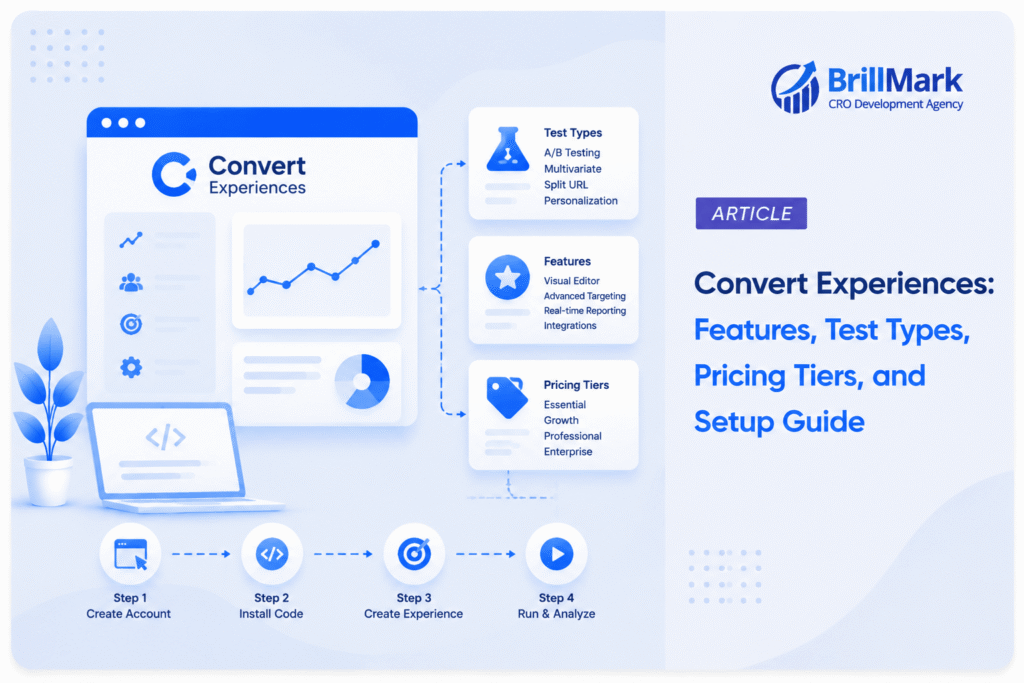
| Convert Experiences | From ~$99 to $600+/month | Agencies and privacy-conscious teams (strong GDPR posture) | Smaller ecosystem |
| Omniconvert | From ~$320/month | CRO plus surveys and personalization for ecommerce | Smaller user community |
| AB Tasty | Quote-based, commonly ~$1,000 to $3,000/month | Mid-market wanting VWO-like breadth with strong support | No public pricing |
| Kameleoon | Quote-based, commonly ~$1,000 to $4,000/month | Hybrid client-side and server-side, strong AI personalization | No free tier |
Free-tier reality check: Google Optimize was retired in September 2023, which is why so many teams moved to VWO’s free plan, GrowthBook, or PostHog. If budget is the binding constraint and you have engineering capacity, GrowthBook self-hosted is the strongest zero-cost option today. If you have no engineering capacity, VWO’s free Starter plan is the strongest. VWO or Optimizely comparison is necessary.
Which should you choose among Optimizely or VWO?
- Choose VWO if your team is marketing-led, you want qualitative research and testing in one tool, you need to start this month, and you want predictable published pricing under $1,500 per month.
- Choose Optimizely if experimentation is engineering-owned, you need feature flags and server-side tests as first-class citizens, you run dozens of concurrent experiments, and you have a five-to-six-figure annual budget.
- Choose an alternative if you are validating fewer than five tests per quarter (start free), you are on Shopify or WordPress specifically (use a native tool), or you already have a data warehouse and want experiments computed on your own data (GrowthBook or Statsig).
Frequently asked questions
Is VWO cheaper than Optimizely?
Yes. VWO offers a free plan and published tiers commonly ranging from about $200 to $1,200 per month per module, while Optimizely contracts are quote-based and typically start in the tens of thousands of dollars per year. For equivalent client-side testing capability, VWO is usually the lower-cost option by a wide margin.
Does VWO or Optimizely have a free trial?
VWO offers both a free Starter plan and a 30-day trial of paid features. Optimizely does not offer public self-serve trials; access is arranged through its sales team, usually as a guided demo or a scoped pilot.
Which is better for server-side and feature flag testing?
Optimizely. Its Feature Experimentation product was built around feature management with SDKs across more than 10 languages and CI/CD-friendly workflows. VWO FullStack is capable and cheaper but has a smaller SDK ecosystem and less mature flag governance.
Does VWO use Bayesian or frequentist statistics?
VWO’s default engine, SmartStats, is Bayesian and reports probability to beat baseline plus a credible interval for uplift. Frequentist reporting is available as an option. Optimizely uses a frequentist Stats Engine with sequential testing and false-discovery-rate control, which makes mid-test peeking statistically safe.
Can you migrate tests from Optimizely to VWO?
Not automatically. Variation code and custom JavaScript can be copied over, but experiment configurations, audience definitions, event implementations, and historical results do not transfer. Plan a migration as a rebuild, and keep the old platform running in parallel until in-flight tests conclude.
How much traffic do you need before VWO or Optimizely is worth it?
As a rough floor, you want roughly 1,000 conversions per month on the metric you intend to test, or about 25,000 monthly visitors on a page with a 4% conversion rate, to detect a 10% relative lift within a month. Below that, invest in qualitative research and larger, bolder changes rather than a paid testing license.
Do you need a developer to use VWO or Optimizely?
VWO can be operated by a marketer after initial snippet installation. Optimizely realistically needs ongoing developer involvement for event implementation, SPA activation logic, and any server-side work. Both benefit from developer QA on complex variations regardless of platform.
Get help with test setup in Optimziely & VWO
Make your website ready for the AI era.
AI is changing how people discover, evaluate, and interact with websites. We help you identify optimization opportunities across content, UX, technical performance, SEO, and conversion paths.