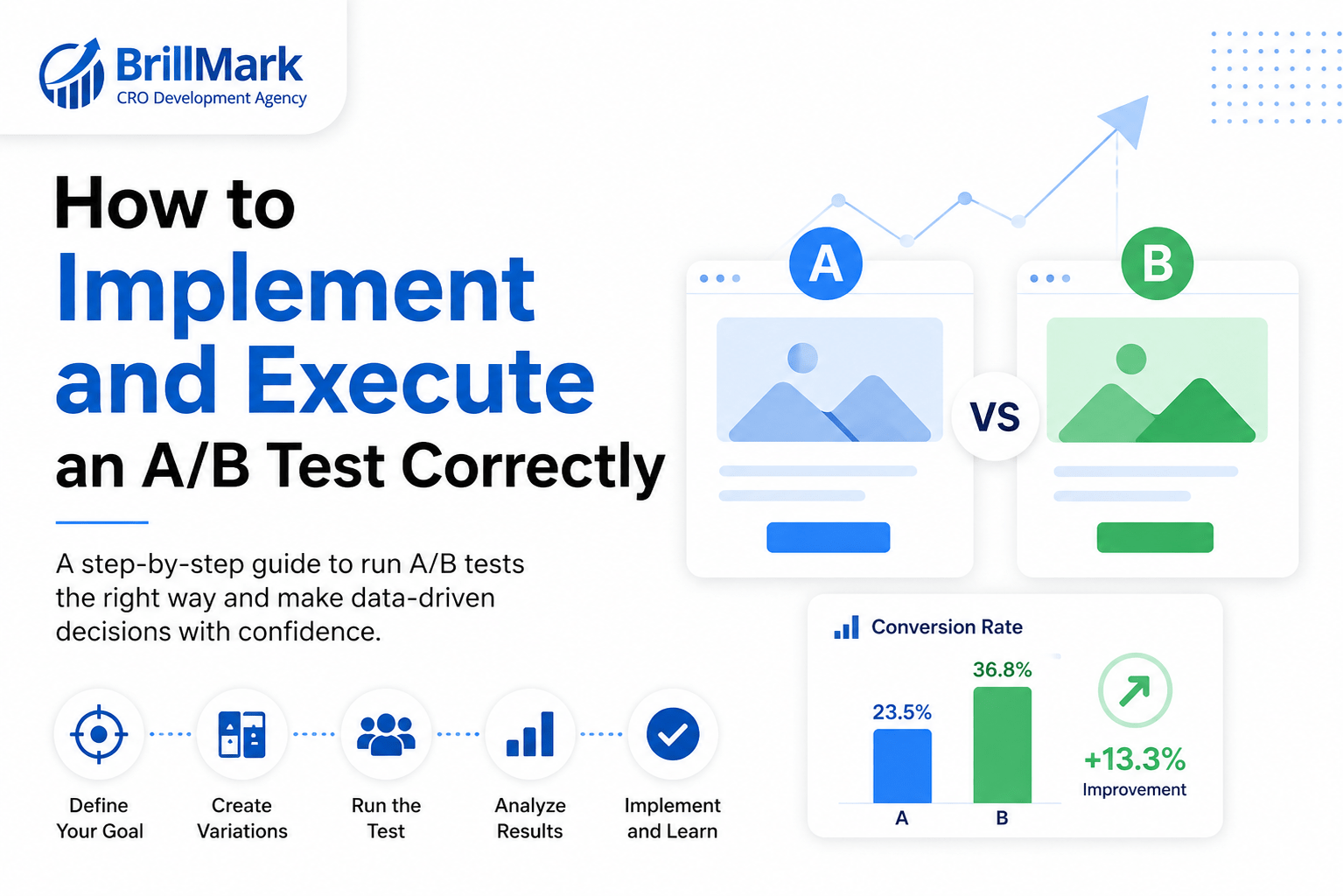
Implementing an A/B test correctly means locking the hypothesis, primary metric, sample size, and stop rule before you build; assigning traffic randomly and stickily; verifying tracking before launch; QA-ing both variants across the full funnel; and refusing to call the result until the pre-calculated sample size and a full business cycle are complete.
Most failed experiments are not failures of ideas. They are failures of execution. A sound hypothesis measured through double-firing tracking, or a strong variant that silently breaks on mobile, produces a number, and that number gets acted on. This guide covers the execution layer: what happens between “we should test this” and “we shipped the winner.”
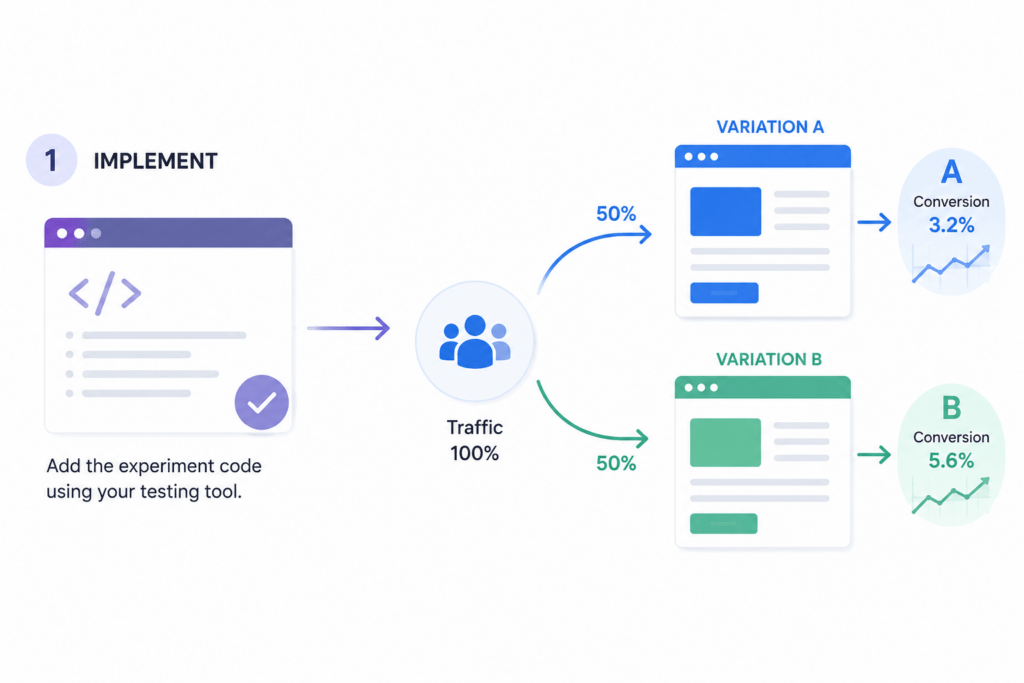
What does correct A/B test execution actually require?
Correct execution requires five things to be true simultaneously: the test is defined before it is built, only one variable changes, assignment is random and persistent, tracking is verified independently of the testing tool, and the stopping condition is agreed in writing before launch. Break any one of these and the result is unusable, even if it looks statistically significant.
The rest of this guide follows the order you actually do the work.
Step 1: Define the A/B Test before you build anything
Four artifacts exist before a single line of code:
- A written hypothesis. Use a fixed structure so it cannot be vague: Because [evidence], we believe [change] will cause [outcome] for [audience]. We will know when [metric] moves.
- One primary metric. The single metric you will use to call the test. Everything else is secondary (it explains why) or a guardrail (it must not get worse).
- A calculated minimum sample size, derived from your real baseline conversion rate and the smallest lift worth detecting.
- An end date, converted from that sample size using current traffic volume.
How much traffic does an A/B test need?
Sample size is a function of baseline conversion rate and the lift you want to detect. Lower baselines and smaller lifts require more traffic dramatically:
| Baseline conversion rate | To detect 10% lift | 20% lift | 50% lift |
| 1% | ~150,000 / variant | ~39,000 / variant | ~6,000 / variant |
| 3% | ~47,000 / variant | ~12,000 / variant | ~2,000 / variant |
| 5% | ~27,000 / variant | ~7,000 / variant | ~1,200 / variant |
| 10% | ~12,000 / variant | ~3,000 / variant | ~550 / variant |
Figures assume 95% confidence and 80% power. Calculate your own with Evan Miller’s sample size calculator.
If the required sample cannot be reached in a reasonable window, the test is not viable. Change the scope of the test instead: test a bolder change, test higher in the funnel, or test on a higher-traffic template. Do not shorten the maths.
Step 2: Choose the right implementation method
The implementation method should be dictated by what the change touches, not by what is fastest to ship.
| Method | How it works | Best for | Trade-off |
| Client-side | JavaScript modifies the page after load | Copy, layout, CTAs, visual changes | Flicker risk, and it cannot change server-decided logic |
| Server-side | Variant is chosen before the page renders | Pricing, checkout, algorithms, business logic | No flicker, but requires engineering time |
| Hybrid | Assignment server-side, rendering client-side | Visual tests that need clean assignment | More moving parts to configure |
| Feature flags | Gradual, controllable exposure | Anything with technical or revenue downside | Requires flag hygiene and cleanup discipline |
The rule: if the change affects money or logic, it belongs server-side.
Step 3: Build the variant to production standard
- One change per variant. Single-variable isolation is the only reason you can attribute the result to anything. Bundle three changes and a win teaches you nothing reusable.
- Match production quality. A half-styled variant tests your CSS, not your hypothesis. Users punish visible sloppiness, and a good idea can lose because it was implemented badly.
- Build for mobile and desktop. Mobile is usually the majority of traffic and the first place injected variants break.
- Eliminate flicker and layout shift. Flicker, meaning the original flashing before the variant paints, both irritates users and biases results against the variant. Fix it with an anti-flicker snippet, or move assignment server-side.
Step 4: Assign traffic in A/B Test correctly
Assignment errors are the quietest way to invalidate a test, because they still produce clean-looking numbers.
- Randomised, not sequential. Alternating visitors A-B-A-B correlates variant with arrival time and traffic source patterns.
- Sticky. Hash a persistent identifier so a returning visitor always lands in the same variant. Inconsistent exposure contaminates both groups.
- Consistent A/B Test across sessions and devices. For logged-in experiences, assign on user ID rather than cookie.
- Excluded traffic defined upfront. Bots, internal team traffic, staging, and preview URLs are filtered before launch, not cleaned out afterwards. Internal traffic is small in volume and large in distortion.
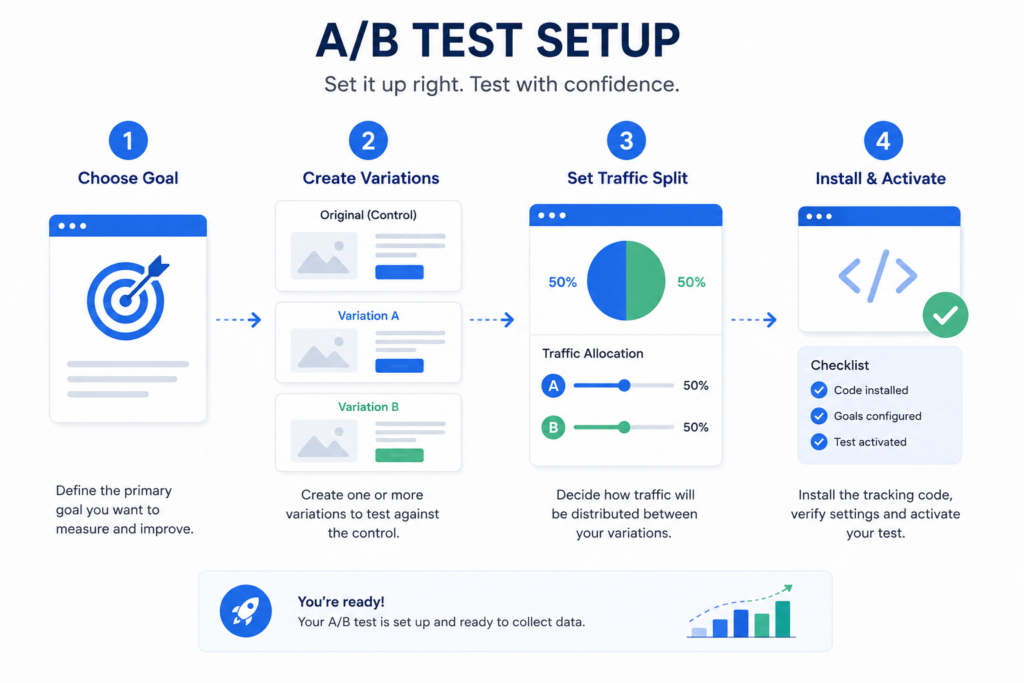
Step 5: Set up and verify tracking in A/B Test before launch
Tracking is built and confirmed before the variant is exposed to real users. Otherwise you spend the test window reconstructing data you cannot trust.
Four checks:
- The conversion event fires exactly once. Double-firing is the single most common tracking defect in live tests. Verify it in a debug or network view, not in a dashboard summary.
- Revenue is passed as a value on the event. This lets you measure revenue per visitor, not just conversion rate, a distinction that reverses test outcomes regularly.
- The variant ID reaches your analytics platform. This gives you a segmentation path independent of the testing tool, which is how you catch tool-level reporting errors.
- Guardrail events are instrumented too. Refunds, support contacts, form errors, bounce rate, page load time.
A workable metric structure is one primary metric, two to three secondary metrics that explain the mechanism, and two to three guardrails that define unacceptable harm.
Step 6: Quality Assurance in A/B Test both variants across the full funnel
What should an A/B test QA checklist cover?
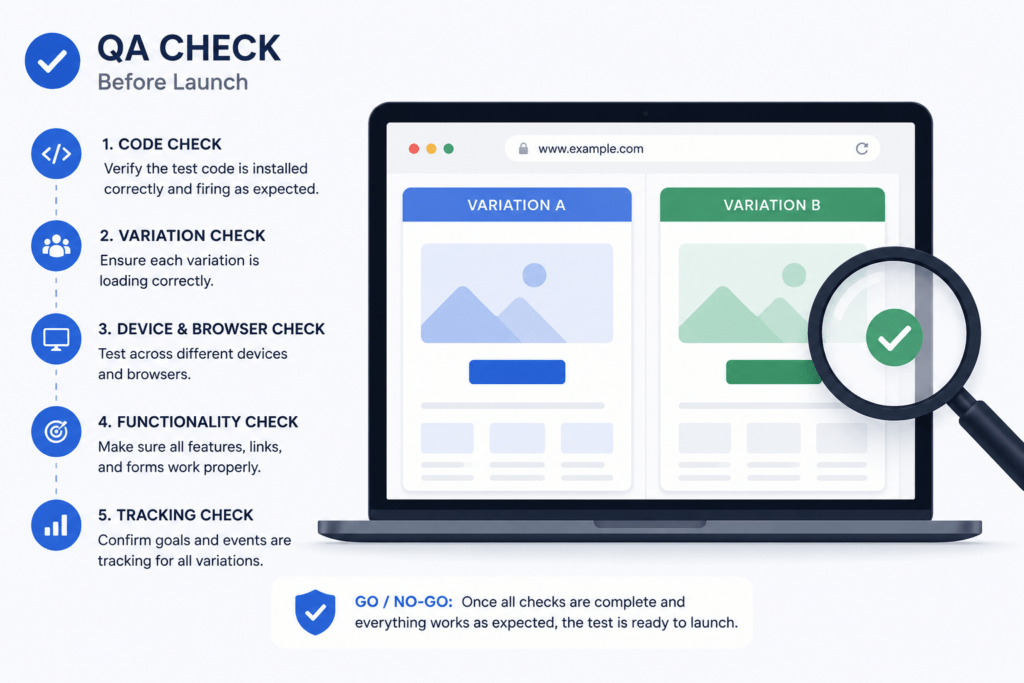
QA covers the entire journey, not the screen that changed. A variant on a product page can break the cart three steps later. At minimum:
- Both variants, on every browser and device combination that matters to your traffic mix
- The full funnel, end to end, including a completed real transaction
- Forms, payments, transactional emails, receipts, confirmation pages, and CRM records
- Each variant forced manually via a query parameter, not by refreshing until you get lucky
- Analytics debug view confirming events land with the correct variant ID attached
If you cannot see the data during QA, you will not see it in the results.
Step 7: Launch at small traffic percentage, then increase gradually
Start at 5 to 10% of traffic. The first hours are an engineering check, not a performance check.
Watch for JavaScript errors, slow paint, support tickets, and above all whether the split matches what you configured. A skewed split such as 58/42 means assignment or tracking is broken. Stop and fix it; do not correct for it in analysis.
Ignore conversion numbers entirely at this stage. Early-sample variance is enormous, and someone in the room will want to call the test on it. Once the ramp is clean, scale to full allocation and begin your reading window from there.
Step 8: Protect the test while it runs
Do:
- Monitor daily for technical breakage and guardrail damage
- Log external events such as promotions, outages, PR spikes, and seasonality, for use in interpretation
Avoid:
- Mid-test changes. Editing a variant invalidates everyone who saw the earlier version. You now have three cohorts, not two.
- Peeking and stopping. Looking at a running test is not the problem. Stopping because of what you saw is. Each additional look inflates the false positive rate, which is how teams ship “wins” that never replicate in production.
- New traffic sources mid-flight. Changing the audience mid-test changes what you are measuring.
The one legitimate reason to end a test early is a significantly negative guardrail metric.
Step 9: Know when to stop
When should you stop an A/B test?
Stop when two conditions are both met: the pre-calculated sample size has been reached, and at least one full business cycle, typically 7 or 14 days, has elapsed so that weekday, weekend, and pay-cycle behaviour are all represented. Significance was reached on day three with a third of the sample is noise, not a result.
Agree the stop rule before launch and record it in the test document. Pressure to stop early almost always originates outside the experimentation team, and a pre-committed rule is the only durable defence.
If your business genuinely needs early reads, use a sequential testing method built for continuous monitoring. Do not improvise early stopping with fixed-horizon statistics.
Step 10: Close the loop after the test
- Ship the winner into code and remove the flag. A winning variant living permanently inside a testing tool is technical debt and a page-speed cost.
- Document the loser; never delete it. Losing tests are the cheapest research available. Record what you expected, what happened, and your best explanation.
- Log the pattern, not just the outcome. “Social proof adjacent to the pricing CTA increases plan selection” is reusable. “Variant B won” is not.
- Queue the next hypothesis. Every concluded test should generate the next one.
A usable test log contains: hypothesis, variants with screenshots, sample size per variant, result with confidence interval and p-value, guardrail outcomes, segment deltas, why it worked or failed, the reusable pattern, where else to apply it, and current status.
Why do A/B tests fail in execution?
These are the failure modes that produce a plausible result rather than an obvious error, which is exactly what makes them dangerous.
| Failure | What it does to your result |
| Flicker on load | Biases outcomes against the variant |
| Broken variant on mobile | Makes a good idea look like a bad one |
| Tracking fires twice | Inflates conversions on the affected variant |
| Uneven traffic split | Signals broken assignment and invalidates comparison |
| Overlapping tests on the same page and metric | Makes attribution impossible |
| Launching during a promotion | Abnormally high intent flattens real differences |
| Stopping at first significance | Produces false positives that fail to replicate |
None of these throw an error message. They all produce a confident, wrong decision.
Execution checklist
Six conditions. If a test cannot clear all six, it is not ready to launch.
- One change per variant
- Sticky, randomised assignment
- Tracking verified before launch
- QA completed on all devices and through the full funnel
- No overlapping tests on the same page and metric
- Stop rule agreed and documented upfront
Frequently asked questions
How long should an A/B test run? Until the pre-calculated sample size is reached and at least one full business cycle has elapsed, usually a minimum of one to two weeks, regardless of how quickly significance appears.
Should I use client-side or server-side A/B testing? Use client-side for visual and copy changes where speed matters. Use server-side whenever the test affects pricing, checkout, business logic, or anything decided before the page renders.
Is it okay to change a variant during a test? No. Editing a live variant splits your audience into cohorts that saw different experiences, which invalidates the comparison. Stop the test, fix the variant, and relaunch.
What is peeking in A/B testing? Peeking is checking results before the planned sample size is reached. Peeking itself is harmless. Stopping the test based on what you saw is what inflates the false positive rate.
Can two A/B tests run at the same time? Yes, provided they do not affect the same page and the same primary metric. Overlapping tests on the same conversion path make it impossible to attribute the result to either change.
What is a guardrail metric? A metric that must not get worse, even if the primary metric improves. Examples include refund rate, support contacts, and page load time. A significantly negative guardrail is the one valid reason to stop a test early.
Make your website ready for the AI era.
AI is changing how people discover, evaluate, and interact with websites. We help you identify optimization opportunities across content, UX, technical performance, SEO, and conversion paths.