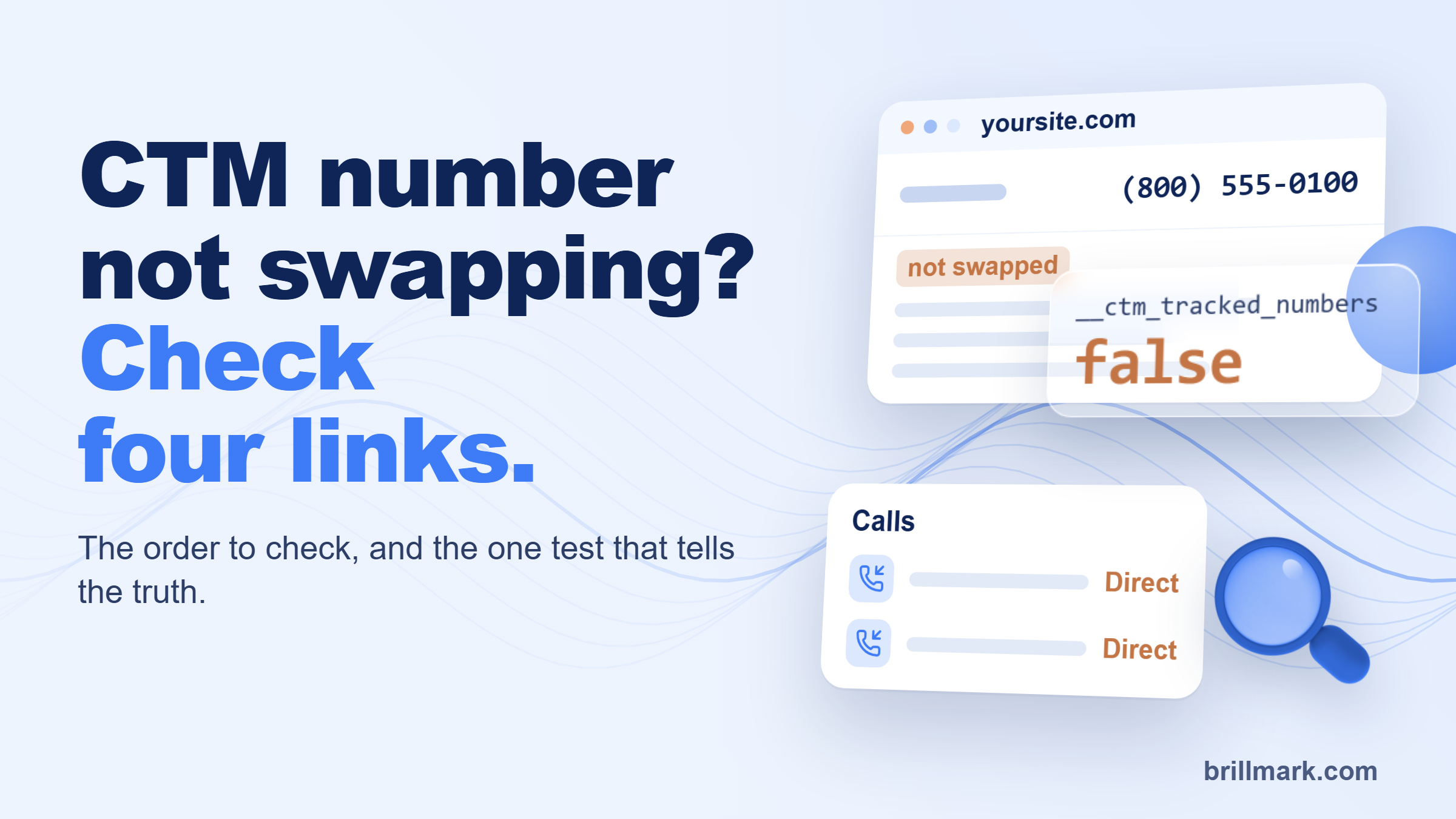
A visitor clicks your Google Ad. The header still shows your main business number. They call, the phone rings, and CallTrackingMetrics files the call under Direct. Nothing errored. The ad just lost the credit.
That is what a CTM number not swapping looks like from the inside. The fix is rarely hard. Finding which part broke is the slow bit, and the usual test (reload the page in your own browser) gives the wrong answer.
Why is my CTM number not swapping?
A CTM number does not swap for one of three reasons: the tracking script is not running, the tracking source’s rules do not match the visit, or the target number on the page does not match what CTM is looking for. CTM’s own troubleshooting guide sorts every case into those three. In practice there is a fourth place to look: the page itself, where caching, consent banners and menus that load late get in the way.
Check the script, the source, the target number and the page, in that order, and stop at the first one that fails.
How CTM number swapping works, in four links
Dynamic number insertion is a chain. The tracking code reads the visit, a tracking source matches it, a tracking number is picked, and the script finds your target number on the page and replaces it.
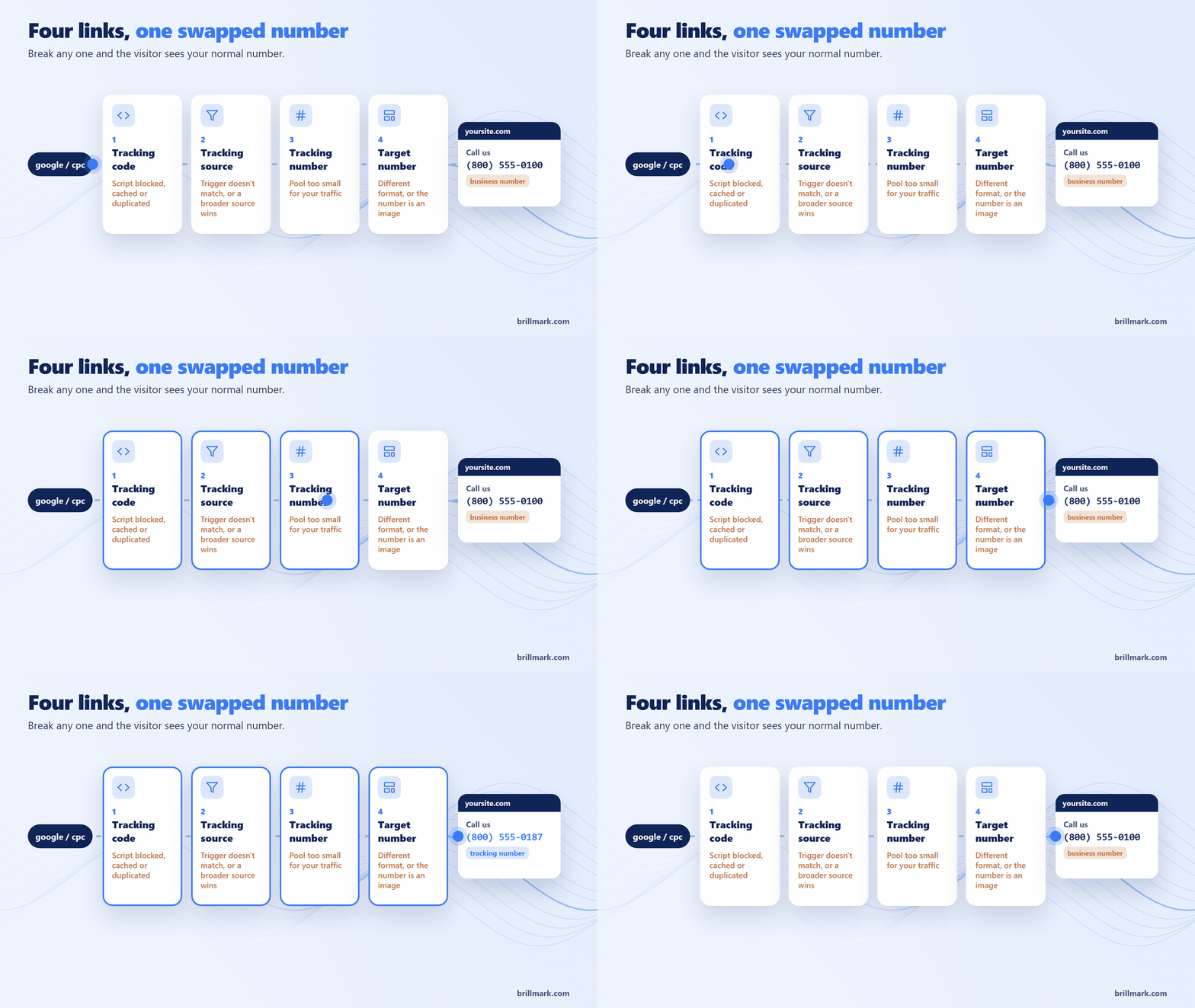
Two terms cause most of the confusion. The target number is the number already on your site, the one you want replaced. The tracking number is the CTM number that shows in its place. A target number only swaps if it is assigned to that tracking number.
If any one link breaks, the visitor sees your normal number and the call loses its source.
Check the links in this order
These five checks take about 15 minutes. Each one rules out a link.
- Is the script running? Right-click the page, choose Inspect, open Console, type
__ctm.config.aidand press Enter. It should return your CTM account ID. An error or nothing back means the script is not on that page. A different ID means another account’s script is. CTM says its code must be the only call tracking script on the site, so remove old CallRail or second-account CTM scripts too. - Does the source match the visit? In Numbers → Tracking Sources, confirm the source is set to onsite and has a trigger. With both URL fields blank it only fires for direct visits. Triggers are regular expressions, so a hyphen can quietly break one. And sources run by position: a broad “Website” source above your campaign source wins first.
- Does the target number match the page? In Numbers → Target Numbers, add an exact match target number copied from the page’s source code. CTM calls this a good first step that fixes many common swapping problems. Vanity numbers and numbers with +1 need an exact match and a phone match. Delete duplicates.
- Can the script read the page? The number must be plain, visible text. Numbers in images, embedded widgets or iframes from another domain will not swap. Caching and “delay JavaScript” plugins, consent tools and content security policies can hold the script back.
- Re-test properly. See the testing section below. Most “still broken” reports are a test problem.
Checks 1 to 3 are CTM settings you can fix yourself. Check 4 usually means a developer.
What you see tells you where to look
The symptom narrows it down before you open any settings.
| What you see | Likely cause | Fix |
|---|---|---|
| Never swaps, on any source | Script not running or blocked | Check __ctm.config.aid; reinstall, or try an alternative tracking code domain |
| Swaps for some sources, not others | Trigger, regex or source position | Simplify the trigger; move the source up |
| Swaps in the header, not the footer | Second number in a different format | Add a target number for that format; wrap close numbers in their own <span> |
| Original number flashes, then swaps | Script loads late | Move it higher in the <head>, before slow scripts |
| Works in incognito, not your browser | Cookie from your earlier visit | Expected; always test in a fresh private window |
| Stopped after a site update | Cache, optimization or a redesign | Exclude the script from caching; re-check the number format |
| Not swapping in popups or the mobile menu | Content loaded after the script ran | Developer calls __ctm.main.runNow() when it opens |
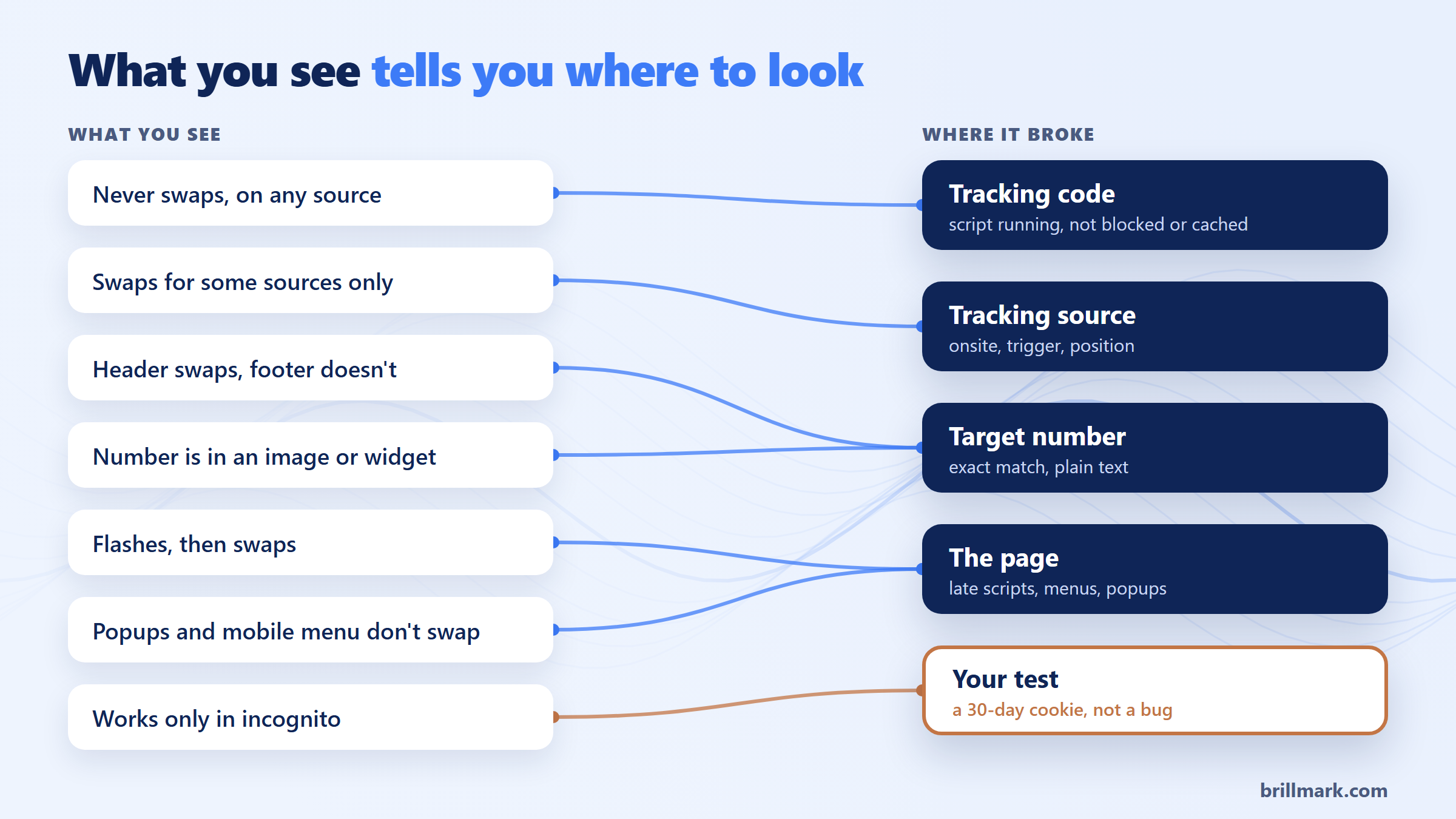
Two of those rows are not setup problems: one is your own cookie, the other is the page loading late.
How to test CTM number swapping without fooling yourself
CTM remembers the first source you arrive from for 30 days by default, according to its testing guide. Visit your site once from a bookmark and every reload after that is “Direct”, whatever URL you type. CTM also says clearing the cache is not reliable.
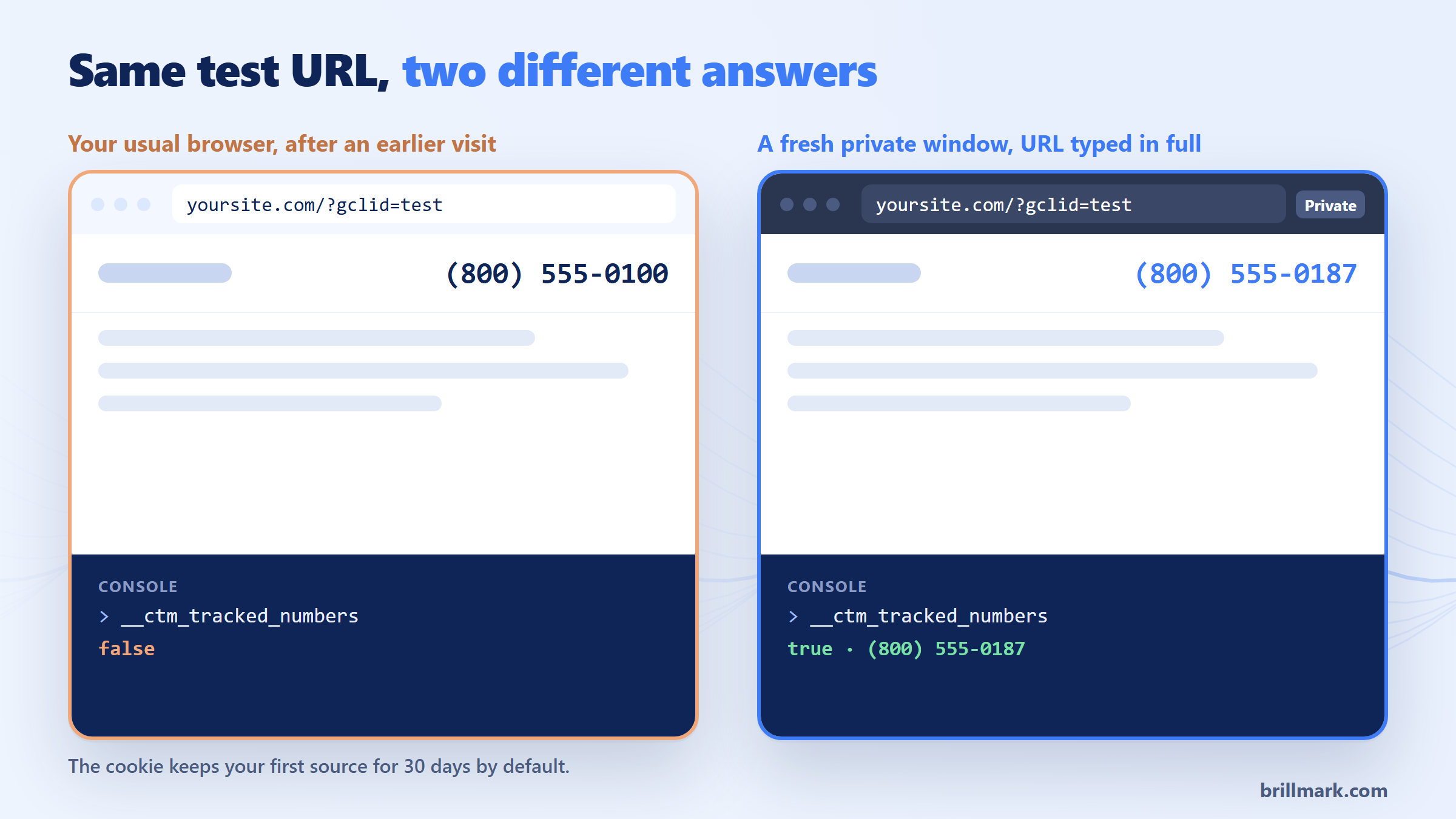
The routine that works:
- Open a new private window, and only one. Use a new one for each test.
- Type the full test URL yourself; don’t let the address bar autocomplete. For Google Ads,
yoursite.com/?gclid=test. For Facebook Paid,yoursite.com/?utm_source=facebook&utm_medium=cpc. For a custom source, your domain plus the exact string in its trigger. - Wait for the page to load fully, then check every place the number appears: header, footer, mobile menu and the
tel:link. - In the console, type
__ctm_tracked_numbers. It returns true with the displayed number if the swap worked, false if it did not.
One trap: if someone pasted a tracking number straight into the page “to be safe”, it shows even when swapping has failed. CTM advises against hard-coding tracking numbers for this reason. Only the console tells you the truth.
Trust the console, not the number you see.
When it’s CTM support, and when it’s a developer
Contact CTM support when the script runs, the source and target numbers check out, and the console still says false. Send the page URL, the test URL, the source name, a console screenshot and your browser. That saves a round of questions.
Call a developer when the cause is in the site: a single-page app that never reloads, a content security policy that blocks the script, numbers drawn by a theme or app block, or a Tag Manager tag held back by consent rules. In the tracking audits we run, this is where most stubborn cases end up, because the fix lives in code and tags, not in CTM settings.
FAQ
What is the difference between exact match and phone match?
A phone match finds your number in common formats, with dashes, dots, spaces or brackets. An exact match looks for the exact text you enter. Vanity numbers and unusual formats need both, assigned to the same tracking number.
Why does the number swap in incognito but not in my normal browser?
Your normal browser carries a CTM cookie from an earlier visit, tied to that first source for 30 days by default. That is expected. Test in a fresh private window.
Calls landing in CTM as Direct when they came from your ads? BrillMark audits GA4 properties and GTM containers, validates every tag and reconciles it with your source systems. See our GA4 audit and tracking services, with a standard audit in 2–3 business days after access.
Make your website ready for the AI era.
AI is changing how people discover, evaluate, and interact with websites. We help you identify optimization opportunities across content, UX, technical performance, SEO, and conversion paths.