




Cart abandonment rarely happens for one dramatic reason. It happens because of a dozen small frictions stacked on top of each other. A slow field, a confusing shipping option, an unexpected fee. Each one loses a few percentage points of conversion. Together, they can quietly cost a store a significant share of revenue every month.
A checkout audit isn’t a redesign project. It’s a systematic walk-through of every step a buyer takes. The goal is finding friction, not judging aesthetics. Below is a practical framework for running one.
Start With the Data, Not the Design
Identify Where Buyers Actually Drop Off
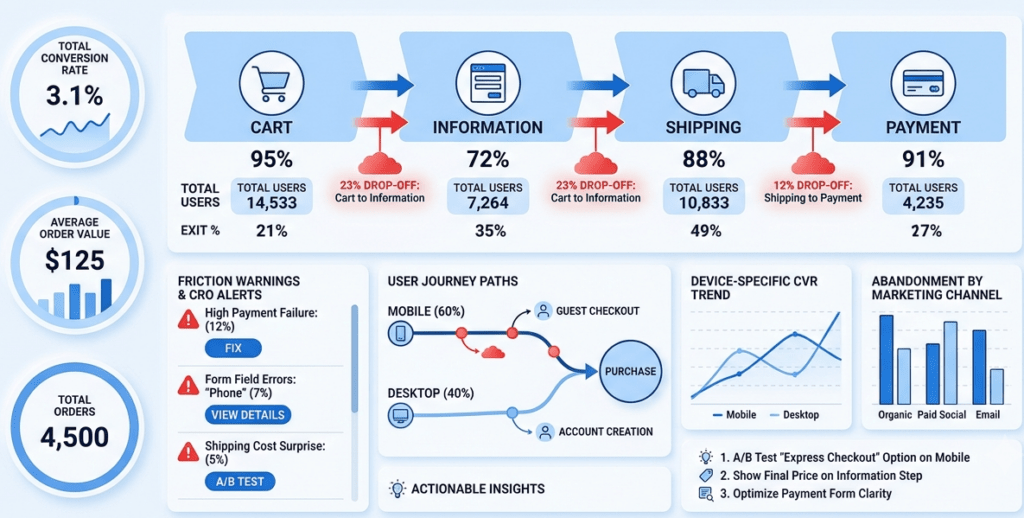
- Open Shopify’s own checkout funnel analytics before looking at anything else
- Check the drop-off rate at each step: information, shipping, payment
- A large drop at the information step often points to account creation friction
- It can also point to unclear form requirements
- A drop concentrated at payment usually points to trust issues or unexpected costs
- It can also mean a payment method is missing entirely
- Segment this data by device. Mobile and desktop often reveal different friction points
- Segment by new versus returning customers too. New buyers face different obstacles than repeat ones
Cross-Reference With Session Recordings
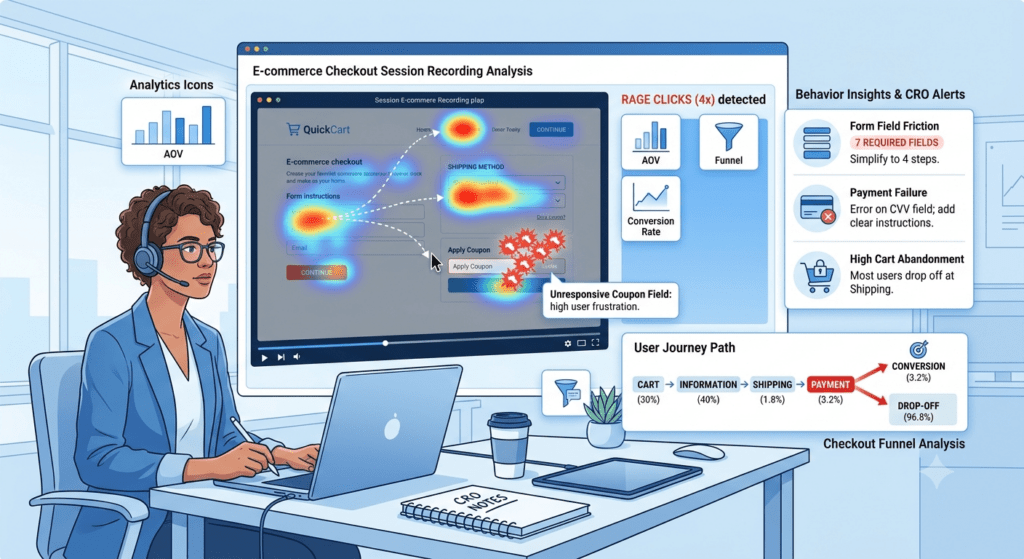
- Tools like Hotjar, Microsoft Clarity, or Shopify’s own session data show real behavior
- Watch for repeated field corrections. These signal confusing labels or unclear formatting
- Watch for rage clicks, where a buyer clicks the same element repeatedly out of frustration
- Watch for long pauses before abandonment. These often mean the buyer left to compare prices elsewhere
- A handful of recordings at each drop-off point usually reveals the same problems repeating
Audit the Information and Shipping Steps
Form Field Friction
- Count the total number of fields required before checkout can proceed
- Every unnecessary field is a small tax on completion. Challenge whether each one is truly required
- Check whether address autocomplete is enabled
- Manual address entry is one of the most common sources of frustration and errors
- Confirm field validation happens as the buyer types, not only after they hit submit
- Late validation forces buyers to hunt for what went wrong
- Test the mobile keyboard behavior specifically
- A phone number field that doesn’t trigger the numeric keypad is a small but real annoyance
Shipping Clarity
- Confirm shipping costs are visible before the final payment step, ideally earlier
- Surprise shipping costs at the last step are a well-documented cause of cart abandonment
- Check whether shipping speed estimates are specific, like “arrives by Thursday”
- Vague estimates like “5 to 7 business days” increase perceived risk
- If multiple shipping options exist, confirm the default selection makes sense for most buyers
- Test what happens when an address doesn’t match any available shipping zone
- A confusing error here can end the session entirely
Audit the Payment Step
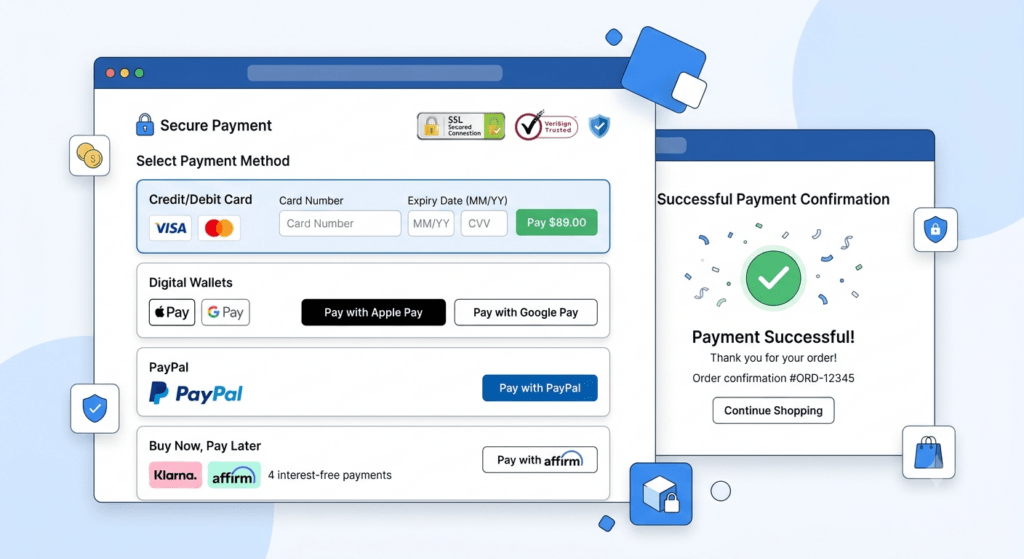
Payment Method Coverage
- Confirm the payment methods offered match what the actual customer base expects
- Don’t just default to what was easiest to enable
- Missing a commonly expected option can silently cost conversions in specific markets
- This includes digital wallets, buy-now-pay-later providers, and regional payment methods
- Check whether express checkout options like Shop Pay, PayPal, or Apple Pay are prominently placed
- They should sit near the top of the payment step, not buried below a full form
- Test the actual checkout flow for each payment method personally
- A broken or slow-loading payment option is worse than not offering it at all
Trust and Reassurance Signals
- Confirm security badges, accepted payment icons, and a visible return policy are present at payment
- This is where buyer hesitation peaks
- Check whether the total price at payment matches exactly what was shown earlier
- Any discrepancy here triggers immediate distrust
- Test whether a payment error, like a declined card, preserves the buyer’s entered information
- A checkout that loses cart data on error is one of the highest-friction failures possible
- It turns a minor payment issue into a reason to abandon entirely
Audit Speed and Technical Performance
Page Load and Responsiveness
- Test checkout load time on a throttled mobile connection, not just fast office wifi
- Every additional second of load time has a measurable impact on completion rates
- Check whether third-party scripts are slowing down checkout specifically
- This includes tracking pixels, chat widgets, and upsell apps
- Shopify’s checkout is more locked down than the rest of the store
- Audit exactly which apps are permitted to run there, and whether each one earns its cost
Error Handling and Edge Cases
- Deliberately trigger errors during testing
- Try an invalid card number, an expired promo code, or an out-of-stock item
- Confirm each error message is specific and actionable
- A generic “something went wrong” message gives the buyer no path forward
- Test the back button behavior at every step
- Buyers frequently go back to correct something, and a broken back button can end the session
- Test what happens if a session times out mid-checkout, particularly on a slow connection
Audit for Mobile-Specific Friction
- Run the entire checkout flow on an actual phone, not a resized desktop browser window
- Confirm buttons and form fields are large enough to tap without zooming in
- Confirm checkout doesn’t require excessive horizontal scrolling or pinch-zooming
- Check whether autofill works correctly for name, address, and payment fields
- Test this separately on both iOS and Android
- Mobile traffic makes up the majority of ecommerce sessions for most stores
- Friction here compounds faster than friction on desktop
Turning Audit Findings Into Fixes
- Prioritize fixes by where they sit in the funnel and how many buyers they affect
- Don’t prioritize by how easy a fix is to implement
- A high-traffic step with small friction often matters more than a low-traffic step with an obvious flaw
- Fix one issue at a time where possible
- Monitor conversion data afterward to confirm the fix actually helped
- Re-run session recordings after each major fix
- Removing one friction point sometimes reveals a second one hidden behind it
- Treat this as a recurring process, not a one-time project
- New apps, new payment methods, and platform updates can all reintroduce friction that was previously resolved
Conclusion
A Shopify checkout audit isn’t about redesigning the experience from scratch. It’s about systematically walking through data, recordings, and hands-on testing. The goal is finding the specific points where buyers hesitate, get confused, or give up entirely. Most friction found in a thorough audit is small and unglamorous. An extra field, a vague error message, a shipping cost revealed too late.
Fixing those small points rarely requires a major redesign. It requires the discipline to actually look for them methodically. Don’t assume checkout works simply because nothing looks visibly broken. The stores that convert best aren’t always the ones with the most polished design. They’re the ones that treat checkout friction as something to actively hunt for, regularly, rather than something to fix only after abandonment numbers get bad enough to notice.