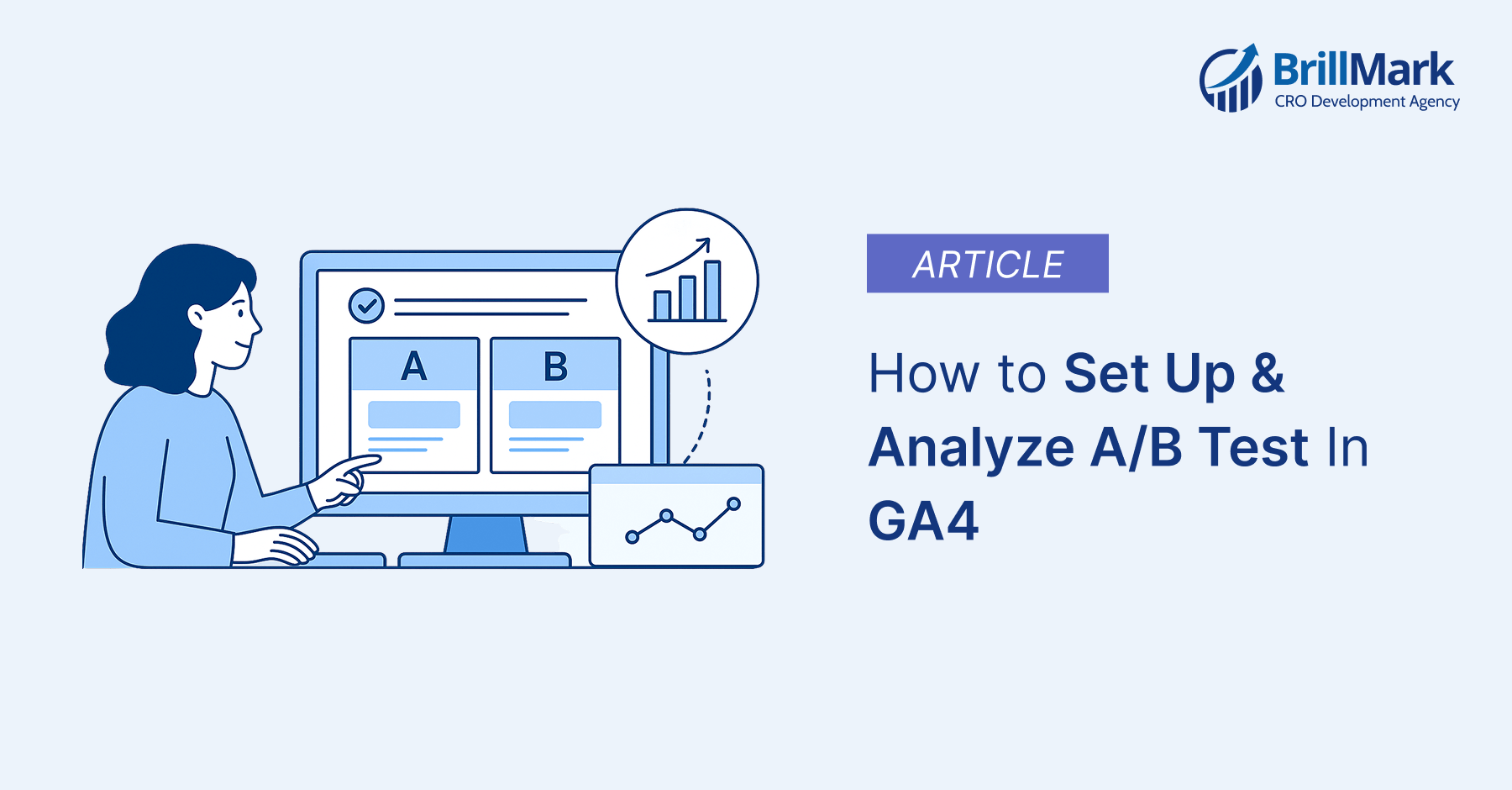
A/B testing helps website owners systematically improve conversion rates and user engagement. Google Analytics 4 provides powerful tracking capabilities for analyzing experiment performance and user behavior. This guide explains how to run A/B tests using GA4 with third-party tools.
Understanding the integration between GA4 and testing platforms ensures accurate data collection and analysis. You’ll learn setup processes, reporting methods, and optimization strategies for effective testing programs.
Understanding GA4 and A/B Testing
GA4 Does Not Include Built-in A/B Testing
Google Analytics 4 does not have a native A/B testing tool built into the platform. Google Optimize, the previous testing solution, was discontinued in September 2023 permanently. You must use third-party A/B testing platforms to run experiments on your website.
GA4 serves as the analysis engine while external tools handle experiment delivery and traffic splitting. This separation allows specialized testing tools to integrate with GA4’s robust analytics capabilities seamlessly.
How GA4 Experiments Work with Third-Party Tools
Third-party testing platforms send experiment data to GA4 through custom events and parameters automatically.
- The testing tool assigns users to control or variant groups based on your configuration.
- GA4 tracks user interactions and conversions for each experiment group through event tracking mechanisms.
- You can analyze results in GA4’s Explore section using segments and custom reports effectively.
This integration provides centralized reporting while maintaining flexibility in your testing tool selection process.
GA4 A/B Test Setup Guide
Step 1: Define Your Test Hypothesis
Start with a clear, measurable hypothesis that links changes to specific outcomes you expect.
Example: “Changing the CTA button color from green to orange increases click-through rates.”
Your hypothesis should specify what you’re testing and the metric you expect to improve.
Document your expected impact and the reasoning behind your test before starting implementation procedures.
Step 2: Select a GA4-Compatible Testing Platform
Choose an A/B testing tool that offers native GA4 integration for seamless data flow.
- Popular options include Optimizely, VWO, AB Tasty, Convert Experiences, and Crazy Egg platforms.
- Evaluate tools based on your budget, technical requirements, and feature needs like multivariate testing.
- Most platforms offer free trials so you can test GA4 integration before committing financially.
Step 3: Configure Your Experiment
Set up control and variant versions within your chosen third-party testing platform interface.
- Define your target audience, traffic allocation percentage, and experiment duration based on traffic volume.
- Configure the tool to send experiment data to GA4 using Google Tag Manager integration.
- This ensures GA4 receives information about which variant each user sees during their session.
Step 4: Integrate with GA4 Using Google Tag Manager
Create a custom event in GA4 to track experiment impressions and variant assignments. Use Google Tag Manager to fire this event when users enter your experiment groups.
Pass experiment name and variant ID as event parameters to enable segmentation in reports. Configure triggers in GTM to ensure events fire correctly across all experiment conditions tested.
Example GTM dataLayer push:
dataLayer.push({
‘event’: ‘experiment_impression’,
‘experiment_id’: ‘homepage_cta_test’,
‘variant_id’: ‘variant_b’
});
Step 5: Set Up Event Tracking for Conversions
Configure GA4 events to track your primary conversion goal and secondary metrics you’re monitoring.
- Ensure these events fire consistently for all users regardless of their experiment assignment group.
- Common conversion events include purchase, generate_lead, sign_up, and custom engagement events.
- Tag these events with experiment parameters to enable variant comparison in your analysis phase.
Best Practices for A/B Testing with GA4
Run Tests for Statistical Significance
- Allow your test to run for at least two weeks to account for weekly traffic patterns and variations.
- Statistical significance indicates your results are unlikely to be caused by random chance or fluctuation.
- Most testing platforms calculate statistical significance automatically using confidence intervals and p-values typically.
- Aim for 95% confidence level before declaring a winner and implementing changes site-wide.
Ensure Adequate Sample Size
Calculate required sample size before starting your test based on expected effect size differences.
- Small sample sizes lead to inconclusive results and wasted time testing without actionable insights.
- Use online sample size calculators to determine how many conversions you need per variant.
- Factor in your current conversion rate and the minimum detectable effect you want to measure.
Test One Variable at a Time
Isolate individual elements like button color, headline text, or image placement for clearer insights.
- Testing multiple changes simultaneously makes it impossible to identify which element drove performance differences.
- Document all test variations and maintain consistency across pages to avoid contaminating your test data.
- Single-variable testing provides actionable insights you can apply to other areas of your website.
Avoid Premature Conclusions
Making decisions on insufficient data leads to false positives and implementing changes that don’t work.
- Resist the urge to stop tests early even if one variant appears to be winning initially.
- Early data can be misleading due to novelty effects, sample bias, or random variation patterns.
- Let your test run its full planned duration to capture different user behaviors and times.
Integrating Third-Party A/B Testing Tools with GA4
Optimizely A/B Test Development & Integration
Native Optimizely GA4 integration that automatically sends experiment data to your analytics property.
Enable the integration in your Optimizely account settings under the integrations section to begin tracking.
Experiment impressions appear as events in GA4 with parameters identifying the experiment and variant.
You can create audiences in GA4 based on Optimizely experiment participation for deeper analysis.
VWO A/B Test Development & Integration
VWO connects to GA4 through a straightforward integration process in your VWO account settings.
- The integration sends custom dimensions to GA4 containing experiment IDs and variation information automatically.
- Configure custom events in GA4 to track VWO experiment impressions and goal completions separately.
- This allows you to build custom reports comparing performance across all your active experiments.
AB Tasty A/B Test Development & Integration
AB Tasty’s GA4 integration provides automatic tracking of experiment assignments and conversion events seamlessly.
- The platform sends detailed event data including test names, variant IDs, and timestamps to GA4.
- You can import GA4 audiences into AB Tasty for targeting specific user segments precisely.
- This bidirectional integration enables sophisticated testing strategies based on GA4 behavioral data and insights.
Creating Custom Reports in GA4 for A/B Tests
Using the Explore Section
Navigate to the Explore section in GA4 to create custom analysis reports for experiments.
- Select the “Free form” exploration template to build flexible reports with multiple dimensions available.
- Add your experiment event as a dimension and your conversion events as metrics precisely. Apply segments to separate control and variant groups for direct performance comparison between groups.
Building Experiment Segments
Create user segments based on experiment participation using event parameters in your segment definition.
- Define one segment for control group users and separate segments for each variant tested.
- Use the segment comparison feature to analyze metrics side-by-side across your experiment groups.
- This visualization makes it easy to identify performance differences and statistical significance between variants.
Analyzing Key Metrics
Focus on metrics directly related to your experiment hypothesis like conversion rate and revenue.
- Compare engagement rate, session duration, and bounce rate to understand broader user behavior impacts.
- Look for unexpected changes in secondary metrics that might indicate problems with your variant.
- A winning variant should improve your primary goal without negatively impacting other important metrics.
Setting Up Custom Dashboards
Build custom dashboards in GA4 that display real-time experiment performance and key metrics.
- Add comparison cards showing control versus variant performance for quick status checks during tests.
- Schedule automated email reports to receive regular updates on experiment progress without logging in.
- This keeps stakeholders informed and enables faster decision-making when tests reach statistical significance thresholds.
Tracking Multiple A/B Tests Simultaneously
Use Distinct Event Names
Create unique event names for each experiment to prevent data mixing and confusion later. Example: homepage_cta_test and pricing_page_layout_test instead of generic experiment_impression for everything.
Document your naming convention and maintain consistency across all tests for easier reporting management. Clear naming makes it simple to filter and analyze specific experiments in your reports.
Create Separate Audiences
Build dedicated audiences for each experiment in GA4 based on experiment participation events.
- This allows you to compare how different experiment groups behave across your entire website.
- Separate audiences prevent overlap issues and enable more precise analysis of long-term effects.
- You can also use these audiences for remarketing campaigns targeted at specific experiment participants.
Monitor Test Interactions
Watch for users who participate in multiple simultaneous tests as this can affect results.
- Create a report showing overlap between experiment audiences to identify potential interaction effects clearly.
- Consider excluding users in multiple experiments from your analysis if interaction effects appear significant.
- This ensures clean data but may increase the sample size needed for significance levels.
GA4 A/B Testing for E-commerce Optimization
Enhanced E-commerce Tracking Setup
Implement GA4’s enhanced e-commerce events like view_item, add_to_cart, and purchase correctly.
- These events provide detailed transaction data essential for testing checkout processes and product pages.
- Include product details and transaction values in your e-commerce events for comprehensive revenue analysis.
- This data enables you to calculate revenue per variant and determine overall test profitability.
Testing Product Pages
Test product page elements like image layouts, description formats, and add-to-cart button placement.
- Track both immediate conversions and downstream metrics like average order value and return rates.
- Use GA4’s e-commerce reports to analyze how variants affect cart abandonment and purchase completion.
- Product page tests often reveal insights applicable across your entire catalog and category pages.
Monitoring Revenue Metrics
Track revenue per user and average transaction value as primary metrics for e-commerce tests.
- These metrics directly measure business impact better than simple conversion rate percentages alone.
- Calculate statistical significance for revenue metrics separately as they often require different sample sizes.
- Revenue data can be more variable than conversion rates requiring longer test durations sometimes.
Advanced A/B Testing Strategies with GA4
Leveraging Predictive Metrics
Use GA4’s predictive metrics like purchase probability to identify high-value users for targeted testing.
- Create experiments specifically for users with high predicted lifetime value to maximize revenue impact.
- Predictive audiences enable sophisticated testing strategies that focus resources on most valuable user segments.
- This approach can improve overall ROI from your experimentation program significantly over time.
Sequential Testing
Run sequential tests where insights from one experiment inform the design of subsequent tests.
This iterative approach builds on winning elements to create increasingly optimized user experiences progressively.
Document all test results and insights in a central knowledge base for future reference.
Sequential testing requires organization but leads to compound improvements much larger than individual tests.
Path Analysis
Use GA4’s path exploration to understand how experiment variants affect user journey completion rates. Analyze whether variant users take different paths through your site toward conversion goals measured.
Path analysis can reveal unintended consequences of changes like increased bounces from secondary pages. This insight helps you refine variants to optimize the entire user journey holistically.
GA4 A/B Testing for Mobile Apps
Firebase Integration
Connect Firebase to GA4 for comprehensive mobile app experiment tracking across iOS and Android.
Firebase provides built-in A/B testing features specifically designed for mobile app testing scenarios exclusively.
Firebase experiments integrate seamlessly with GA4 events allowing unified reporting across web and mobile.
This cross-platform view helps maintain consistent user experiences and measure overall business impact accurately.
Platform-Specific Considerations
Account for platform differences in user behavior when designing mobile app experiments and variants. iOS and Android users often interact differently with similar features requiring separate analysis sometimes.
Test app-specific elements like push notification timing, onboarding flows, and feature placement carefully. Mobile experiments require careful attention to technical implementation to avoid crashes or performance issues.
Monitoring App Metrics
Track app-specific metrics like screen views, in-app purchases, and user retention rates consistently. These metrics are crucial for understanding mobile experiment impact beyond simple conversion rate measurements.
Analyze how variants affect app store ratings and user feedback to catch quality issues. Mobile users are quick to uninstall apps that don’t meet expectations during testing.
Common Mistakes to Avoid
Stopping Tests Too Early
Ending experiments before reaching statistical significance leads to false conclusions and poor business decisions.
External factors like marketing campaigns can cause temporary spikes that mislead analysis if rushed.
Commit to your predetermined test duration regardless of early results appearing promising or concerning.
Patience in testing leads to reliable insights and better long-term optimization outcomes consistently.
Testing Too Many Variables
Changing multiple elements simultaneously makes it impossible to identify what drove performance changes.
- Stick to single-variable tests unless you’re running sophisticated multivariate experiments with sufficient traffic.
- Complex tests require exponentially more traffic to reach significance for every additional variable tested.
- Most websites lack sufficient traffic for meaningful multivariate testing beyond two or three variables.
Ignoring Statistical Significance
Implementing changes based on winning variants that didn’t reach statistical significance wastes development resources.
- Results without significance could easily reverse with more data or different traffic conditions.
- Use your testing platform’s significance calculations and don’t override them based on business pressure.
- Data-driven decisions require actual statistical proof not just directional trends or gut feelings.
Not Tracking Secondary Metrics
Focusing only on primary conversion goals can miss important negative impacts on user experience. Always monitor engagement metrics, bounce rates, and downstream conversions to catch unintended consequences.
A variant might improve your primary metric while hurting customer lifetime value or satisfaction. Comprehensive metric tracking ensures you make holistic optimization decisions benefiting overall business health.
Automating A/B Test Reporting
Looker Studio Integration
Connect GA4 to Looker Studio (formerly Data Studio) for automated visual reports updated daily. Build dashboards showing experiment performance, statistical significance, and key metrics in real-time automatically.
Share dashboards with stakeholders who can access current data without learning GA4’s interface. This democratizes data access and keeps teams aligned on experiment status and results.
Scheduled Email Reports
Set up automated email delivery of experiment reports to stakeholders on weekly or daily schedules. Include key metrics, confidence levels, and recommendations to facilitate faster decision-making processes efficiently.
Customize report content based on audience needs like executive summaries versus detailed analyst reports. Automated reporting saves time and ensures consistent communication about your testing program’s progress.
Third-Party Reporting Tools
Consider tools like Supermetrics or Funnel.io to pull GA4 experiment data into spreadsheets. These tools enable advanced analysis and custom calculations beyond GA4’s built-in reporting capabilities available.
Automated data exports facilitate sharing with teams using Excel or Google Sheets for collaboration. This flexibility supports diverse analytical needs across different departments and stakeholder groups effectively.
Contact Us for A/B Test & GA4 Setup Expertise
Brillmark offers services for Tailored Google Analytics 4 reports, setups, and integrations to resolve complex data issues, specialized testing platforms and GA4’s analytics to create a seamless A/B testing Journey with Right Experimentation Development and Setup Partner.
- GA4 Support: Brillmark offers services for “Tailored Google Analytics 4 reports, setups, and integrations to resolve complex data issues,” which directly relates to the conclusion’s point that GA4 provides “robust analysis capabilities” and that the “combination of specialized testing platforms and GA4’s analytics creates opportunities for continuous optimization.”
- Explore More: BrillMark GA4 Services
- Third-Party Tool Integration: Expertise in A/B Test Development and tools integration, mentioning platforms like Optimizely, VWO, and Convert Experiences. This supports the statement that Third-party testing tools integrated with GA4 create a powerful experimentation infrastructure.
Begin your A/B testing journey today to unlock growth opportunities hiding in your data. Small, validated improvements compound over time to create significant competitive advantages in your market.
Make your website ready for the AI era.
AI is changing how people discover, evaluate, and interact with websites. We help you identify optimization opportunities across content, UX, technical performance, SEO, and conversion paths.