








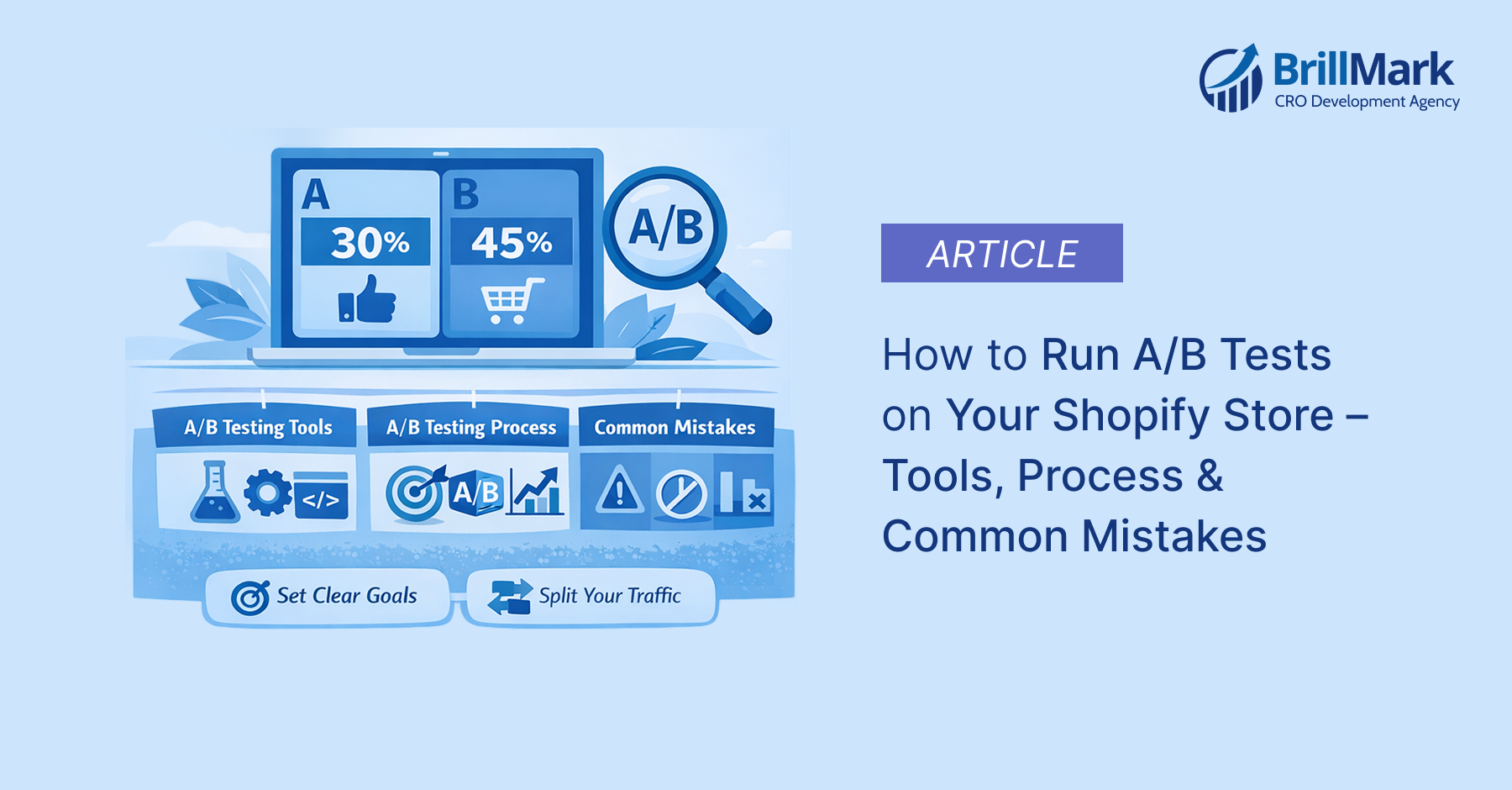
Why A/B Testing Is a Shopify Store’s Secret Weapon
Every Shopify store owner wants more sales, higher conversions, and better customer engagement – but most rely on gut feelings instead of data. That’s where A/B testing changes the game.
A/B testing (also called split testing) lets you compare two versions of a page, element, or flow to determine which one drives better results. Instead of guessing whether a green “Add to Cart” button outperforms a red one, you let real visitor data tell you the truth.
At Brillmark, we’ve helped hundreds of eCommerce brands run rigorous A/B tests that consistently lift revenue by double digits. In this guide, you’ll learn everything you need to run effective A/B tests on your Shopify store, from the right tools and a step-by-step process to the common mistakes that waste time and money.
What Is A/B Testing?
A/B testing is a controlled experiment where you split your website traffic between two versions of a page or element – Version A (control/original) and Version B (variant/challenger). You then measure which version achieves your goal better, whether that’s more purchases, clicks, sign-ups, or any other key metric.
How It Works
- Visitors are randomly assigned to see either Version A or Version B
- Both versions run simultaneously, eliminating time-based variables
- After reaching statistical significance, the winning version is declared
- The winning version is implemented permanently
A/B Testing vs. Multivariate Testing
A/B testing changes one element at a time and is ideal for Shopify stores with moderate traffic. Multivariate testing tests multiple combinations simultaneously but requires substantially more traffic to reach significance. For most Shopify merchants, A/B testing is the right starting point.
Why A/B Testing Matters for Shopify Stores
Shopify stores compete in an increasingly crowded eCommerce landscape. Small incremental improvements in conversion rate translate directly into significant revenue gains without increasing your ad spend.
The Business Case
- A 1% improvement in conversion rate on a store doing $500,000/month = $60,000+ additional annual revenue
- Data-backed decisions reduce risk compared to gut-feeling redesigns
- A/B testing compounds over time – each winning test builds on the last
- Lower customer acquisition costs when more visitors convert
What Shopify Store Owners Typically Test
- Product page layouts and descriptions
- Hero banners and homepage messaging
- Call-to-action button copy, color, and placement
- Checkout flow and form fields
- Pricing display and urgency elements (countdown timers, stock warnings)
- Navigation menus and category page filters
- Email capture popups and offers
Best A/B Testing Tools for Shopify
Choosing the right tool is critical. Each has different strengths depending on your traffic volume, technical resources, and budget.
1. Google Optimize (Deprecated — Alternatives Available)
Google Optimize was the go-to free tool for years, but it was discontinued in September 2023. Shopify merchants now need dedicated alternatives.
2.Optimizely
Optimizely is an enterprise-grade platform used by large-scale eCommerce brands. It offers a visual editor, advanced targeting, and integrations with analytics platforms. Best for stores with high traffic (100,000+ monthly visitors) and a dedicated CRO team or agency.
3. VWO (Visual Website Optimizer)
VWO is one of the most popular tools for Shopify A/B testing. It offers a no-code visual editor, heatmaps, session recordings, and a built-in revenue tracking feature. It integrates cleanly with Shopify and is used extensively by Brillmark’s CRO team for client experiments.
4. AB Tasty
AB Tasty is a user-friendly platform with a strong visual editor and robust personalization features. It’s well-suited for mid-market Shopify stores looking to expand from basic A/B testing into full experimentation programs.
5. Convert.com
Convert.com is a privacy-first A/B testing platform that complies with GDPR and CCPA. It offers deep Shopify integration and supports revenue tracking out of the box. It’s a strong choice for stores with privacy-conscious audiences.
6. Shoplift (Shopify-Native)
Shoplift is built specifically for Shopify and runs directly within the Shopify admin. It requires no additional JavaScript snippets and supports theme-level A/B testing, making it particularly easy for merchants without developer support.
7. Intelligems
Intelligems focuses on price testing — a powerful but often overlooked optimization lever. It allows Shopify stores to test different price points, discount structures, and shipping fee presentations to maximize revenue per visitor.
A Step-by-Step A/B Testing Process for Shopify
Step 1: Define Your Goal
Every A/B test must begin with a single, measurable goal. Don’t test a page hoping to “improve” it – define exactly what improvement means. Examples: increase add-to-cart rate by 10%, reduce checkout abandonment by 15%, improve email popup sign-up rate.
Step 2: Analyze Your Data
Before forming a hypothesis, analyze your current performance using Google Analytics 4, Shopify Analytics, heatmaps (Hotjar, Microsoft Clarity), and session recordings. Identify where visitors drop off, which products have low add-to-cart rates despite high traffic, and which pages have high exit rates.
Step 3: Form a Hypothesis
Your hypothesis should follow this structure: “Because [data-backed observation], we believe that [change] will [measurable outcome] for [target audience].” Example: “Because heatmap data shows users are not scrolling past the hero image on mobile, we believe adding a visible ‘Shop Now’ button above the fold will increase mobile add-to-cart rate by 12% for new visitors.”
Step 4: Calculate Required Sample Size
One of the most common A/B testing mistakes is ending tests too early. Use a sample size calculator (Optimizely’s free calculator, Evan Miller’s tool) before launching. Input your current conversion rate, minimum detectable effect, and desired statistical significance (typically 95%). This tells you how many visitors each variation needs before you can trust the results.
Step 5: Build Your Variant
Using your chosen tool’s visual editor or custom code, build the variant version. Make sure the change is isolated – only test one variable at a time. Involve your development team or a CRO agency like Brillmark to ensure the variant is implemented correctly without performance issues.
Step 6: Set Up the Test Correctly
- Define your traffic split (typically 50/50 for two variations)
- Set audience targeting if needed (e.g., new visitors only, mobile users)
- Configure your primary and secondary metrics in the tool
- Add UTM parameters for analytics tracking
- Enable flicker prevention (anti-flicker snippet) to avoid showing the original page before the variant loads
Step 7: Run the Test and Monitor
Launch the test and monitor daily for technical issues – not to make decisions. Do not stop the test early based on early results, even if one version appears to be winning. Early data is noisy and misleading.
Step 8: Analyze Results
Once you’ve hit your required sample size and run the test for at least 1-2 full business cycles (typically 2-4 weeks), analyze results. Look beyond conversion rate to revenue per visitor, average order value, and long-term customer behavior. Segment results by device, traffic source, and new vs. returning visitors for deeper insights.
Step 9: Implement the Winner and Document Learnings
If the variant wins with statistical significance, implement it permanently. If the test is inconclusive or the control wins, document what you learned and use it to inform your next hypothesis. Build an experimentation log- this institutional knowledge compounds over time.
What to A/B Test on Shopify – High-Impact Areas
Product Pages
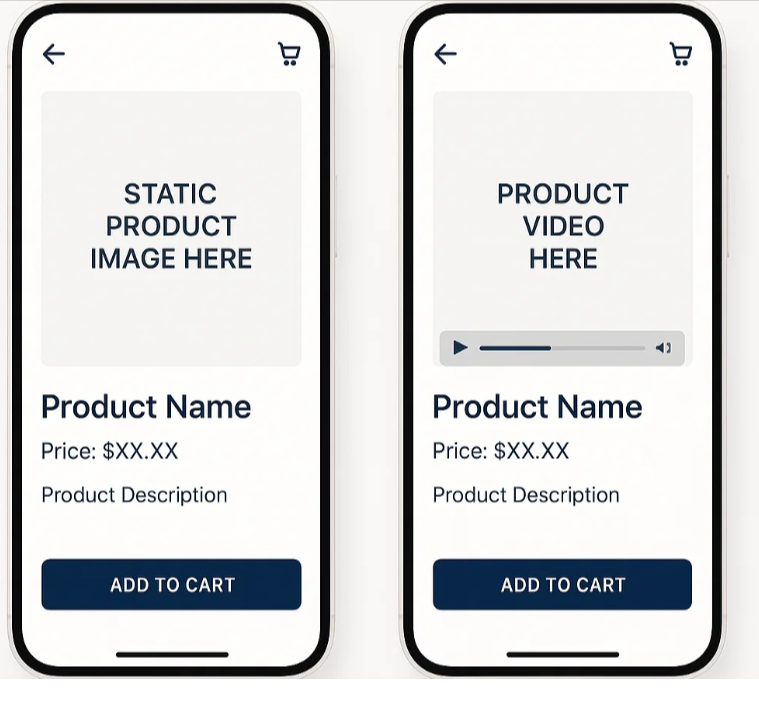
- Main product image (lifestyle vs. studio)
- Price presentation (strike-through original price vs. dollar savings)
- Product description length and format
- “Add to Cart” button color, size, and copy
- Trust badges (placement above vs. below CTA)
- Reviews placement (near CTA vs. below the fold)
Homepage
- Hero banner headline and subheadline
- Hero CTA button copy (“Shop Now” vs. “Explore Collection”)
- Featured products vs. featured categories
- Social proof elements (review count, press mentions)
Cart and Checkout
- Cart page upsell placement and copy
- Free shipping threshold visibility
- Guest checkout option prominence
- Number of checkout steps (one-page vs. multi-step)
- Payment trust icons placement
Navigation and Category Pages
- Filter placement and design
- Product grid (2 vs. 3 vs. 4 columns)
- Sort order default (Best Selling vs. New Arrivals)
- Sticky navigation vs. static navigation
Common A/B Testing Mistakes to Avoid
Mistake #1: Testing Without Enough Traffic
Running an A/B test with insufficient traffic leads to statistically insignificant results. If your Shopify store receives fewer than 5,000 monthly visitors, consider focusing on UX improvements informed by qualitative research (session recordings, user interviews) rather than split testing.
Mistake #2: Stopping Tests Too Early
Peeking at results and ending a test when one version appears to be winning is called “peeking bias.” It dramatically increases the chance of a false positive — implementing a “winner” that doesn’t actually perform better. Always run tests to your pre-calculated sample size.
Mistake #3: Testing Too Many Elements at Once
Testing a new headline, a new button color, a new layout, and new copy in a single test makes it impossible to know what drove the result. Keep tests focused on a single change or use proper multivariate testing methodology.
Mistake #4: Ignoring Segment-Level Insights
A test that shows no overall winner may reveal a significant win for mobile users or new visitors. Always segment your results – a mobile-specific winner can be deployed just for mobile users.
Mistake #5: Not Accounting for Novelty Effect
When you change something, users may interact with it differently simply because it’s new — not because it’s better. This novelty effect fades over time. For significant changes, consider running tests for 4+ weeks to ensure you’re capturing steady-state behavior.
Mistake #6: Flicker Problems
Without proper anti-flicker implementation, users see the original version for a fraction of a second before the variant loads. This creates a poor user experience and can bias results. Ensure your A/B testing tool’s anti-flicker snippet is implemented correctly — this often requires developer involvement.
Mistake #7: Not Tracking Revenue Metrics
Optimizing for click-through rate or add-to-cart rate is only meaningful if those gains translate to revenue. Always track revenue per visitor or average order value as secondary metrics alongside your primary conversion goal.
Mistake #8: Running Tests During Unusual Periods
Black Friday, holiday promotions, and flash sales create atypical visitor behavior that invalidates test results. Pause A/B tests during major promotional periods and restart them once traffic returns to normal patterns.
How Brillmark Approaches A/B Testing
At Brillmark, we take a research-first approach to experimentation. Our CRO process begins with a deep audit of your Shopify store — including Google Analytics analysis, heatmap review, session recording analysis, and customer survey data — before a single test is written.
We prioritize tests using an ICE score framework (Impact, Confidence, Ease) to ensure we’re always working on the experiments most likely to move your revenue metrics. Our team handles technical implementation, including anti-flicker setup, QA across devices and browsers, and revenue attribution — so you can trust the data you’re seeing.
Our clients typically see a 15–30% improvement in conversion rate within the first 90 days of an active experimentation program. More importantly, they build a library of tested, data-backed knowledge about their customers that informs every future decision.
If you’re ready to build a systematic A/B testing program for your Shopify store, Brillmark’s team of CRO specialists is here to help.
Conclusion
A/B testing is not a one-time tactic it’s a systematic discipline that separates data-driven Shopify stores from those that rely on instinct. By following a rigorous process, choosing the right tools, avoiding common mistakes, and committing to ongoing experimentation, you can consistently improve your store’s conversion rate and grow revenue without increasing ad spend.
Whether you’re just starting with your first A/B test or looking to build a mature experimentation program, Brillmark’s team of Shopify CRO specialists can guide you every step of the way. From hypothesis development to technical implementation and result analysis, we bring the expertise and methodology to turn your store’s data into real revenue growth.
Ready to Start Testing? Contact Brillmark.com Today.


