
A/B testing is one of the most powerful tools in an e-commerce owner’s arsenal. By systematically testing different versions of your Shopify store, you can make data-driven decisions that boost conversions, increase average order value, and ultimately grow your revenue. This guide will walk you through everything you need to know about A/B testing on Shopify.
What is A/B Testing?
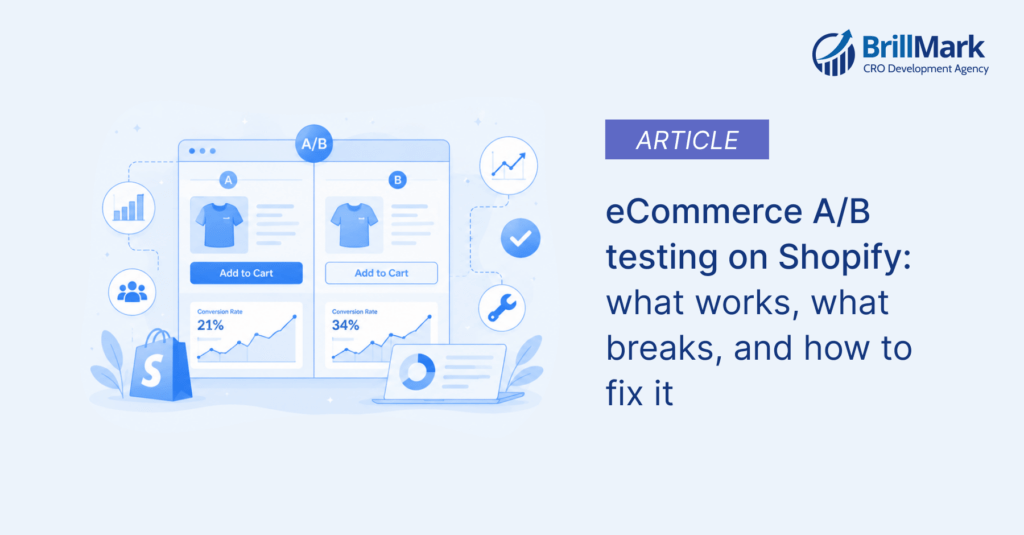
A/B testing (also called split testing) is a method of comparing two versions of a webpage, email, or other marketing asset to determine which one performs better. You show version A to one group of visitors and version B to another group, then measure which version achieves your desired outcome more effectively.
For Shopify stores, this may involve testing various product page layouts, checkout processes, call-to-action buttons, headlines, images, and pricing displays.
Why A/B Testing Matters for Shopify Stores
Data-driven decisions: Instead of guessing what works, you’ll know with statistical certainty what resonates with your customers.
Improved conversion rates: Even small improvements can lead to significant revenue increases when compounded over time.
Better customer experience: Testing helps you understand what your customers actually want, not what you think they want.
Reduced risk: Test changes before fully implementing them across your entire store.
Competitive advantage: Stores that continuously optimize outperform those that don’t.
Step-by-Step Guide to A/B Testing on Shopify
Step 1: Identify What to Test
Start by analyzing your store’s data to find opportunities for improvement. Look for:
- Pages with high traffic but low conversion rates
- High cart abandonment rates
- Low average order values
- Pages with high bounce rates
- Low email click-through rates
Common elements to test:
- Product page layouts and descriptions
- Product images and galleries
- Call-to-action button text, color, and placement
- Headlines and value propositions
- Pricing displays and discount presentations
- Checkout process steps
- Navigation and menu structures
- Trust signals (reviews, guarantees, security badges)
- Homepage hero sections
- Collection page layouts
Step 2: Choose Your A/B Testing Tool
Shopify doesn’t have built-in A/B testing functionality, so you’ll need to use a third-party tool:
Popular Shopify A/B Testing Tools:
Google Optimize (Free)
- Integrates with Google Analytics
- Visual editor for creating variants
- Good for beginners
- Note: Google Optimize sunset in September 2023, but Google Analytics 4 now offers some testing capabilities
Neat A/B Testing (Shopify App)
- Built specifically for Shopify
- Easy to set up
- Test products, themes, and prices
- Pricing starts at $9.99/month
VWO (Visual Website Optimizer)
- Comprehensive testing and optimization platform
- Advanced targeting and segmentation
- Heatmaps and session recordings
- Higher price point for more features
Optimizely
- Enterprise-level testing platform
- Advanced experimentation features
- Requires technical implementation
- Best for high-traffic stores
Split Testing by Shirtworks
- Simple product split testing
- Easy setup for beginners
- Limited to product testing
Step 3: Formulate Your Hypothesis
Before running a test, create a clear hypothesis following this format:
“If I [make this change], then [this metric] will [improve/decrease] because [reason based on user behavior or data].”
Example hypotheses:
- “If I change the ‘Add to Cart‘ button from blue to orange, then the add-to-cart rate will increase because the button will stand out more against our white background.”
- “If I add customer reviews above the fold on product pages, then conversion rates will increase because social proof reduces purchase anxiety.”
- “If I simplify the checkout from three steps to one page, then cart abandonment will decrease because customers prefer fewer clicks to complete a purchase.”
Step 4: Set Up Your Test
Once you’ve chosen your tool and hypothesis, set up your test:
- Create your control (A): This is your current version
- Create your variant (B): This is the version with your change
- Define your primary metric: What are you trying to improve? (conversion rate, revenue per visitor, add-to-cart rate, etc.)
- Set your audience split: Typically 50/50, but can be adjusted
- Determine sample size: Use a sample size calculator to determine how many visitors you need for statistical significance
- Set test duration: Plan to run your test for at least 1-2 full business cycles (usually 2-4 weeks for most stores)
Step 5: Run Your Test
Best practices while your test is running:
- Don’t make other significant changes to the tested elements during the test period
- Monitor your test regularly, but don’t stop it early
- Ensure your traffic is split evenly between variants
- Run the test through at least one full week to account for day-of-week variations
- Include key shopping periods (weekends, paydays) in your test window
How long should you run your test?
The answer depends on your traffic and conversion rate. You need:
- At least 100-250 conversions per variant (minimum)
- Statistical significance (usually 95% confidence level)
- At least one full business cycle
Use a sample size calculator to determine your specific sample size requirements. Lower-traffic stores will need longer test periods.
Step 6: Analyze Your Results
Once your test reaches statistical significance, analyze the results:
Key questions to ask:
- Did the variant achieve statistical significance? (typically 95% confidence)
- What was the percentage improvement or decline?
- How does this translate to revenue or conversions?
- Were there any unexpected outcomes or secondary metric impacts?
- Did different segments respond differently to the change?
Statistical significance matters: A variant might show a 10% improvement, but if the test hasn’t reached statistical significance, the difference could be due to random chance. Most A/B testing tools will indicate when you’ve reached significance.
Step 7: Implement and Iterate
If your test produces a clear winner:
- Implement the winning variant across your store
- Document your findings
- Plan your next test building on what you learned
If the test is inconclusive:
- Analyze why (insufficient traffic, too small a change, etc.)
- Refine your hypothesis
- Consider testing a more dramatic variation
Remember: A/B testing is an ongoing process. Each test should inform the next one.
Best Practices for Shopify A/B Testing
1. Test One Variable at a Time
While it’s tempting to test multiple changes at once, this makes it impossible to know which change caused the result. If you want to test button color AND headline text, run them as separate tests.
Exception: Multivariate testing (MVT) can test multiple variables simultaneously, but requires significantly more traffic and is more complex to analyze.
2. Prioritize High-Impact Tests
Focus your testing efforts where they’ll have the biggest impact:
High-impact, easy-to-test elements:
- Call-to-action buttons
- Headlines and product titles
- Primary product images
- Discount displays
- Free shipping thresholds
High-impact, complex tests:
- Checkout process redesign
- Navigation structure changes
- Overall page layout changes
- Pricing strategy changes
3. Don’t Ignore Small Wins
A 2% improvement in conversion rate might not sound impressive, but on a store doing $500,000 in annual revenue, that’s an extra $10,000. Small improvements compound over time.
4. Consider Seasonality
Be cautious about testing during:
- Major holidays or sale events
- Peak seasonal periods are unique to your niche
- When running major marketing campaigns
These periods can skew results. Either avoid them or ensure both control and variant experience the same conditions.
5. Segment Your Analysis
Don’t just look at overall results. Segment by:
- Device type (mobile vs. desktop)
- Traffic source (organic, paid, direct, email)
- New vs. returning visitors
- Geographic location
- Time of day/day of week
A change might hurt desktop conversions while helping mobile, or vice versa.
6. Test Beyond the Homepage
Product pages, collection pages, and checkout pages often have more impact on conversion rates than your homepage. Prioritize testing where your traffic converts.
7. Learn from Failed Tests
A “failed” test where the variant performed worse is still valuable. You’ve learned what doesn’t work and avoided implementing a change that would have hurt your business.
8. Build a Testing Culture
Create a testing calendar and make optimization an ongoing process, not a one-time effort. Aim to always have at least one test running.
9. Respect the Sample Size
Don’t declare a winner after just 50 conversions because variant B is winning. Wait for statistical significance and a meaningful sample size.
10. Consider the Full Customer Journey
A change that improves the add-to-cart rate might hurt checkout completion. Monitor secondary metrics and overall revenue impact, not just your primary metric.
Common A/B Testing Mistakes to Avoid
Stopping tests too early: Patience is crucial. Wait for statistical significance.
Testing too many things at once: You won’t know what caused the change.
Ignoring mobile users: Over 70% of e-commerce traffic comes from mobile devices.
Not having a clear hypothesis: Random testing wastes time and resources.
Declaring victory too soon: Novelty effects can make new variants appear to perform better initially.
Testing during unusual periods: Black Friday results won’t represent normal behavior.
Making decisions based on small sample sizes: 20 conversions isn’t enough to make a confident decision.
Forgetting about existing customers: A change optimized for new visitors might confuse loyal customers.
Essential Metrics to Track
Beyond your primary conversion metric, monitor:
- Conversion rate: Percentage of visitors who complete desired action
- Average order value (AOV): Revenue per transaction
- Revenue per visitor (RPV): Total metric combining traffic and conversion
- Cart abandonment rate: Percentage who add to cart but don’t purchase
- Bounce rate: Percentage who leave after viewing one page
- Time on page: Engagement indicator
- Add-to-cart rate: Micro-conversion before purchase
Advanced A/B Testing Strategies
Once you’re comfortable with basic A/B testing, consider:
Multivariate testing (MVT): Test multiple variables simultaneously to find the best combination. Requires significant traffic.
Sequential testing: Build on successful tests with progressive improvements.
Personalization testing: Test different experiences for different customer segments.
Funnel testing: Test entire user flows rather than individual pages.
Pricing testing: Test different price points, discount displays, or pricing structures.
Real-World Shopify A/B Testing Examples
Example 1: Product Image Testing A clothing store tested lifestyle images vs. white background product shots. The lifestyle images increased conversions by 18% because they helped customers envision themselves wearing the products.
Example 2: Button Color and Text Changing “Buy Now” to “Add to Cart” with an orange button (instead of blue) increased clicks by 21% because the language was less committal and the color created better contrast.
Example 3: Trust Signals Adding a “30-Day Money-Back Guarantee” badge above the fold increased conversions by 12% by reducing purchase anxiety.
Example 4: Free Shipping Threshold Testing “$50 for free shipping” vs. “Free shipping on all orders” showed that while the free shipping version had higher conversion rates, average order value dropped significantly, resulting in lower overall revenue. The threshold stayed.
Example 5: Simplified Checkout Reducing checkout from three pages to one increased completion rates by 15% by reducing friction and abandoned carts.
Conclusion
A/B testing is essential for optimizing your Shopify store, but it requires patience, discipline, and a commitment to data-driven decision-making. Start with high-impact elements, test one variable at a time, and let statistical significance guide your decisions.
Remember that optimization is a continuous journey, not a destination. The most successful Shopify stores are those that maintain a culture of testing and improvement, constantly learning from their customers and refining the shopping experience.
Start small, document your learnings, and build momentum with each successful test. Over time, the cumulative impact of your optimization efforts will significantly improve your store’s performance and profitability.
Quick Start Checklist
- Analyze your Shopify analytics to identify optimization opportunities
- Choose an A/B testing tool that fits your budget and technical capabilities
- Create your first hypothesis based on data, not assumptions
- Set up your test with clear metrics and appropriate sample sizes
- Run your test for a sufficient time to reach statistical significance
- Analyze results and implement winning variations
- Document learnings and plan your next test
- Build a testing calendar to maintain momentum